Tech is Easy
How to Hide Activity Status on Instagram (Turn Off Active Now)
To hide your activity status on Instagram, go to your profile, tap the three lines, then open Messages and story replies > Show activity status and switch the toggle off. This turns off the "Active now" and last active labels other people see next to your name. It's for anyone who wants to use Instagram without showing when they're online.
What Activity Status shows (and to whom)
When Activity Status is on, a green dot or a line such as "Active now" or "Active 2h ago" appears next to your profile picture in Instagram messaging. According to Instagram's help page on turning Activity Status on or off, the people who can see it are accounts you follow and anyone you have a chat with. It does not show on your public profile to strangers, so the main place people notice it is the chats list and the top of a conversation. In a group chat, it can also show who is currently active in that chat with you.
Before you change it, keep two things in mind: - It works both ways. Once your status is hidden, you also lose the green dot and last active time for everyone else. - It's easy to undo. Nothing is deleted. You can switch it back on at any time and it takes effect straight away.
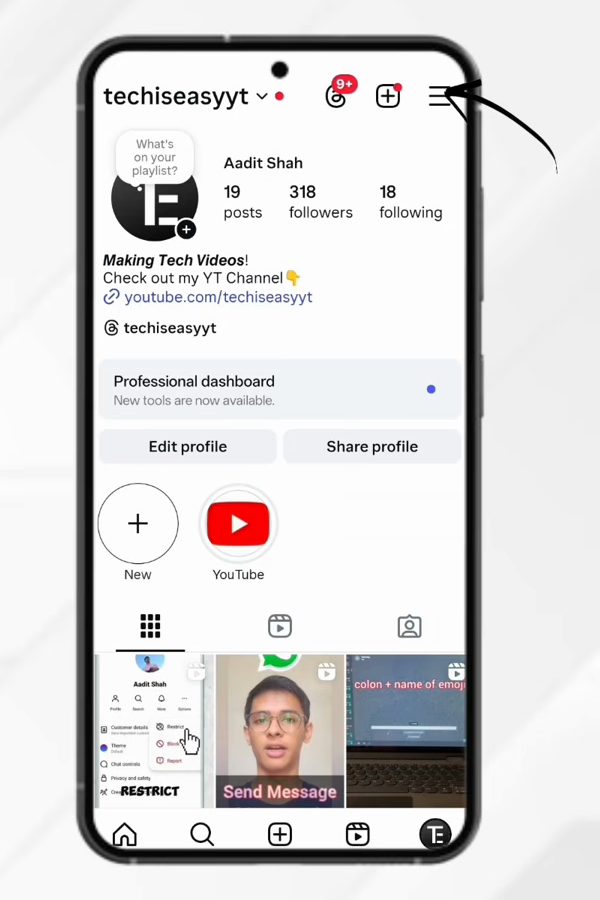
1Open the menu from your profile
Open Instagram and tap your profile picture at the bottom right to go to your profile page. Then tap the three lines at the top right.
2Open Messages and story replies
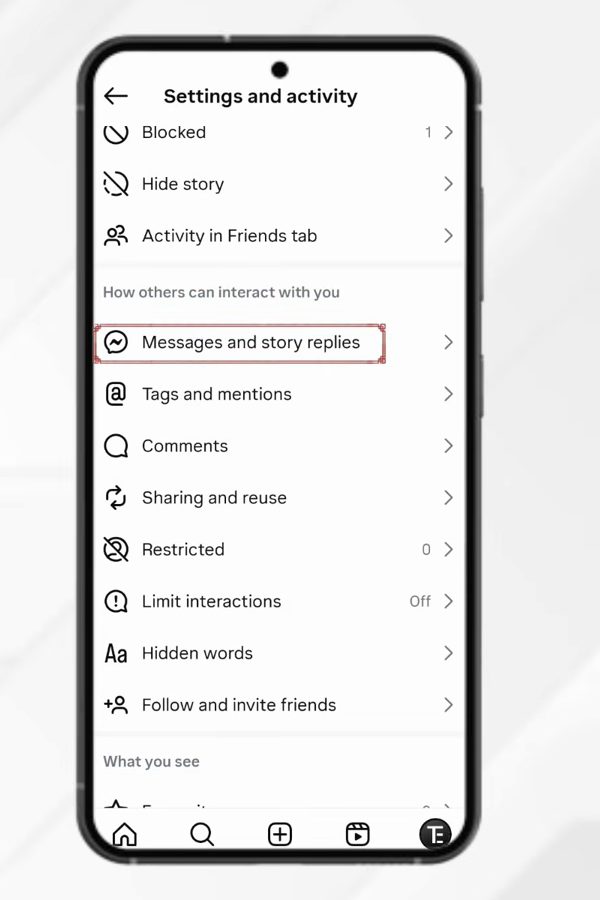
The Settings and activity page opens. Scroll down to the section How others can interact with you and tap Messages and story replies.
3Tap Show activity status
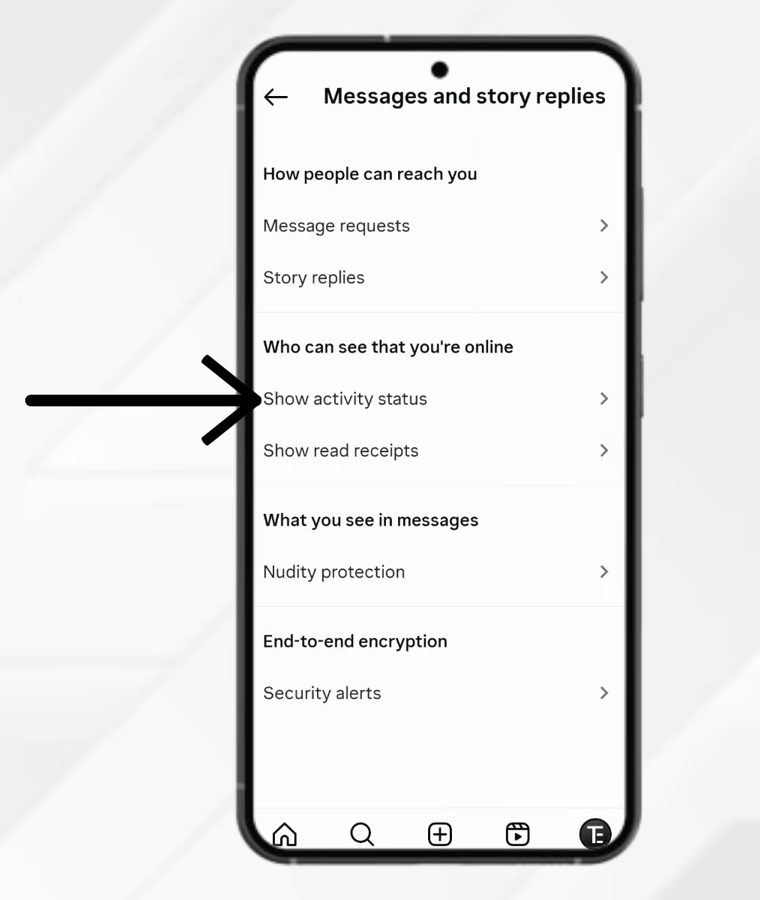
Under Who can see that you're online, tap Show activity status.
4Check the current setting
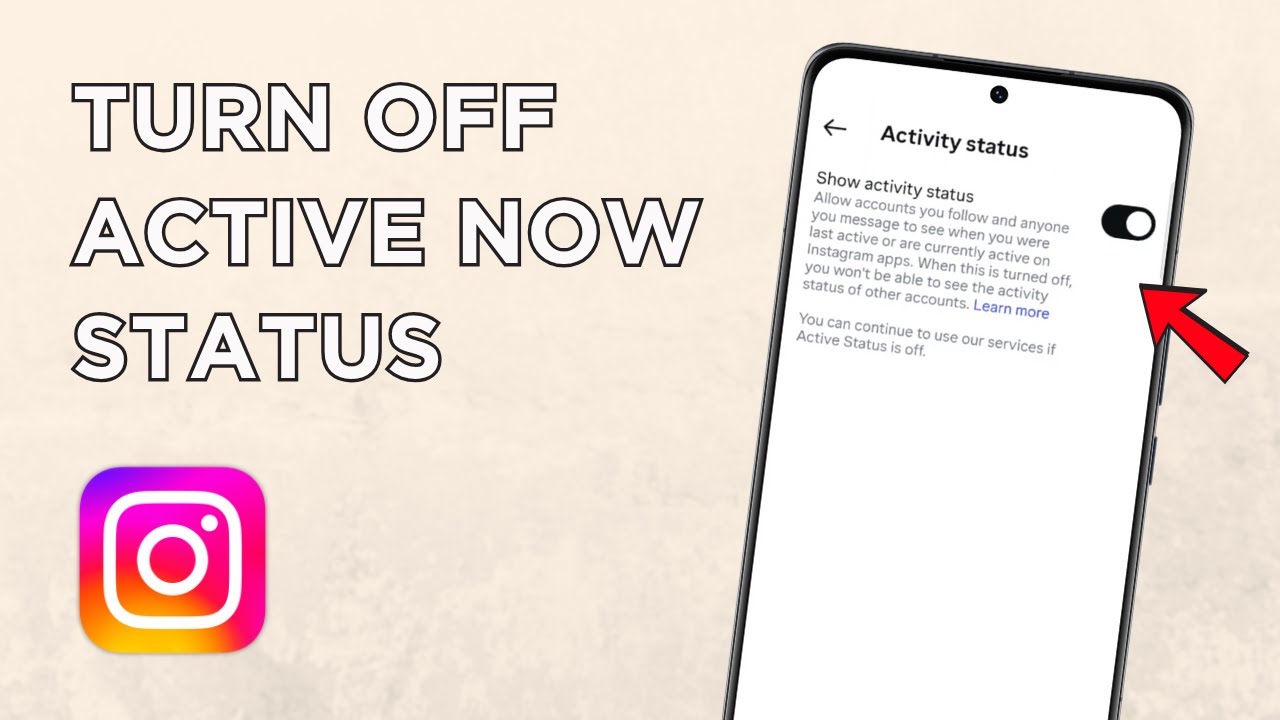
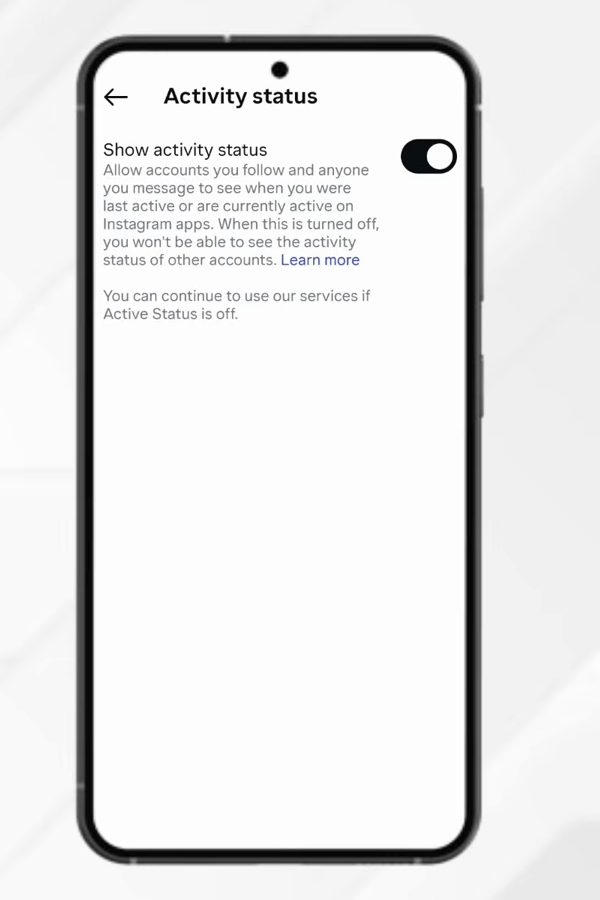
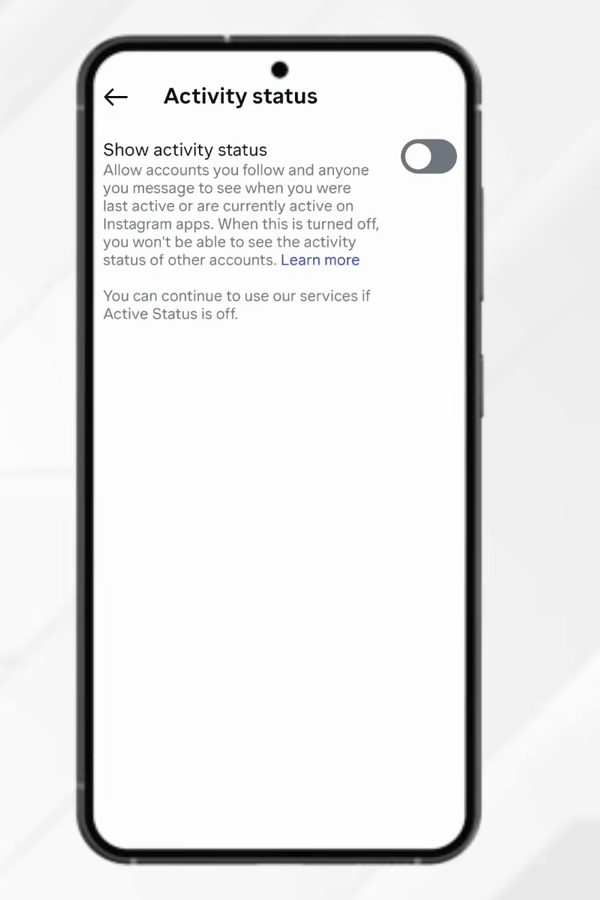
The Activity status page shows a toggle next to Show activity status. If it's dark and switched on, people you follow and anyone you message can see when you were last active or are active now.
5Turn the toggle off
Tap the toggle so it turns grey. Your activity status is now hidden. That's all, there is nothing to save.
On a computer
The same setting exists on instagram.com. Instagram's help page gives this path: click More in the bottom left, then Settings. Under How others can interact with you, click Messages and story replies, then Show Activity Status, and click the toggle. It is one account-level setting, so turning it off on the computer also hides you in the phone app, and the other way round.
Tips / troubleshooting
- Can't find Messages and story replies? Instagram moves its settings around between app versions. Update the app from the Play Store or App Store, then look again. You can also use the search bar at the top of Settings and activity and type "activity status".
- Using more than one account? The setting belongs to each account. If you switch between a personal and a business account, open the menu on each one and turn the toggle off separately.
- People can still tell you read their message. Activity Status only controls the green dot and the last active time. The "Seen" label under messages is a separate read receipts feature, so hiding your status doesn't hide that.
- Threads is separate. If you use Threads, it has its own setting for who can see when you're active there. Changing it in Instagram doesn't change Threads.
- Want to hide from one person only? This toggle can't do that. Restricting someone hides your online status and read receipts from just that account, as explained in the FAQ below.
FAQ
How do I turn off "Active now" on Instagram?
Go to your profile, tap the three lines, then Messages and story replies > Show activity status, and turn the toggle off. Instagram stops showing "Active now" and your last active time to others.
Can I still see when others are online after hiding mine?
No. Once you turn it off, you also won't be able to see the activity status of other accounts. Turn it back on if you want to see theirs again.
Does this hide my status from just one person?
No, this setting applies to everyone. To hide your online status from one person only, you can restrict them, which also moves their chat out of your inbox. See how to hide Instagram chats without deleting them.
Can I turn my activity status back on later?
Yes. Follow the same steps and tap the toggle again so it turns on.
Who can see my activity status on Instagram?
Only accounts you follow and people you have messaged. An account you don't follow and have never chatted with won't see your green dot or last active time.
I turned it off but someone says they saw me online. Why?
Check that you changed the setting on the account you were actually using, since each account has its own toggle. Also remember that a "Seen" label on a message is a read receipt, not Activity Status, so it can still show that you opened their chat.
Related guides