Tech is Easy
How to Change Instagram Password Without Old Password
To change your Instagram password without the old password, go to your profile, tap the three lines, then Accounts Centre > Password and security > Change password, pick your account and tap Forgotten your password?. Instagram sends a reset link to your linked phone number or email, and you set a new password from there. It's for anyone still logged in who can't remember the current password.
What you need
- The Instagram app, logged in to the account
- Access to the phone number or email linked to that account
This method is for when you are still logged in on your phone. If you've been logged out and can't get back in, skip to the If you're logged out section below.
1Open the menu from your profile
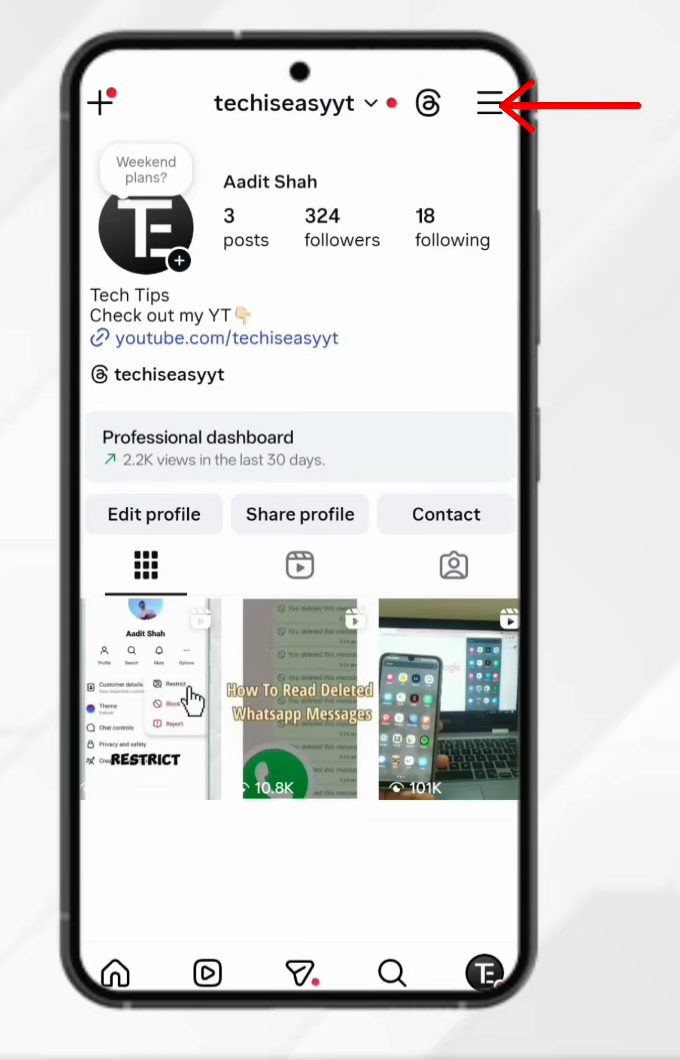
Open Instagram and tap your profile picture at the bottom right. On your profile page, tap the three lines at the top right to open Settings and activity, then tap Accounts Centre at the top.
2Go to Password and security
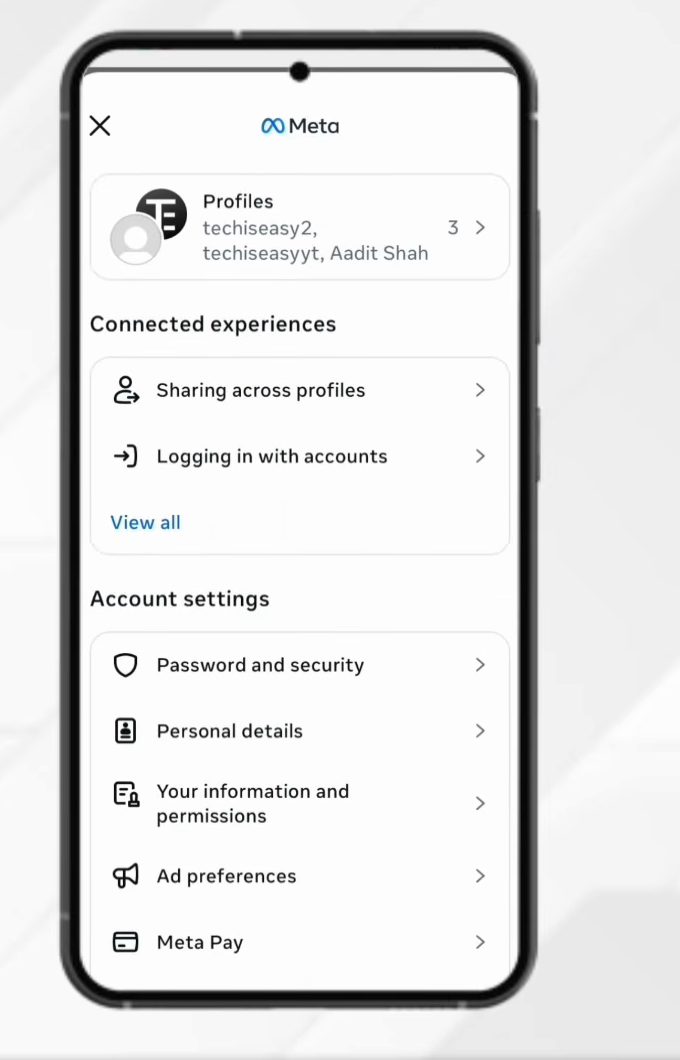
In Accounts Centre, scroll down to Account settings and tap Password and security.
3Tap Change password and pick your account
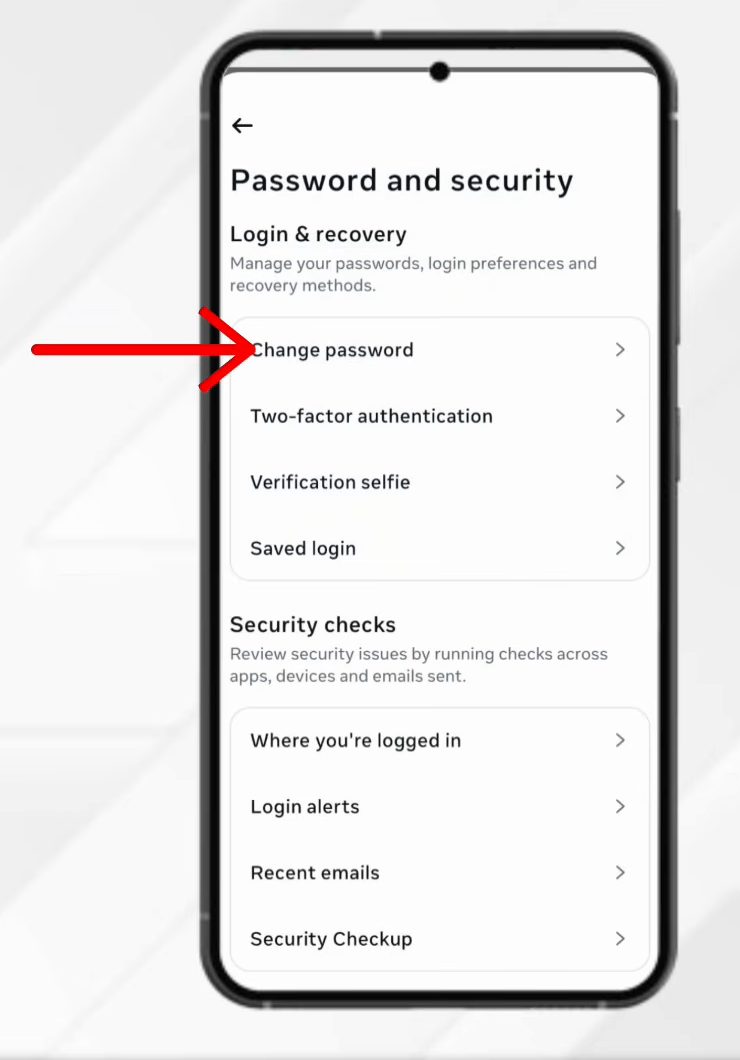
Tap Change password. If more than one account is linked to Accounts Centre, you'll see a list, so tap the Instagram account whose password you want to change.
4Tap Forgotten your password?
This screen asks for your current password. Since you don't know it, skip the boxes and tap Forgotten your password? below them. This link is what lets you change your Instagram password without the old password.
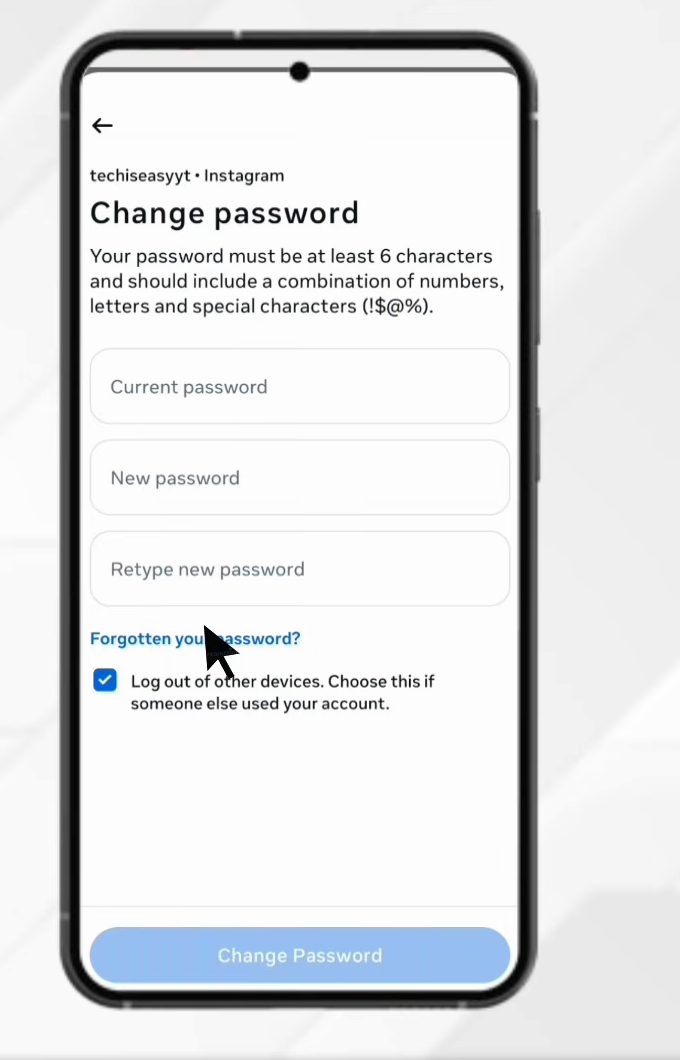
5Open the reset link
Instagram sends a reset link to your linked mobile number or email. Open the message and tap the link (ours came as a text message). It brings you back into the Instagram app.
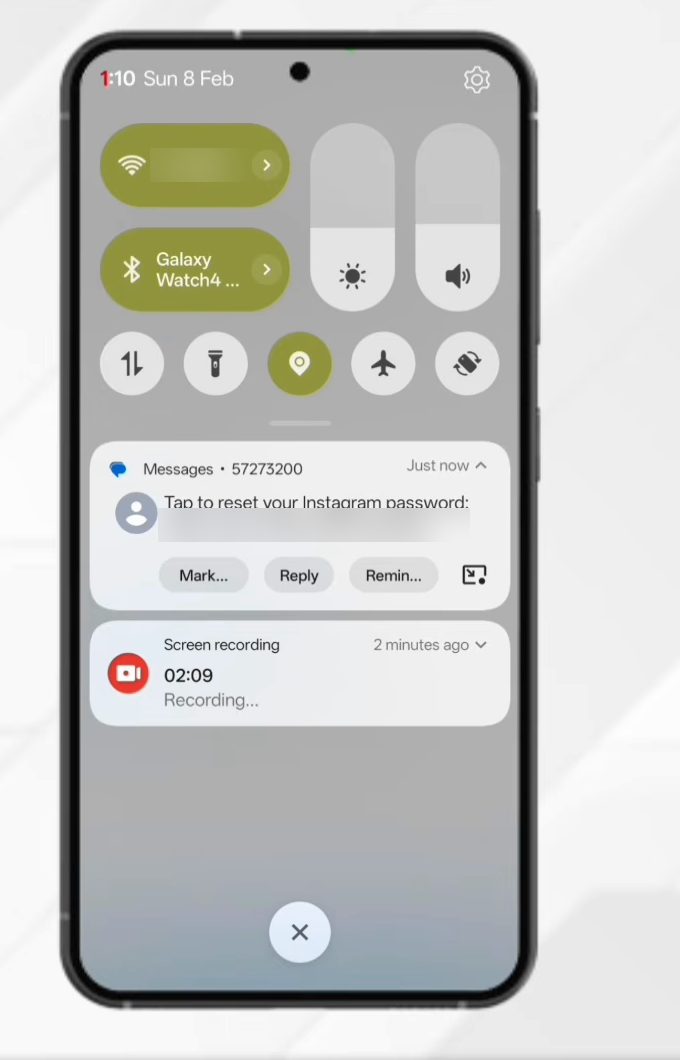
6Create a new password
On the Create a strong password page, type your new password (at least six characters, mixing numbers, letters and symbols) in both boxes and tap Reset Password. Your password is now changed, and you'll use the new one the next time you log in.
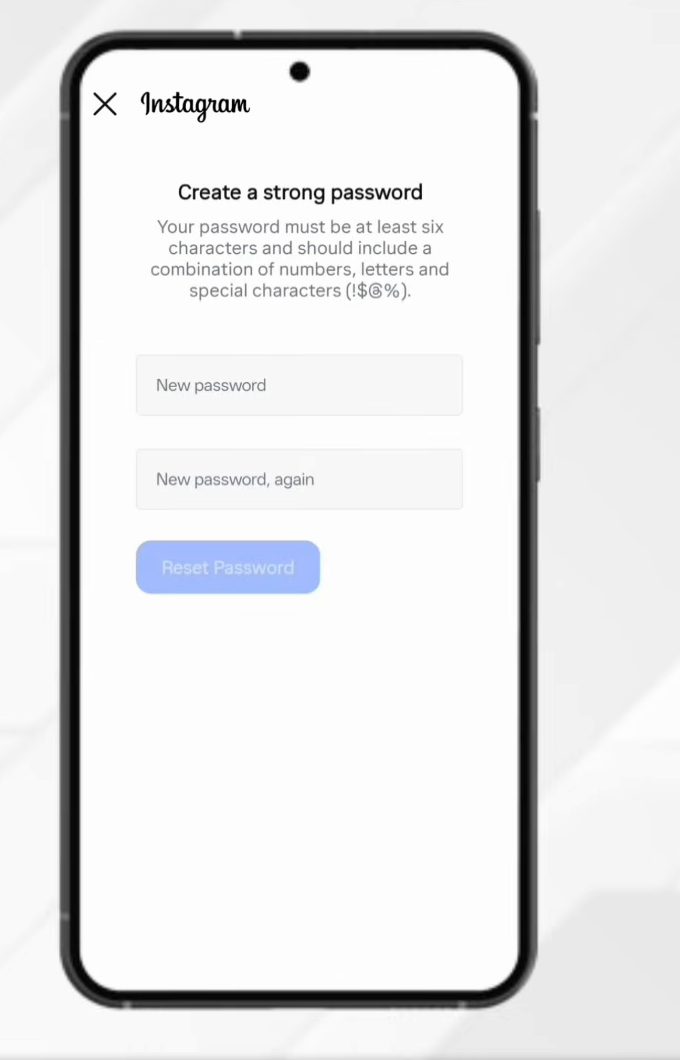
If you're logged out
The steps above only work while the app is still signed in. If you are already logged out, Instagram's help page on changing your Instagram password says you can request a password reset from the login screen instead. Tap the forgot password link under the login box, enter your username, email or phone number, and Instagram sends the same kind of reset link. Open it and create a new password just like in Step 6. The wording of the link can differ between app versions, so look for the help or forgotten password option right below the login button. If you can't reach the email or phone number either, follow the other recovery options Instagram shows on that screen.
Pick a password that sticks
Instagram's help page recommends a strong password that combines letters, numbers and symbols. A few practical rules: - Don't reuse a password from another app or website. If that site leaks, your Instagram account is at risk too. - Make it long rather than clever. A short phrase with a number and a symbol is easier to remember than random characters. - Let your phone save it. If you use Chrome on Android, you can look it up later in Google Password Manager, as shown in our guide to viewing saved passwords on your phone.
After you reset the password
- Check where you're logged in. If you are changing the password because you think someone else knows it, go to Accounts Centre > Password and security > Where you're logged in and log out of any device you don't recognise.
- Turn on two-factor authentication. It is in the same Password and security section. With it on, a new password alone is not enough to get into your account.
- Update other devices. Any tablet, computer or second phone where you log in again will ask for the new password.
Tips / troubleshooting
- No reset message? Check spam or junk if it goes to email, wait a minute, then tap Forgotten your password? again. Use the newest link you receive, since older ones can stop working.
- The link doesn't open Instagram? Make sure the Instagram app is updated, then tap the link again on the phone where you're logged in.
- Several accounts in Accounts Centre? Double-check you picked the right Instagram account in Step 3. The reset only changes the password of the account you selected.
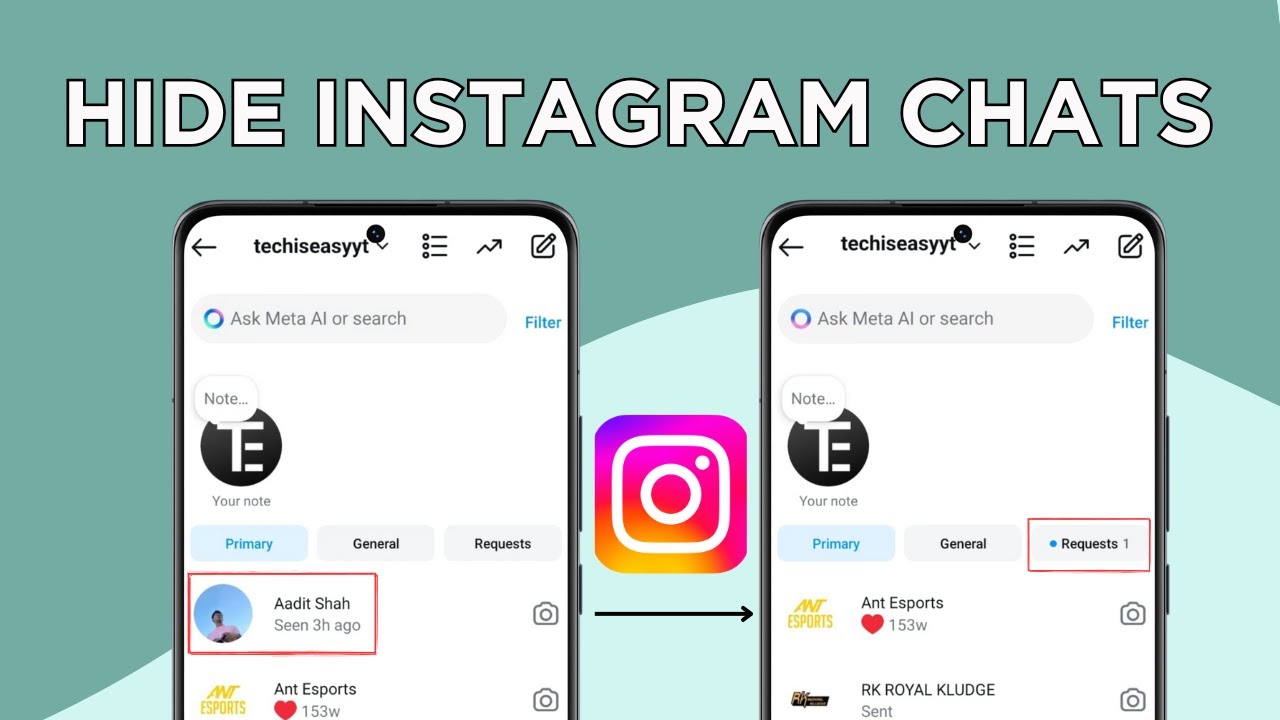
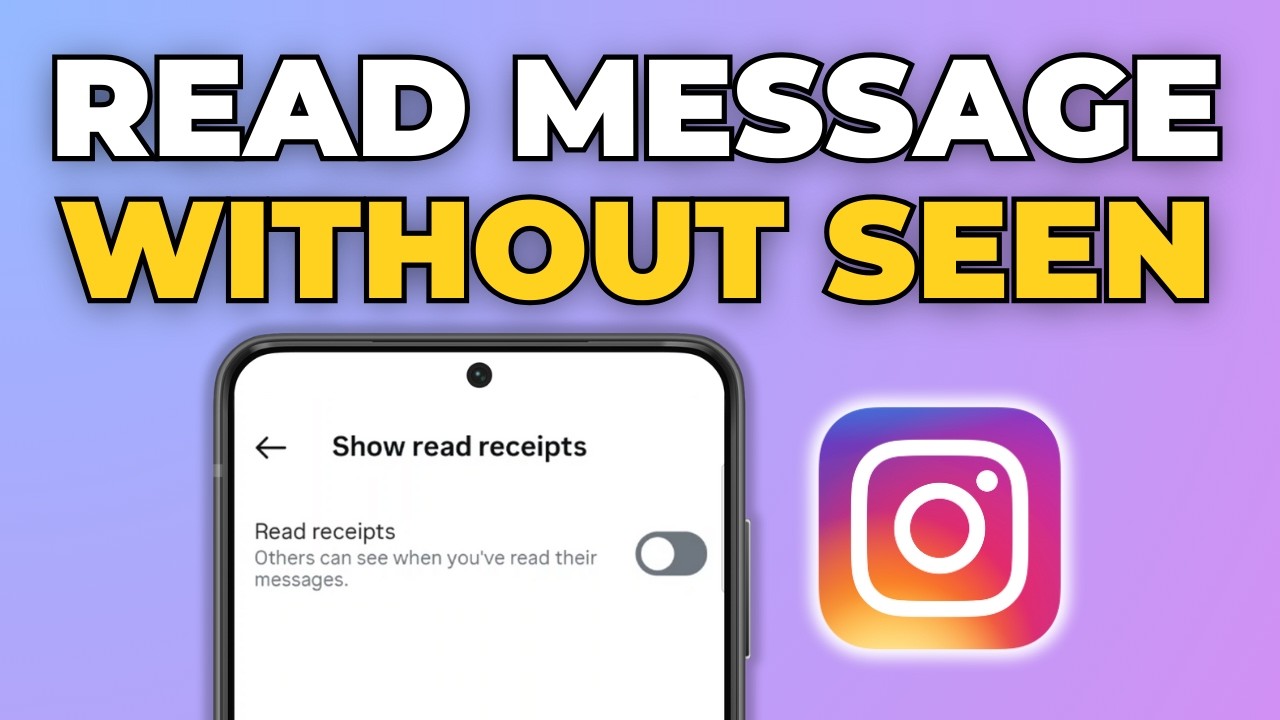
Related guides: How to Read Instagram Messages Without Seen (Hide Read Receipts) and How to Hide Instagram Chats Without Deleting Them.
FAQ
Where does Instagram send the password reset link?
To the mobile number or email address linked to your account. In the video it came as an SMS on the same phone.
I didn't get the reset link. What can I do?
This isn't covered in the video. Check that the phone number or email on your account still works, look in spam, and request the link again.
Can I reset my Instagram password if I no longer have the linked phone number or email?
The reset link always goes to the contact details on your account, so you need access to at least one of them. If you're still logged in, update your email or phone number in Accounts Centre first, then request the link.
Will I be logged out after resetting my password?
In the video the app went straight back to the profile page after the reset, so you stay logged in on that phone. Any new login, on this phone or another device, will need the new password.
Related guides