Tech is Easy
How to Read Instagram Messages Without Seen (Hide Read Receipts)
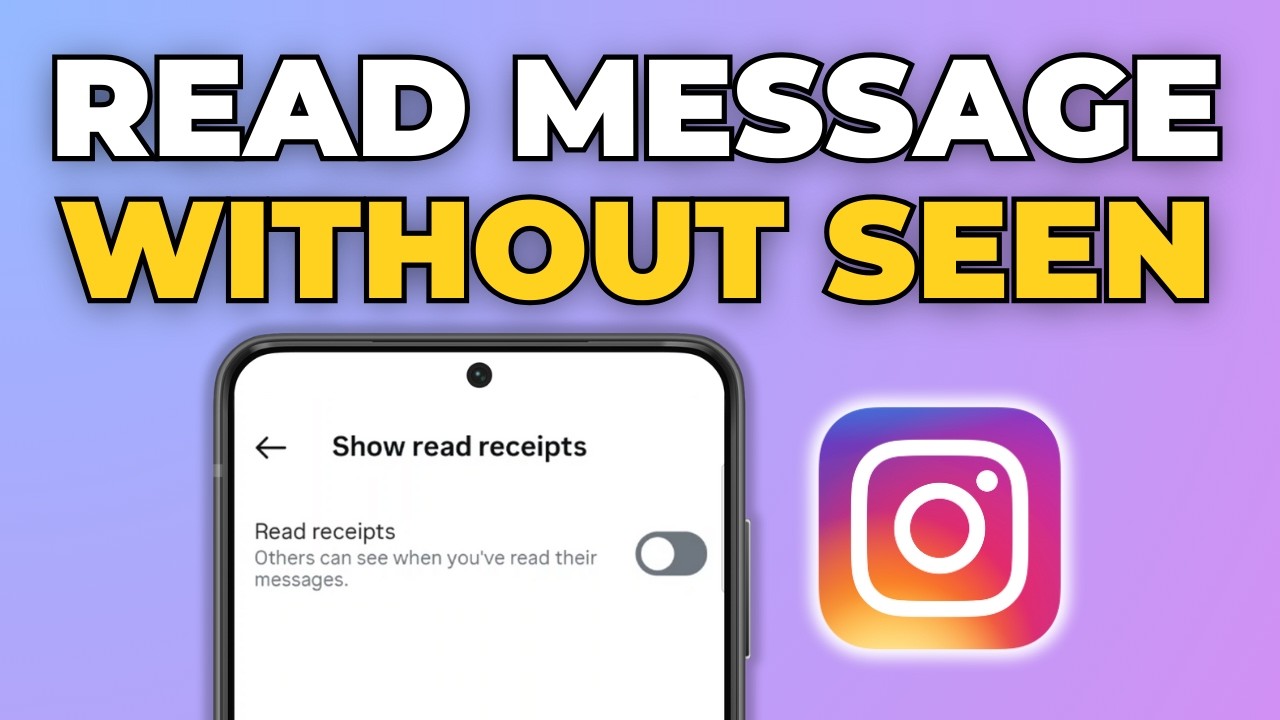
To read Instagram messages without seen, open your profile, tap the three lines at the top right, go to Messages and story replies > Show read receipts and turn the Read receipts toggle off. After that, people you chat with no longer see "Seen" when you open their messages. It is a good fit if you want to read DMs on your own time without feeling pressured to reply right away.
Before you start
- The setting belongs to your Instagram account, not your phone. If you switch between several accounts in the app, turn it off on each account separately.
- It only affects messages you open after the change. Any message that already shows "Seen" to the other person stays that way.
- It does not hide you from story viewer lists. If you watch someone's story, they can still see your name among the viewers.
- Instagram does not notify anyone when you change it. The other person simply stops seeing "Seen" under the messages they send you.
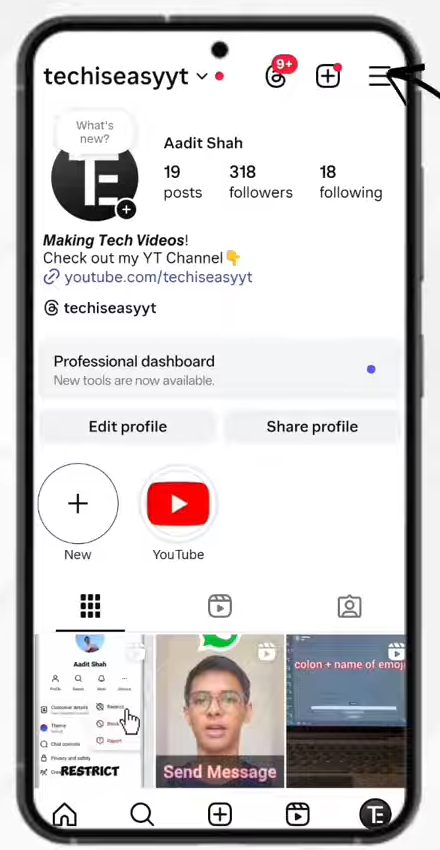
1Open your profile menu
Open Instagram and tap your profile picture at the bottom right to go to your profile. Then tap the three lines (menu) icon at the top right.
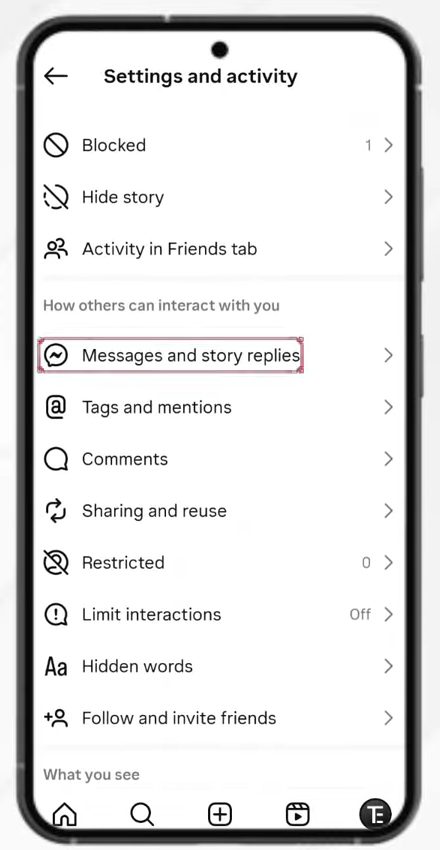
2Open Messages and story replies
You are now in Settings and activity. Scroll down to the section How others can interact with you and tap Messages and story replies.
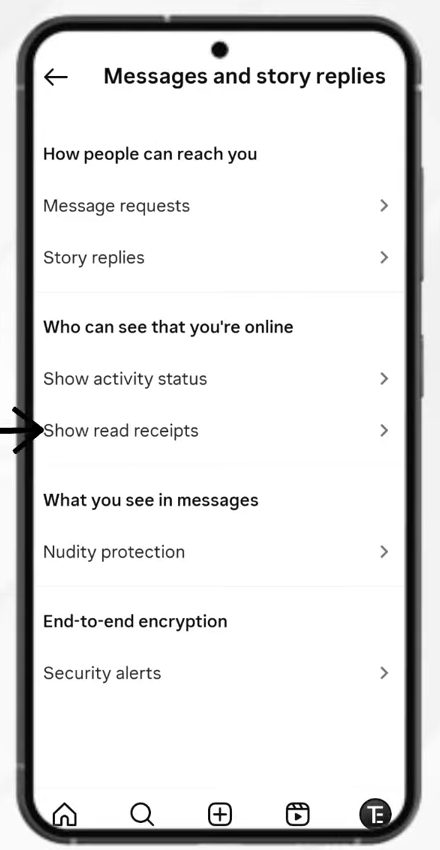
3Tap Show read receipts
Under Who can see that you're online, tap Show read receipts.
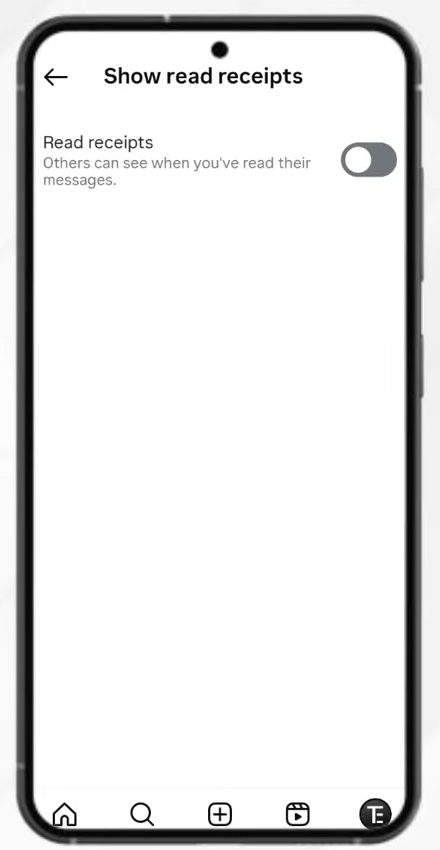
4Check the Read receipts toggle
The Read receipts toggle is on by default, which means others can see when you have read their messages.
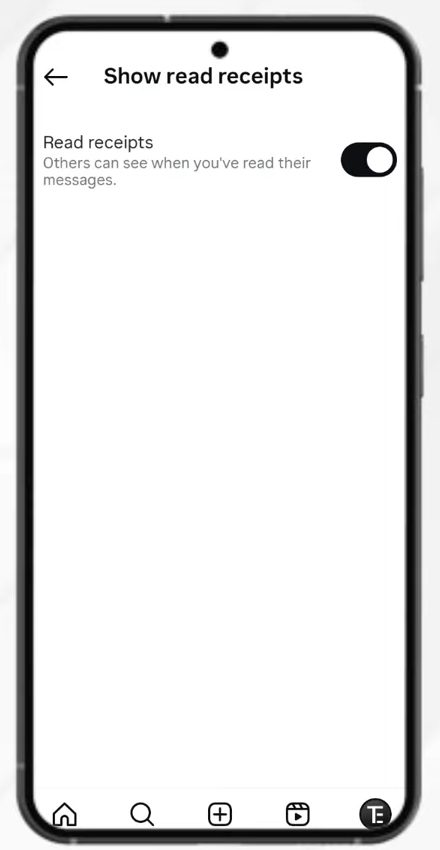
5Turn read receipts off
Tap the toggle so it turns grey. Read receipts are now off, so you can read Instagram messages without being seen.
Turn off read receipts for one chat only
The steps above switch read receipts off for every conversation. If you only want privacy in a few chats, Instagram's own help page on managing read receipts for your chats explains that you can manage read receipts for certain chats or for all chats. The per-chat option lives in the settings of that individual conversation, so open the chat and look in its details rather than in the main Settings menu.
Another option: read the notification
If you don't want to change any settings, the message notification on your phone can do part of the job. When a DM arrives, the notification on the lock screen or in the notification panel shows the start of the message, and reading it there does not open the chat, so nothing is marked as seen. The catch is that long messages get cut off, photos and videos only show as a short label, and the moment you tap the notification Instagram opens the chat and the sender sees "Seen" if read receipts are still on. For anything more than a quick glance, turning off read receipts is the more reliable way.
Tips / troubleshooting
- This works both ways. With read receipts off, you also will not be able to see when other people have read your messages.
- If you change your mind, come back to the same screen and turn the toggle on again.
- Can't find Show read receipts? Update Instagram from the Play Store or App Store first. Older versions of the app don't have this toggle, and menu names change from time to time.
- Trying on a computer? Instagram's help page says this feature isn't available on computers. Use the Android or iPhone app to change it.
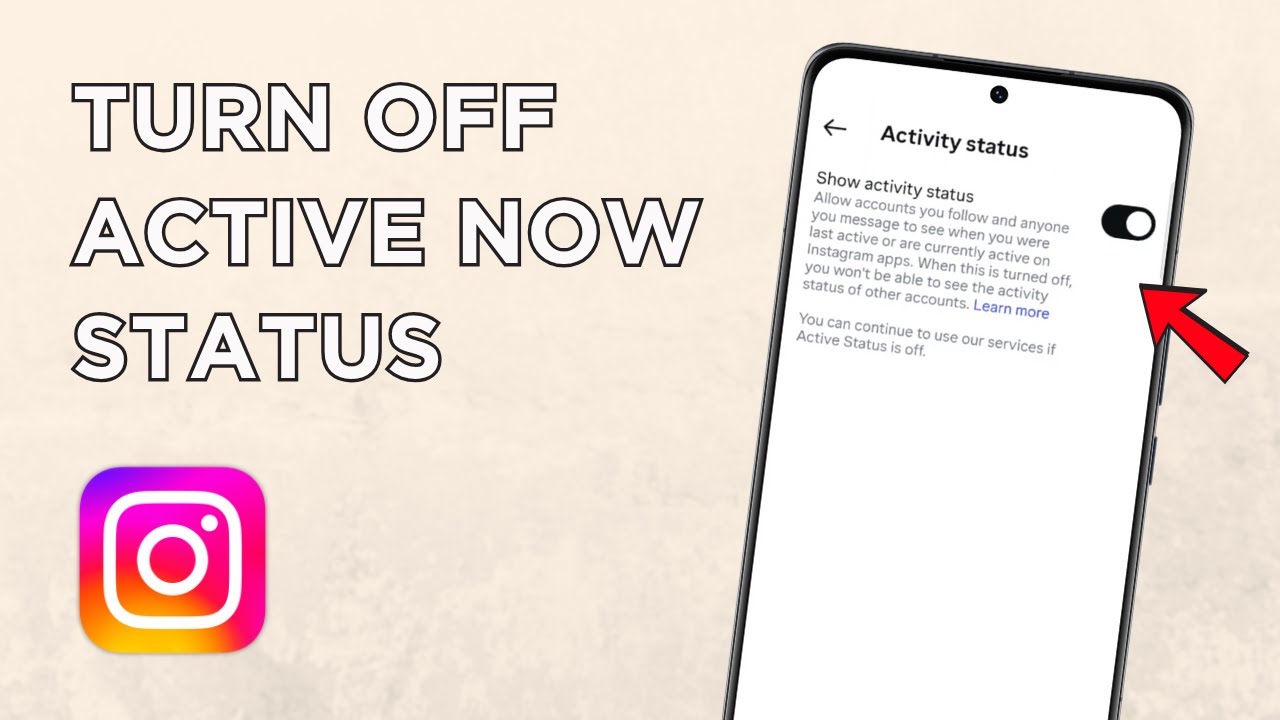
- Your online status is a separate setting. On the same Messages and story replies screen, Show activity status sits right above Show read receipts. Turning off read receipts does not hide when you were last active, so change that one too if you want to stay fully low-key.
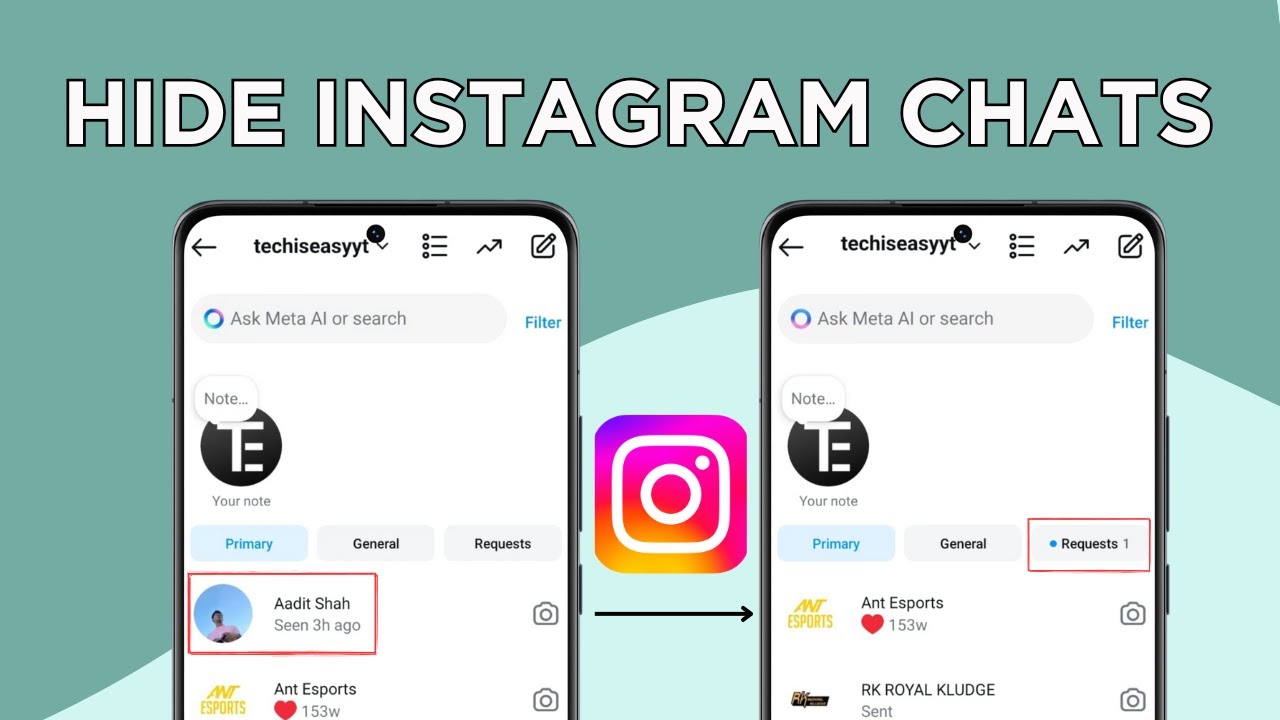
- Want to keep conversations out of sight too? See how to hide Instagram chats without deleting them.
FAQ
How do I read Instagram messages without being seen?
Turn off read receipts: profile > three lines > Messages and story replies > Show read receipts, then switch off Read receipts. Messages you open after that will not show "Seen" to the sender.
Does this work on iPhone?
The steps are shown on an Android phone, but the setting lives inside the Instagram app itself, so on an iPhone you follow the same menu path from your profile.
Can I still see when others read my messages?
No. Turning off read receipts also hides "Seen" on your own sent messages, so you will not know whether the other person has read them.
Does turning off read receipts hide that I'm online?
No. Read receipts only control the "Seen" label. Whether people can see that you're online or recently active is controlled by Show activity status, which is in the same Messages and story replies menu.
Will the other person know I turned off read receipts?
Instagram doesn't send them any alert. They will just stop seeing "Seen" under their messages, which can also happen when someone simply hasn't opened the chat yet.
Can I read an Instagram message without opening the chat?
You can read the start of it in the phone's notification without opening the app. Tapping the notification opens the chat, so if read receipts are on, the sender will see "Seen" at that point.
Can I turn read receipts back on later?
Yes. Go back to Show read receipts and tap the toggle again. Nothing else changes in your chats.
Related guides