Tech is Easy
How to Get a Free Business Email with Zoho Mail (2026)
A professional email like info@yourbusiness.com looks far better on an invoice or a website than a Gmail address, and you can get one for free. Zoho Mail has a Forever Free plan that gives you up to 5 email addresses on your own domain, with 5 GB of storage per user.
The only thing you pay for is the domain itself. Here is the full setup.
What you need
- A domain you own (bought from GoDaddy, Cloudflare, Hostinger or any other provider)
- Login access to that provider, so you can add DNS records
- An email address and phone number to sign up with Zoho
1Find the hidden Forever Free plan
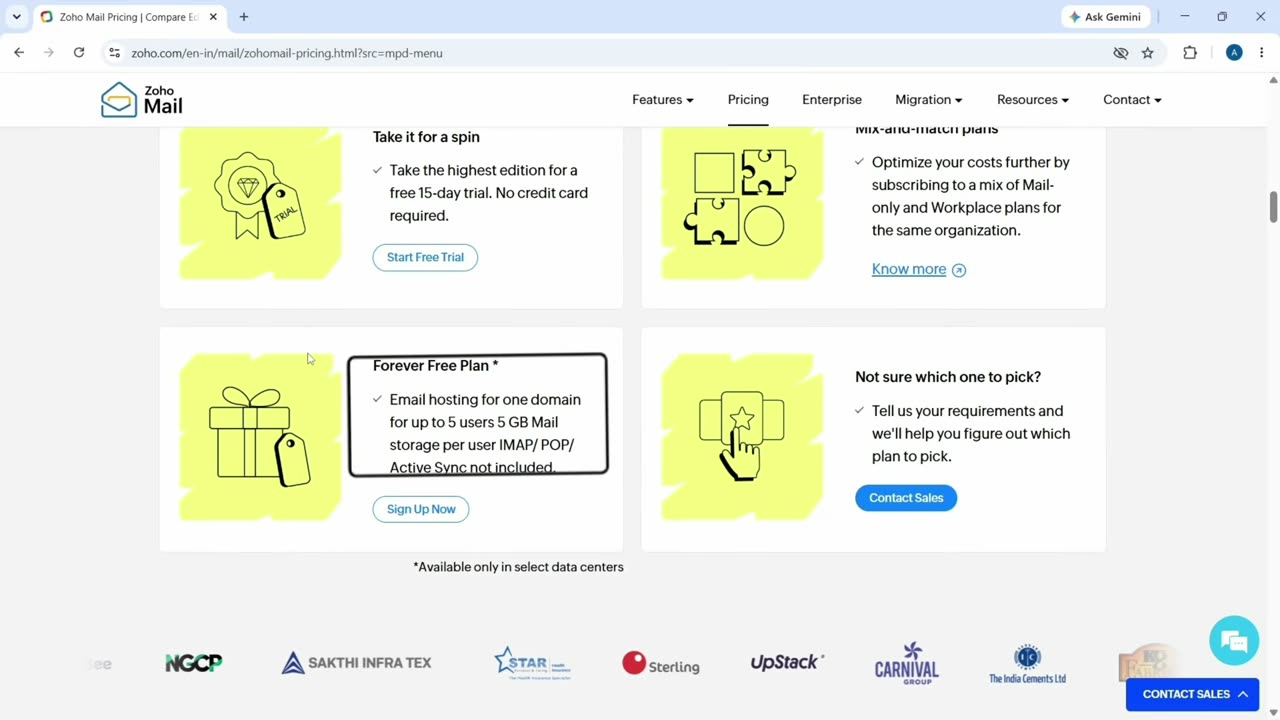
Open the Zoho Mail pricing page. The paid plans are shown first, so scroll down until you see the Forever Free Plan: email hosting for one domain, up to 5 users and 5 GB per user. Click Sign Up Now under it.
2Sign up
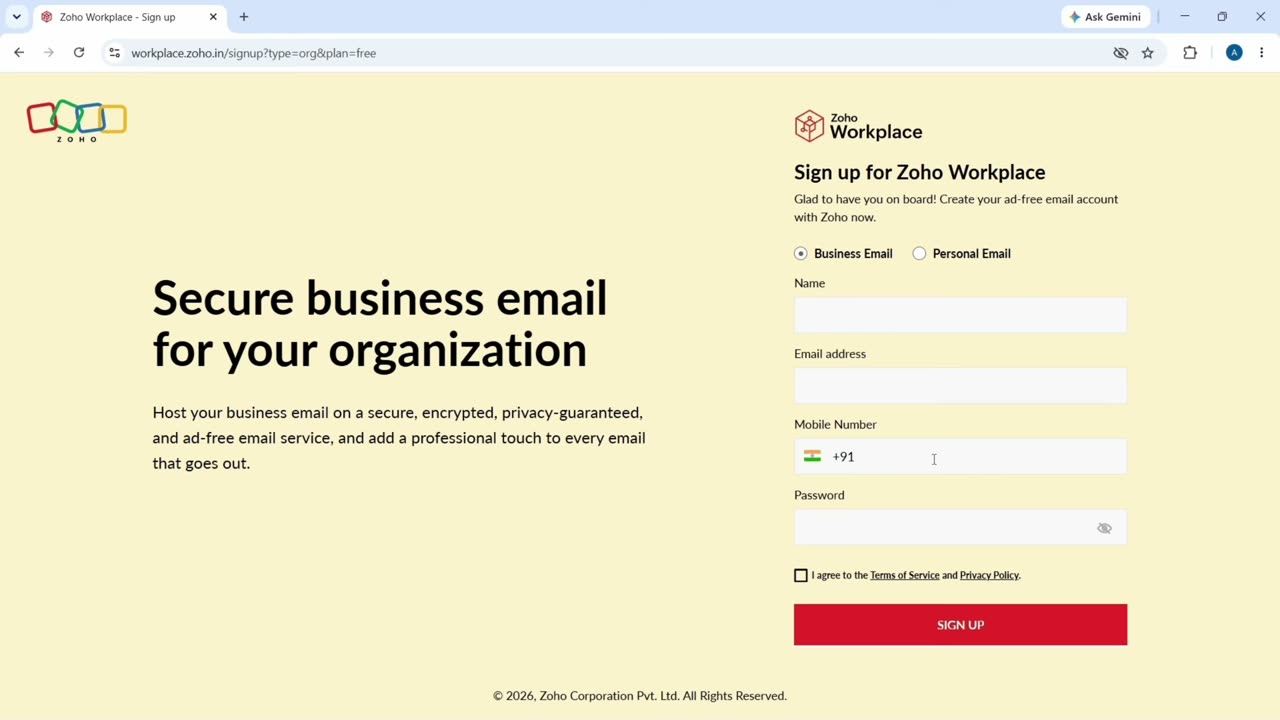
Enter your name, the email address Zoho should use to contact you, your mobile number and a password, then click Sign Up. Enter the OTP that Zoho sends to your phone to confirm.
3Add your existing domain
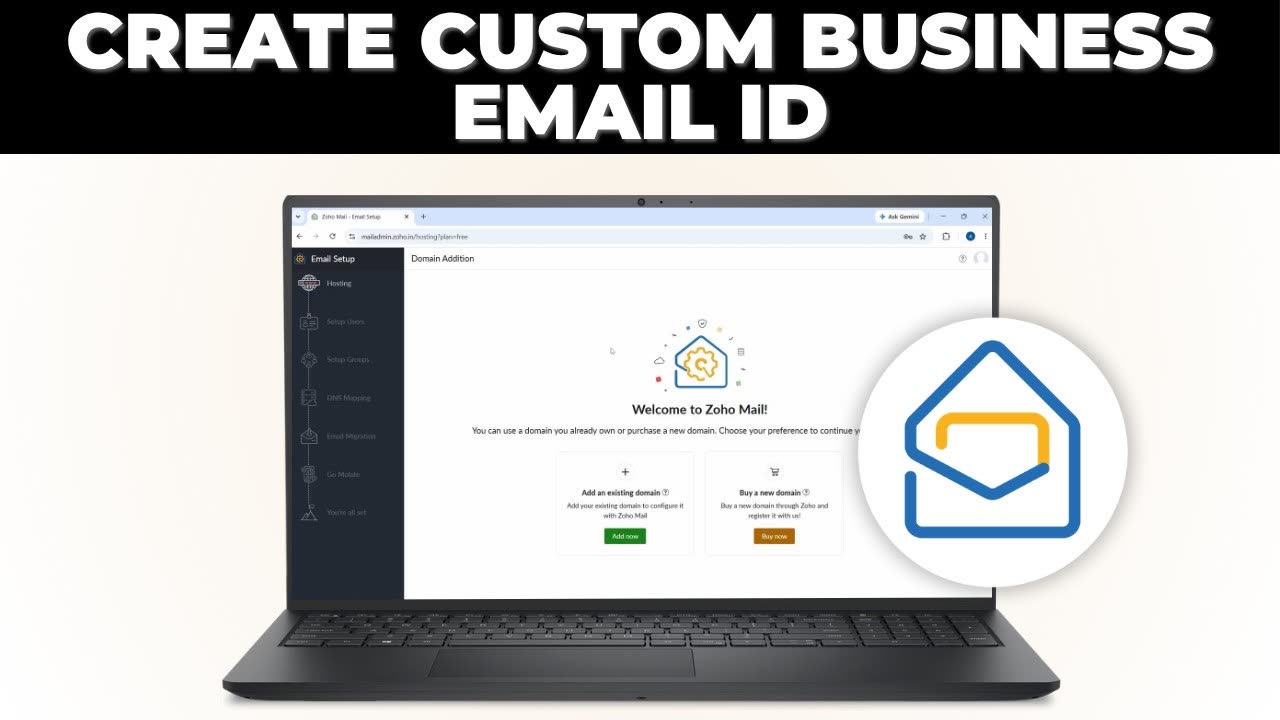
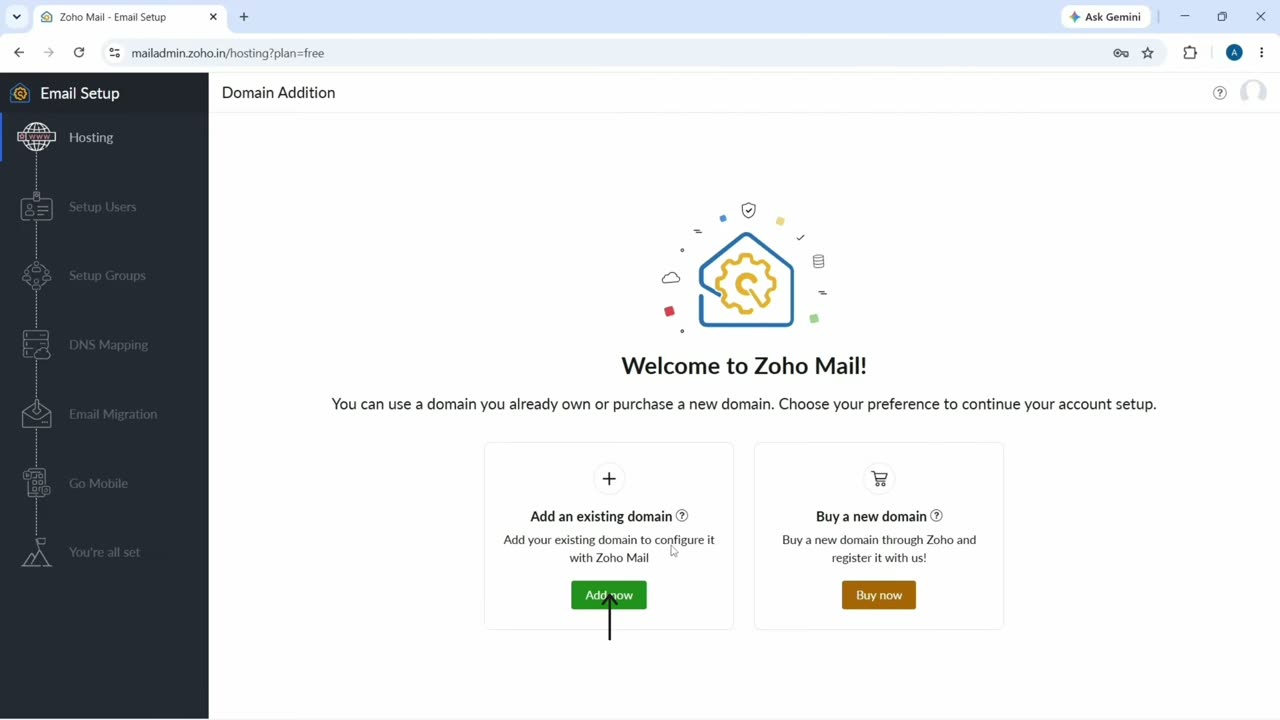
On the Welcome to Zoho Mail screen, click Add now under Add an existing domain. If you do not have a domain yet, you can also buy one here with Buy now.
4Enter your domain and organisation name
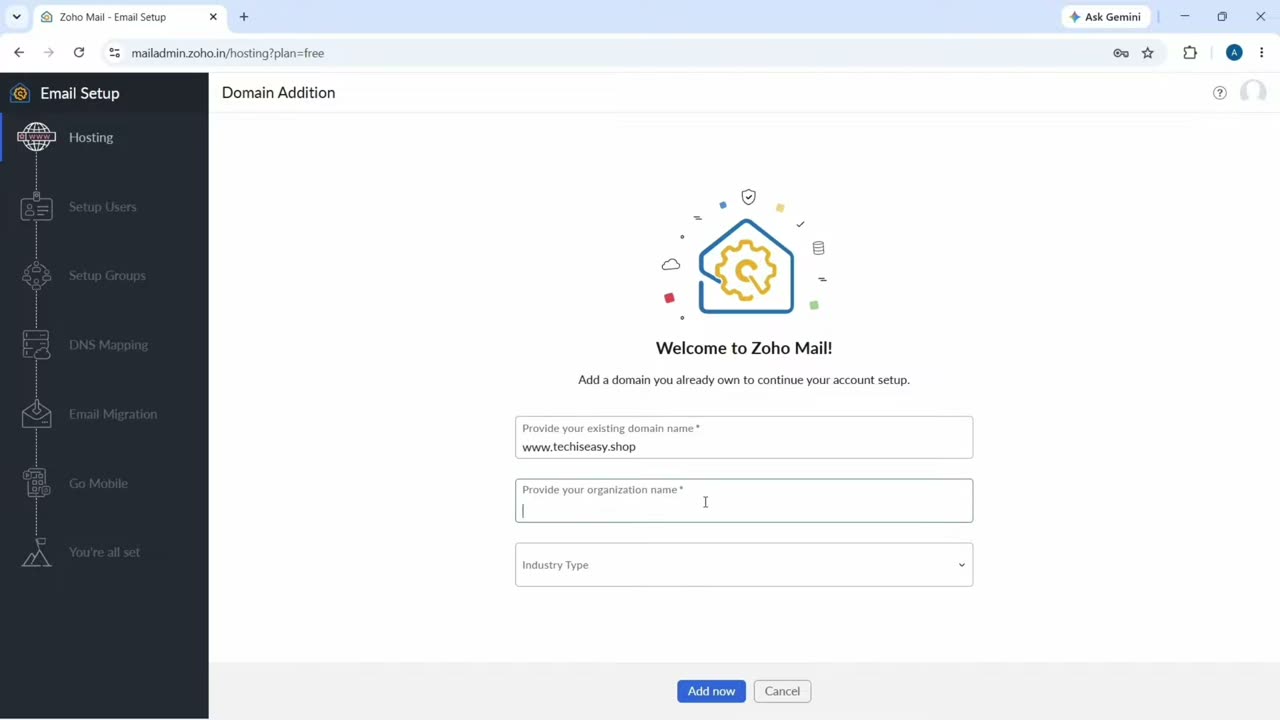
Type your domain name, your organisation name and pick an industry type. Click Add now. Zoho adds the domain, but you still have to prove that you own it.
5Copy the TXT record
Click Proceed to domain verification. Zoho offers three ways to verify: a TXT record, a CNAME record or an HTML file. Pick Add a TXT record in the DNS (the recommended one) and copy the TXT Value it shows.
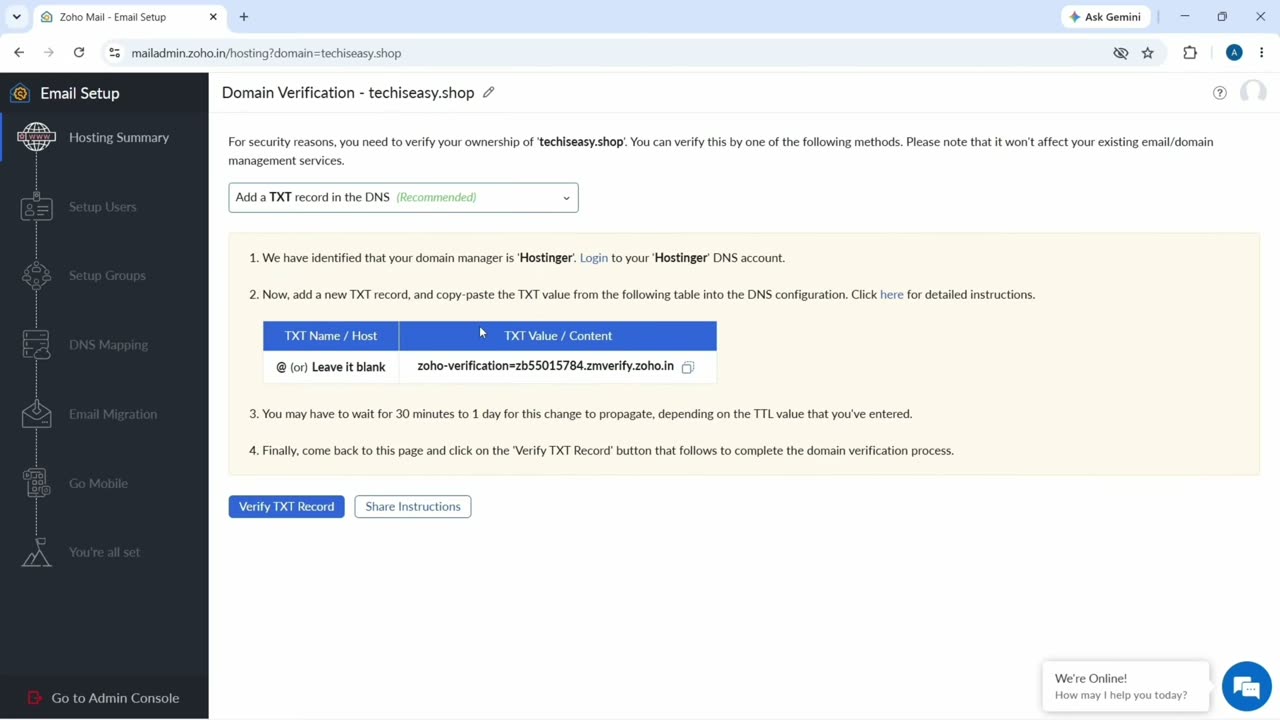
6Paste it where you bought the domain
Log in to your domain provider and open the DNS records for the domain. Add a new record with type TXT, name @ (or leave it blank), and paste the value from Zoho. Save it, then go back to Zoho and click Verify TXT Record. It usually goes through in a few minutes, but DNS changes can take longer.
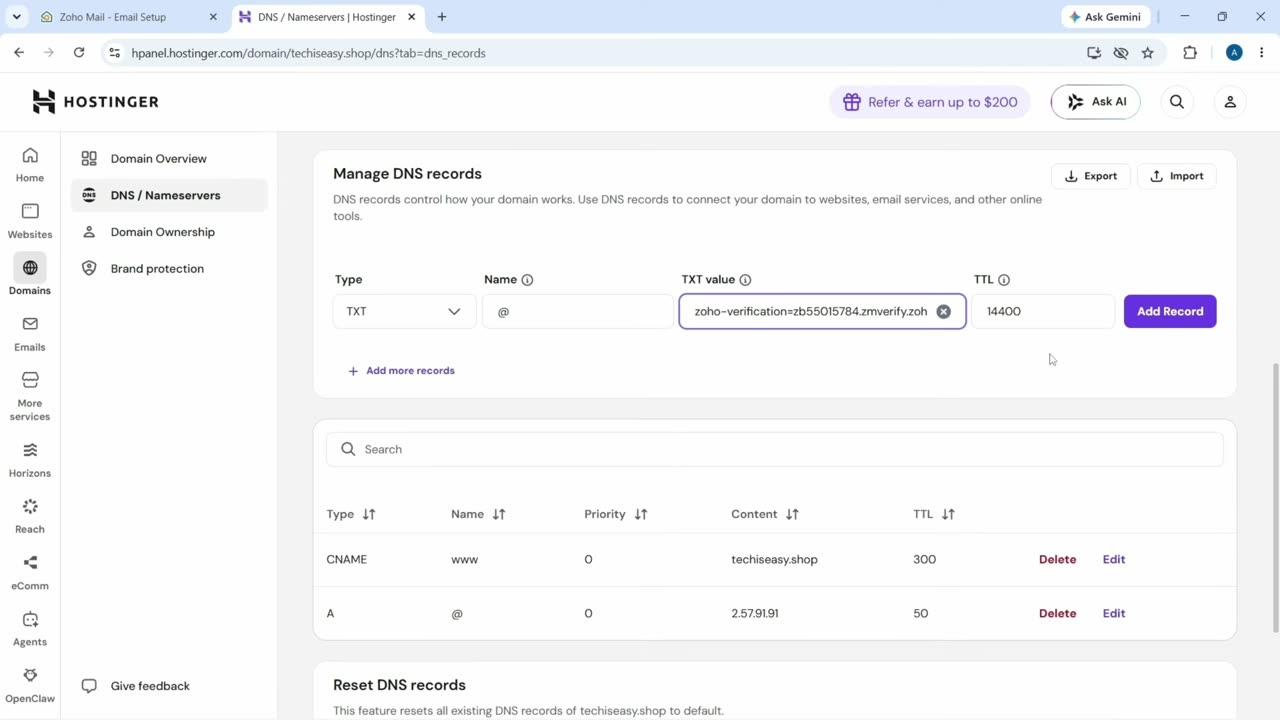
7Create your first email address
Once the domain is verified, type the address you want before the @, for example info, and click Create. This first account is the super admin for your organisation.
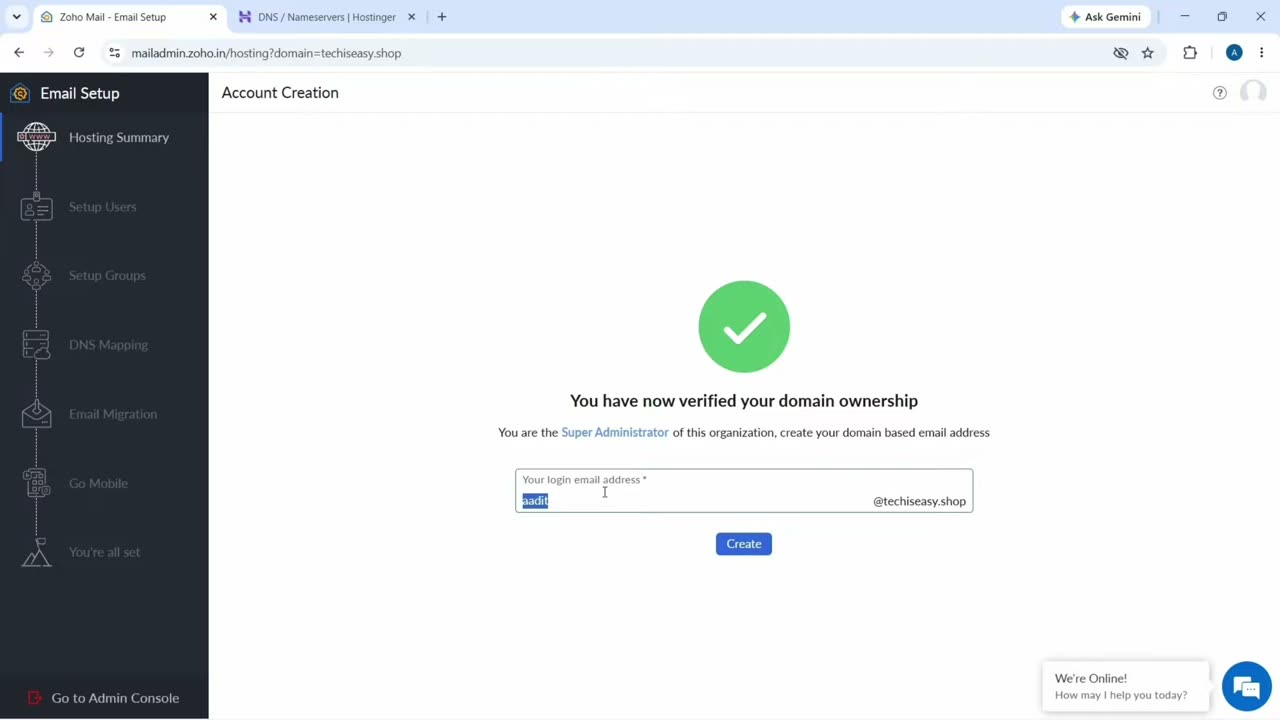
8Add more users (optional)
On the next screen you can add people by clicking Add: enter their name, the email address they should get and a password. The free plan allows up to 5 users. You can skip this and do it later from the admin console.
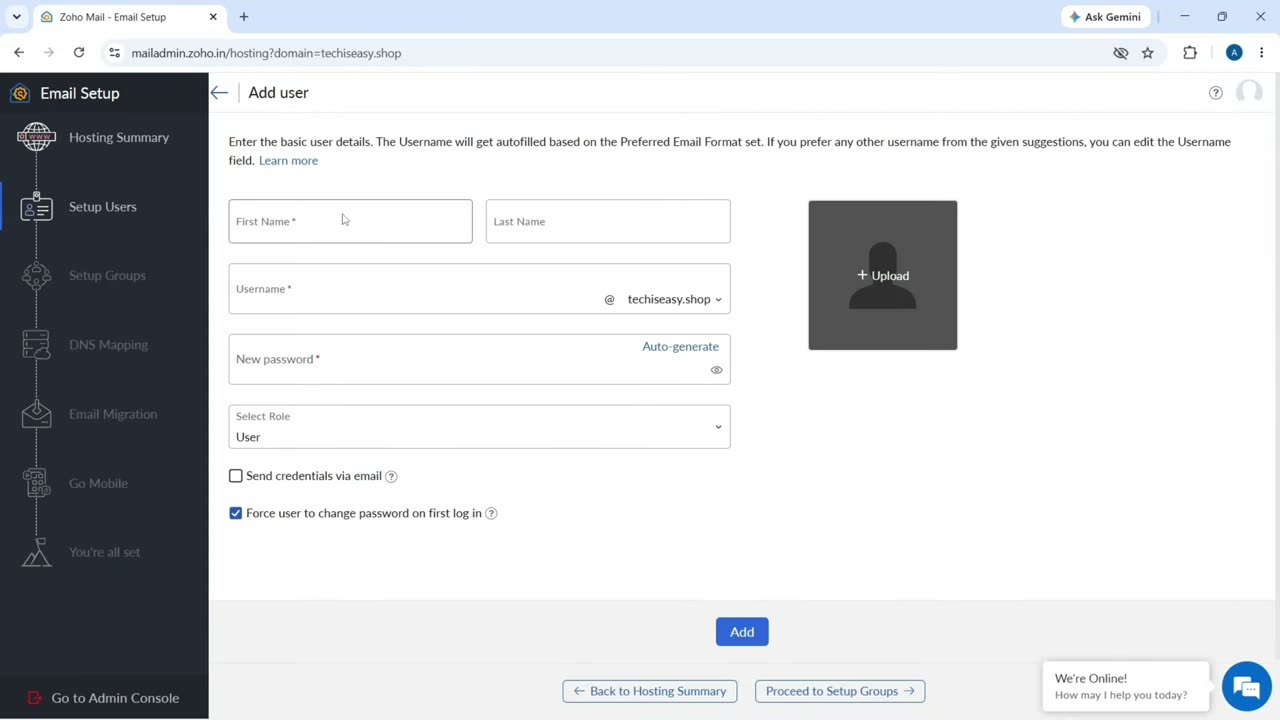
9Add the DNS records so you can receive mail
Skip groups for now and go to DNS Mapping. Zoho lists the records your domain needs: three MX records, an SPF TXT record and a DKIM TXT record. Add each one at your domain provider the same way you added the TXT record, copying the type, host and value exactly.
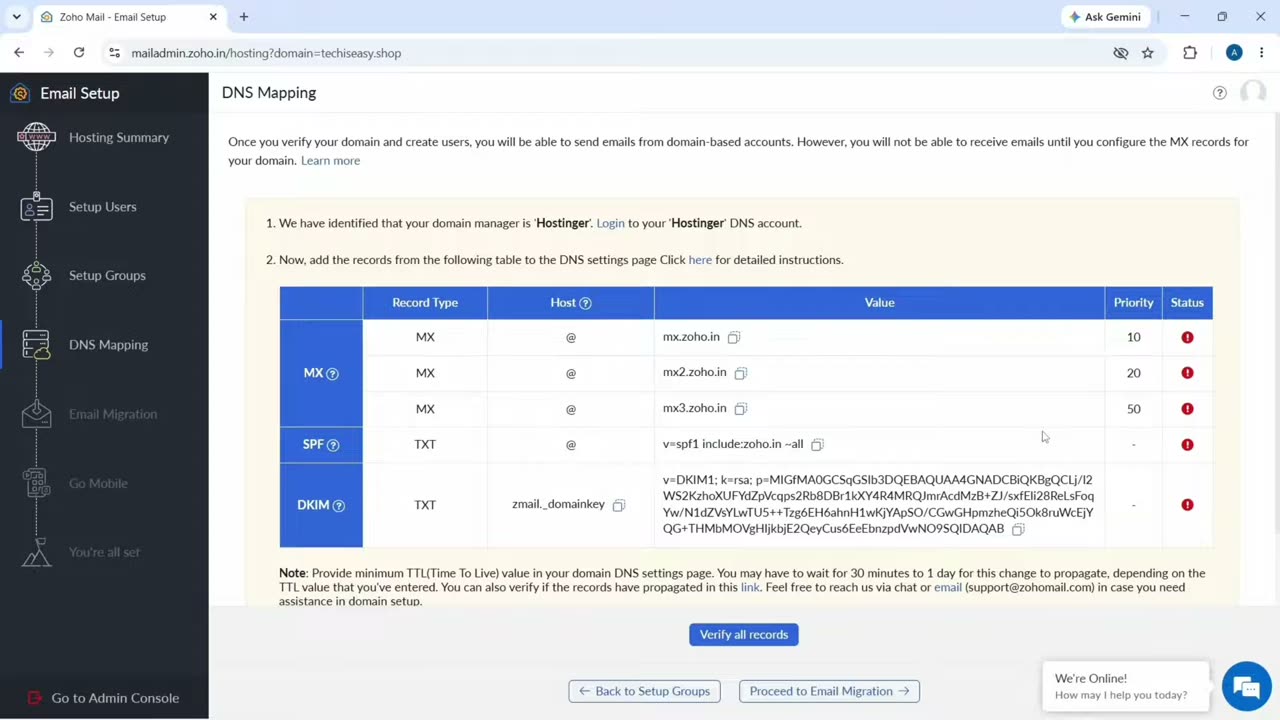
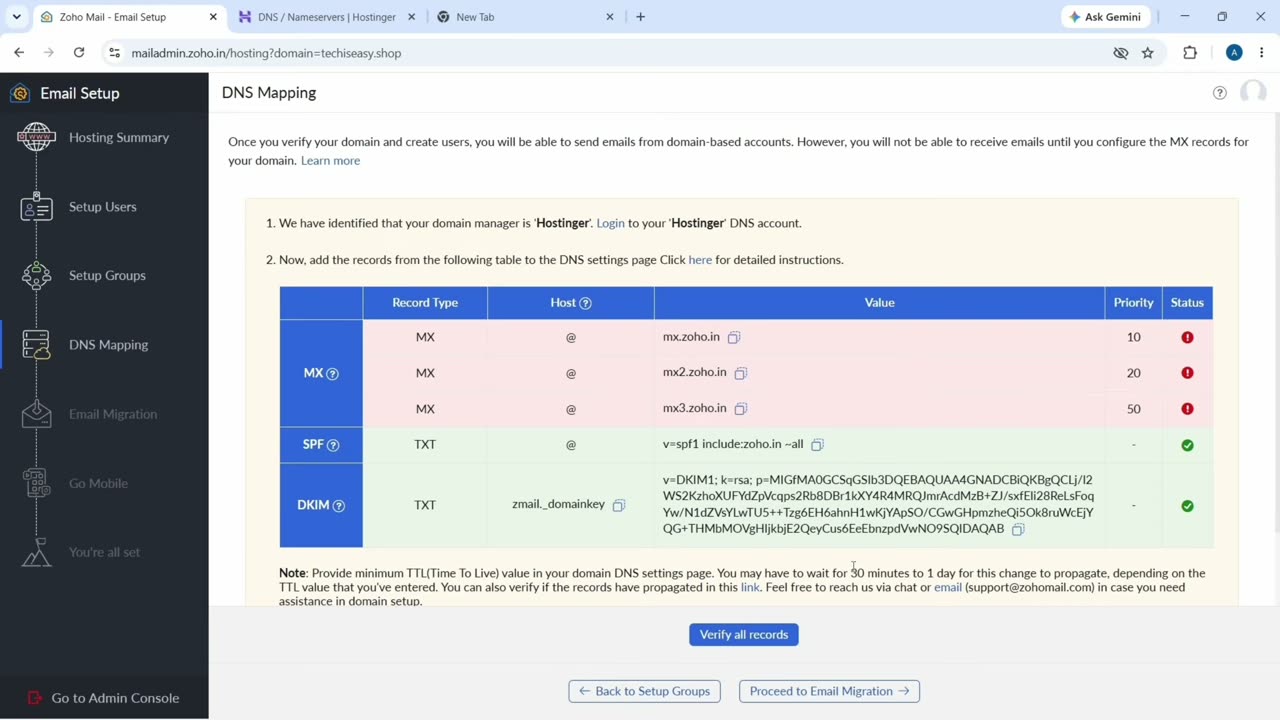
Then click Verify all records. The SPF and DKIM records often turn green straight away, while MX records can take from 30 minutes up to a day. You can finish the rest of the setup while you wait.
10Open your inbox
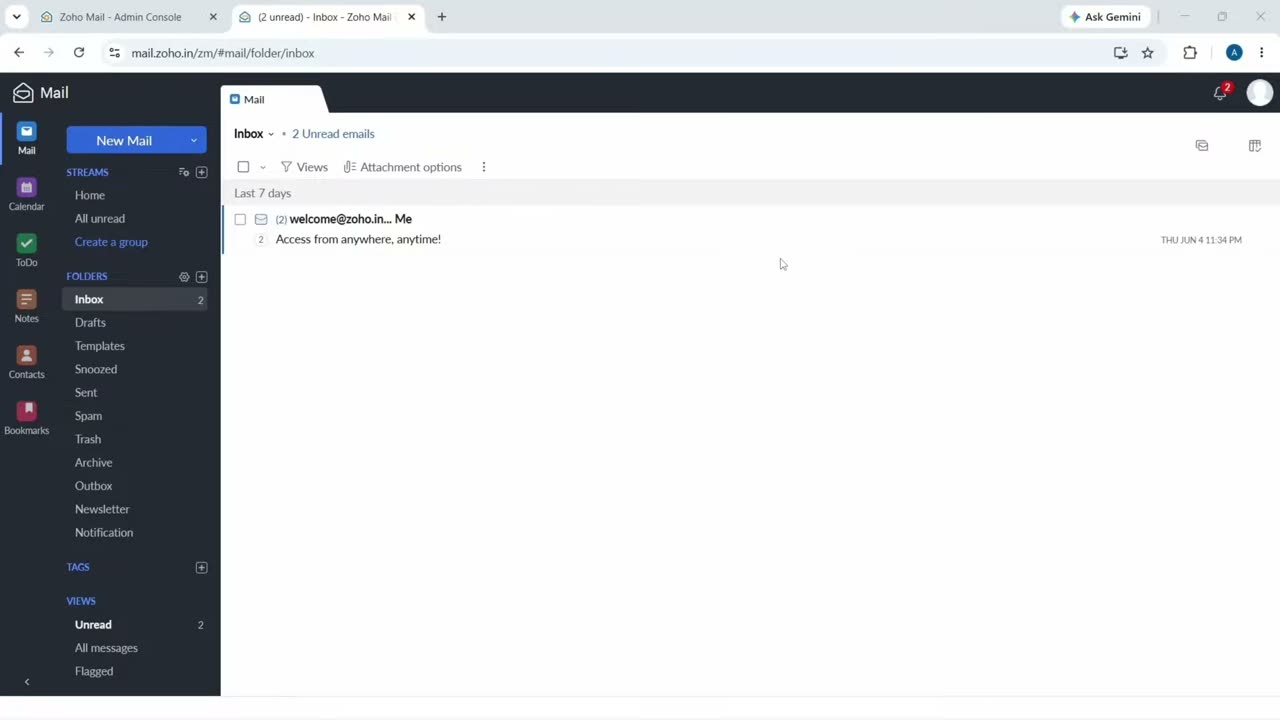
Click through Email Migration and Go Mobile (both optional) to finish the setup. Your inbox is at mail.zoho.in (or mail.zoho.com outside India). Click New Mail to send your first email from your new address.
With your domain and business email set up, you can also add your business to ChatGPT, which uses the same kind of TXT record to verify your website.
FAQ
Is Zoho Mail really free?
Yes. The Forever Free plan costs nothing and has no time limit. It covers one domain, up to 5 users and 5 GB of storage per user. You only pay for the domain.
Can I get a free business email without a domain?
Not with your own name after the @. A custom address like info@yourbusiness.com needs a domain you own. Domains are cheap, and you can buy one from any provider or from Zoho during setup.
Why am I not receiving emails yet?
Your MX records are probably not verified. Check that all three MX records match what Zoho shows, then wait. MX changes can take up to a day to spread.
Can I use the free plan in the Zoho Mail app?
The free plan works in the browser and in the Zoho Mail mobile app. IMAP and POP access (for Outlook or other mail apps) is not included in the free plan.
Related guides