Tech is Easy
How to Hide Chats on WhatsApp With a Secret Code
To hide chats on WhatsApp, lock the chat first, then open Locked chats, tap the three dots, go to Chat lock settings, turn on Hide locked chats and create a secret code. After that the chat is gone from your list, including the Locked chats folder, and only comes back when you type the code into the search bar. It's for anyone who wants a chat to stay private even when someone else scrolls through their phone.

Before you start
- Set up a screen lock on your phone. Locked chats open with your phone's fingerprint, face unlock or PIN, so the phone needs one of these turned on first.
- Update WhatsApp. Chat lock and the secret code are newer features. If you don't see Lock chat in the menu, update WhatsApp from the Play Store or App Store and try again.
- Pick a code you won't forget. The secret code is separate from your phone's passcode. Losing it means clearing your locked chats to get back in, as explained in the FAQ.
- Nobody is told. WhatsApp's help page on chat lock confirms that the other people in the chat aren't notified when you lock it.
1Lock the chat
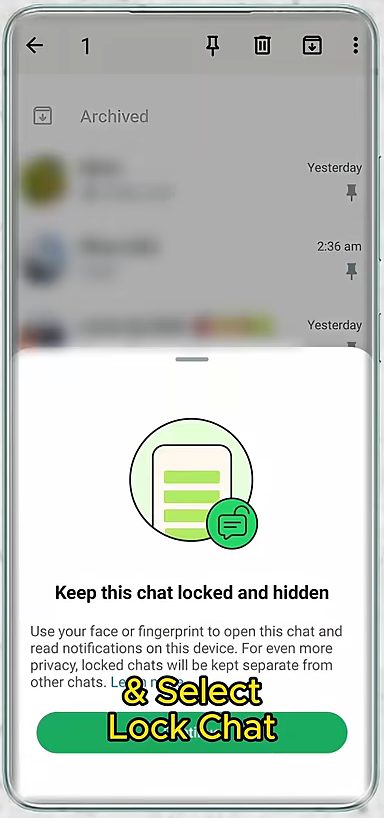
Long press the chat you want to hide, tap the three dots at the top right and choose Lock chat. It moves into a Locked chats section at the top of your chat list.
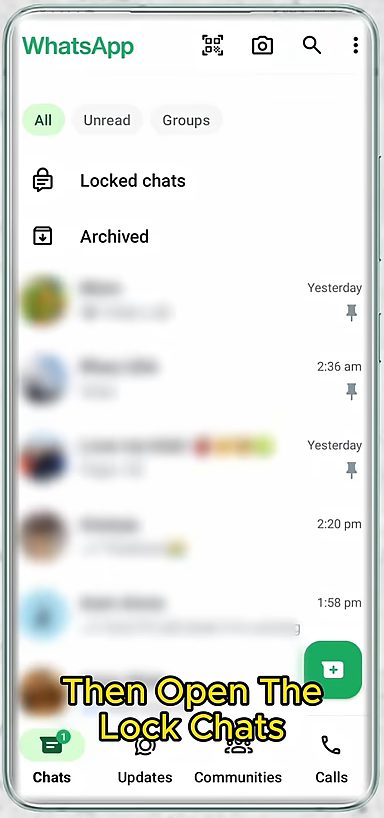
2Open Locked chats
Tap Locked chats at the top of the Chats tab and open it with your fingerprint or face.
3Turn on Hide locked chats
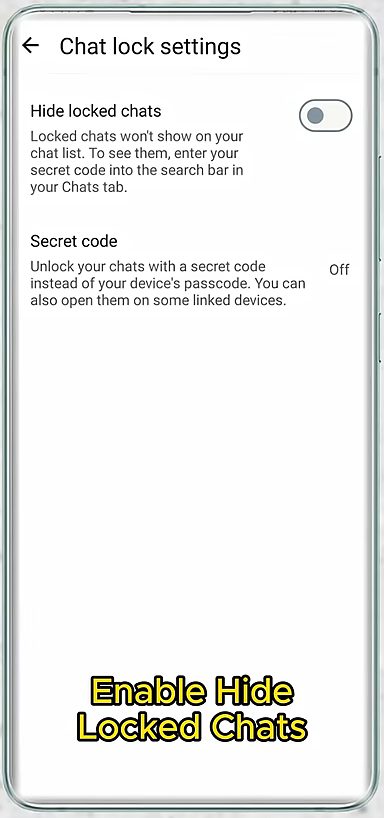
Inside Locked chats, tap the three dots at the top right and pick Chat lock settings. Switch on Hide locked chats.
4Create your secret code
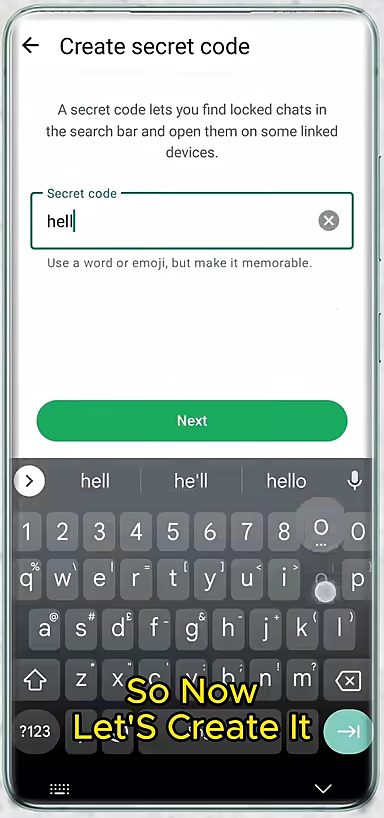
Tap Create secret code, type a word or emoji you will remember, tap Next, then enter it once more to confirm.
5Check that the chats are hidden
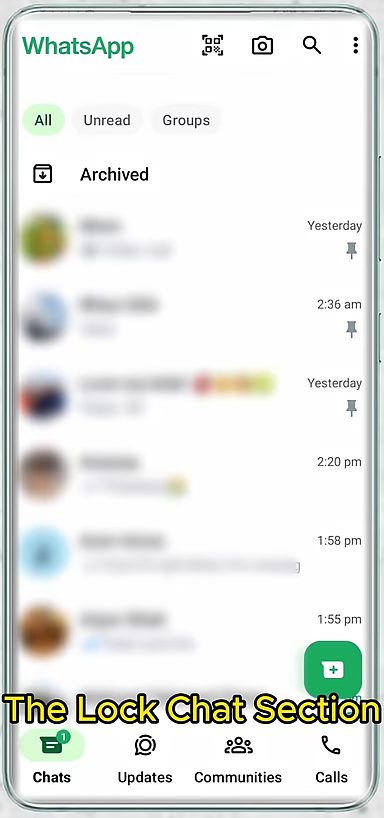
Go back to the Chats tab. The Locked chats row has disappeared and only Archived is left at the top.
6Open hidden chats with the code
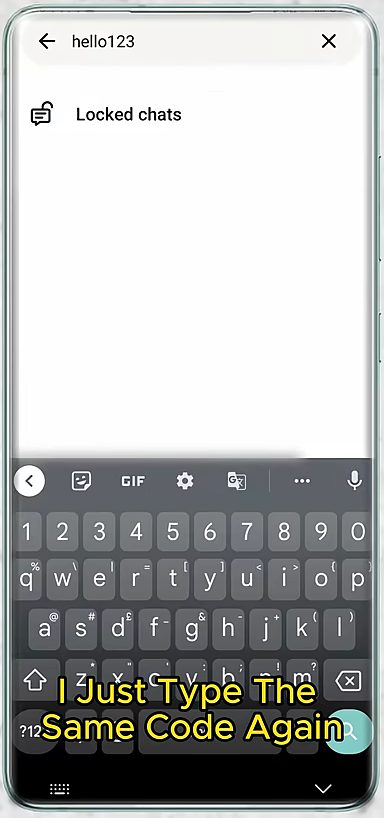
Tap the search icon and type your secret code. A Locked chats result appears. Tap it to open your hidden chats.
What hidden chats still do
Hiding a chat doesn't stop it from working. A few things to know, all from WhatsApp's own chat lock page: - Notifications stay private. New messages in a locked chat don't show the contact's name or the message. The notification just says "WhatsApp" or "WhatsApp: 1 new message". - Calls still ring. Calls from a contact whose chat is locked are not blocked. - The folder closes itself. Locked chats close again when you lock your phone, so you need your fingerprint or code each time. - Groups work too. You can lock any chat, including group chats and muted chats. - Backups keep the lock. If you back up WhatsApp and restore it on a new phone, the locked chats are still locked. - Media is handled differently. On Android you can save photos and videos from a locked chat by hand, but Media Visibility (auto-saving to your gallery) can't be turned on for them.
Tips / troubleshooting
- The Locked chats row doesn't appear. It only shows once at least one chat is locked. Lock a chat first (Step 1). If Hide locked chats is already on, the row stays hidden on purpose and only appears when you search your code.
- Typing the code shows nothing. The search has to be done from the main Chats tab, and the code must match exactly, including any emoji. Check that you are on the right WhatsApp account if you use two.
- You want to unhide the folder. Open Locked chats with your code, go back to Chat lock settings and turn Hide locked chats off. The Locked chats row returns to the top of your chat list.
- You want to unlock one chat. Long press it inside Locked chats, tap the three dots and choose Unlock chat. It goes back to your normal chat list.
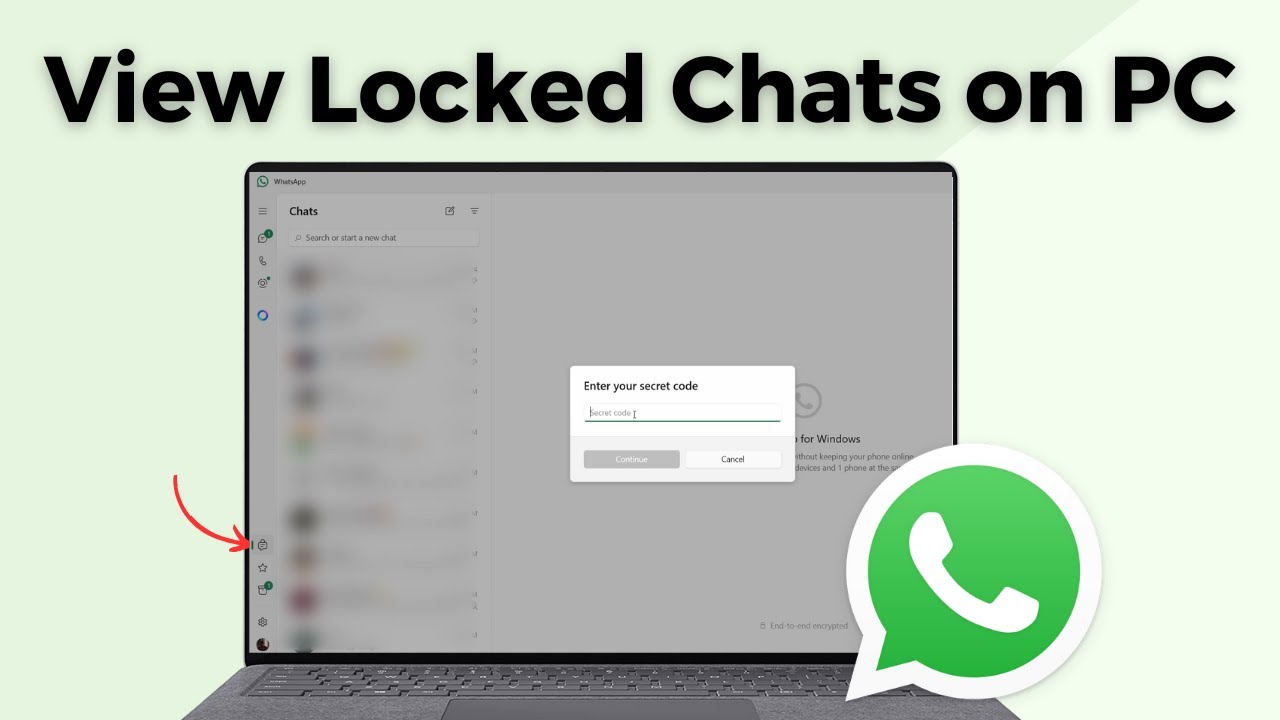
- The same code opens locked chats on some linked devices. See how to view locked chats in WhatsApp on PC.
FAQ
How do I see locked chats on WhatsApp once they are hidden?
Tap the search icon on the Chats tab and type your secret code, then tap the Locked chats result.
How do I lock a chat on WhatsApp?
Long press the chat, tap the three dots and choose Lock chat. It then opens only with your fingerprint, face or passcode.
What happens if I forget my WhatsApp secret code?
WhatsApp's setup screen warns that if you forget the code and create a new one, your locked chats are unlocked and cleared. Write it down somewhere safe.
Will the other person know I hid our chat?
No. WhatsApp doesn't notify anyone when you lock or hide a chat, and they can keep messaging and calling you as normal. Their messages arrive in the hidden chat and the notification doesn't show their name.
Can I hide a WhatsApp group chat with a secret code?
Yes. Group chats can be locked the same way as one-to-one chats, and once Hide locked chats is on they disappear from your list along with the rest.
Is hiding a chat the same as archiving it?
No. Anyone can open the Archived folder, while hidden locked chats don't appear anywhere until the code is typed in search.
Related guides