Tech is Easy
How to Check Who Doesn't Follow You Back on Instagram (No App)
To check who doesn't follow you back on Instagram without a third-party app, download your Followers and following data from Settings and privacy > Accounts Center > Your information and permissions > Download your information, then paste the two lists into a free list-compare website. Every account in your following list that isn't matched in your followers list doesn't follow you back. This works for anyone who wants a full list without handing their Instagram password to an unfollower-tracker app.
What you need
- A computer with Instagram open in a web browser, logged in to your account.
- Your Instagram password, since Instagram asks for it again before the download.
- A few minutes of waiting while Instagram prepares the file.
Why this method is safer
Most "unfollowers" apps ask you to log in with your Instagram username and password. That gives a stranger access to your account and can get it flagged for suspicious activity. Here you only use Instagram's own Download your information tool, which gives you a copy of your data, and a website that compares two lists of names. Nobody else gets your login.
Method 1: Download your followers and following list
1Open Settings and privacy
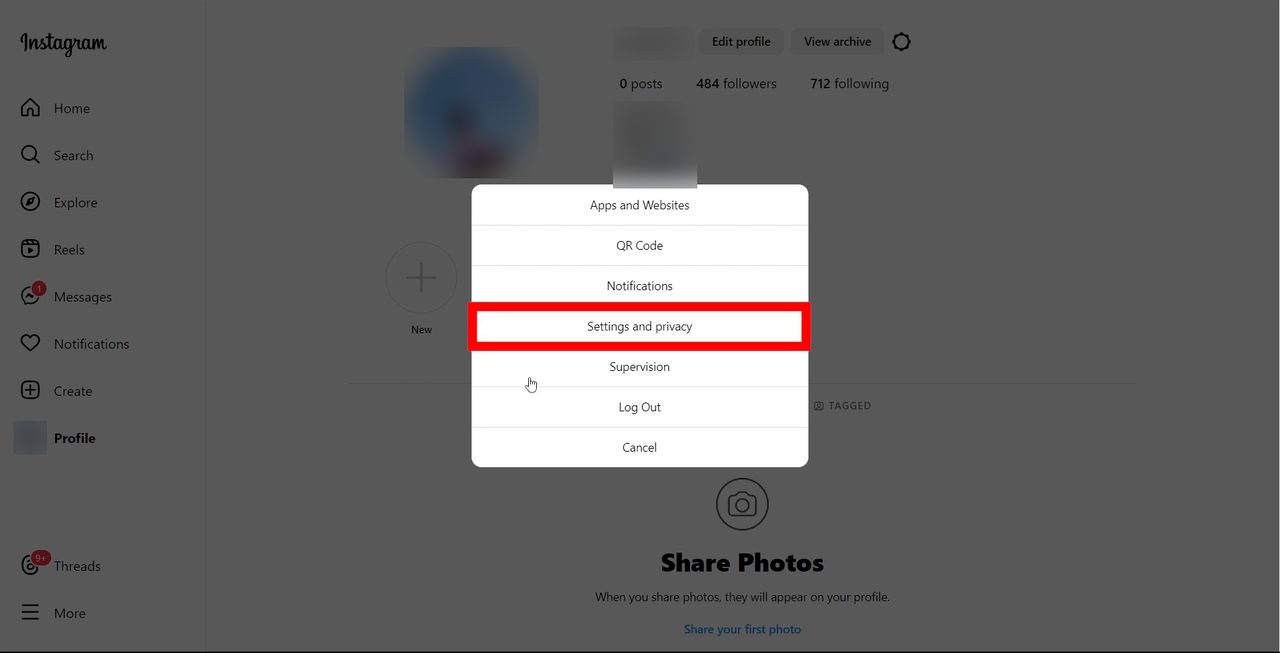
Go to instagram.com on your computer and click Profile in the left menu. Click the settings gear next to Edit profile and View archive, then choose Settings and privacy from the menu that pops up.
2Go to Accounts Center > Your information and permissions
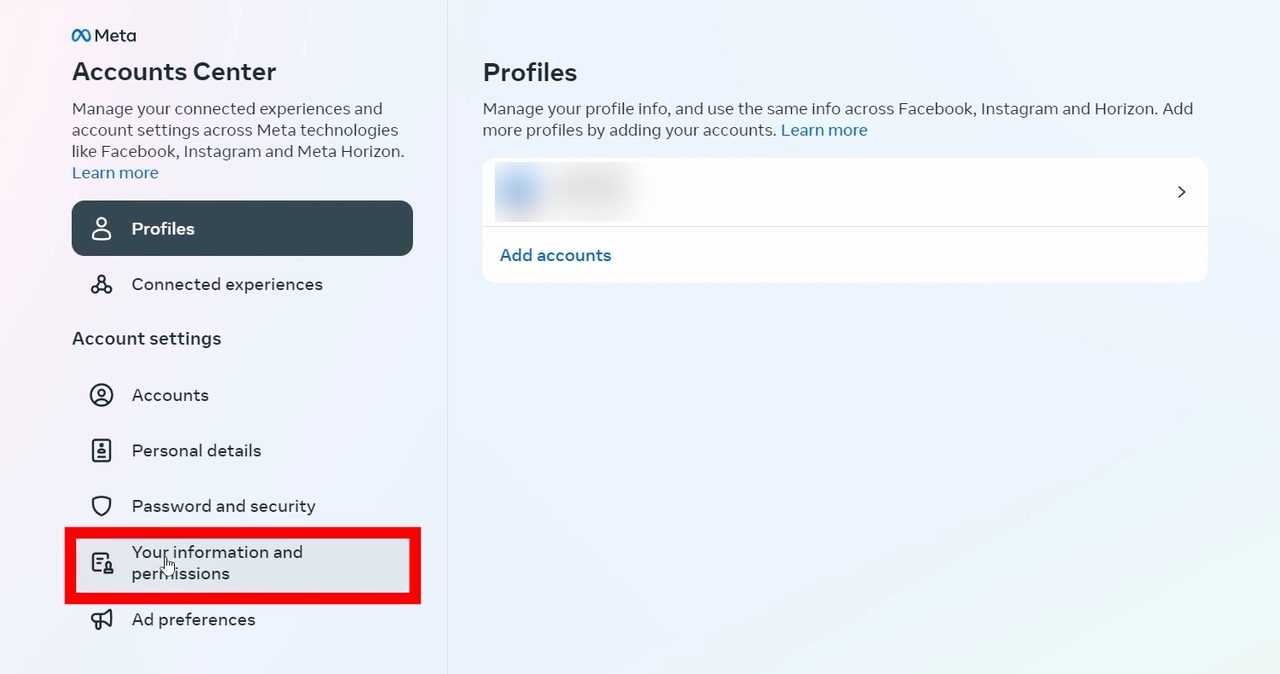
On the Settings page, click Accounts Center at the top left. In Accounts Center, click Your information and permissions in the left menu.
3Start a download
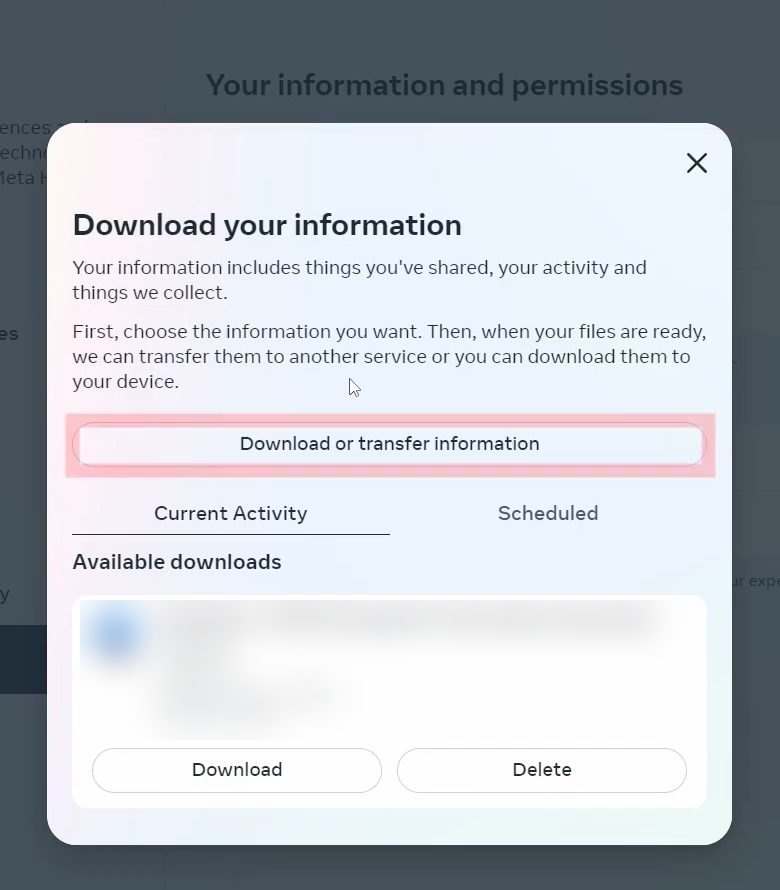
Click Download your information, the first option. In the window that opens, click Download or transfer information.
4Choose only Followers and following
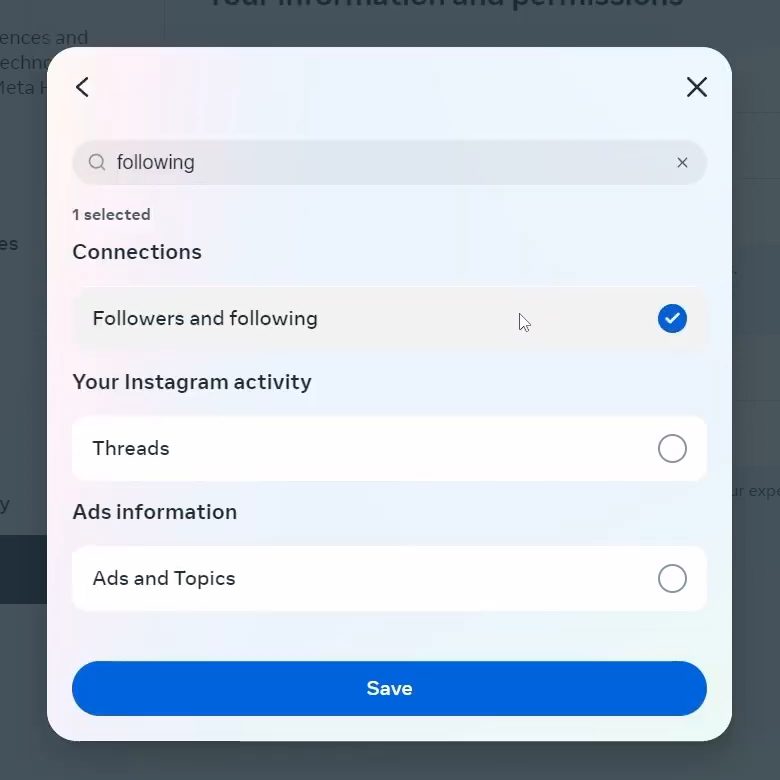
When Instagram asks how much information you want, pick Some of your information. Then click the search icon at the top, type following, and tick Followers and following under Connections. Click Save, then Next. Choosing just this one item keeps the file tiny and quick to prepare.
5Set the download options
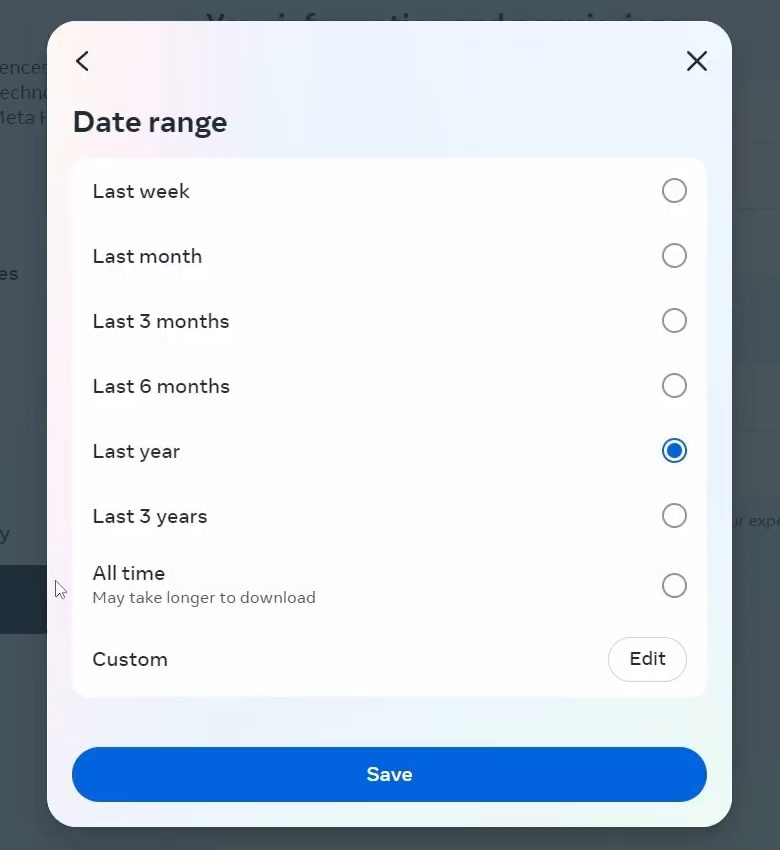
Select Download to device and click Next. On the Create files to download screen: - Click Date range and change it to All time, then Save. With a shorter range you would only get accounts followed in that period. - Leave Format as HTML. - Set Media quality to Low to save time.
Click Create files.
6Download the file
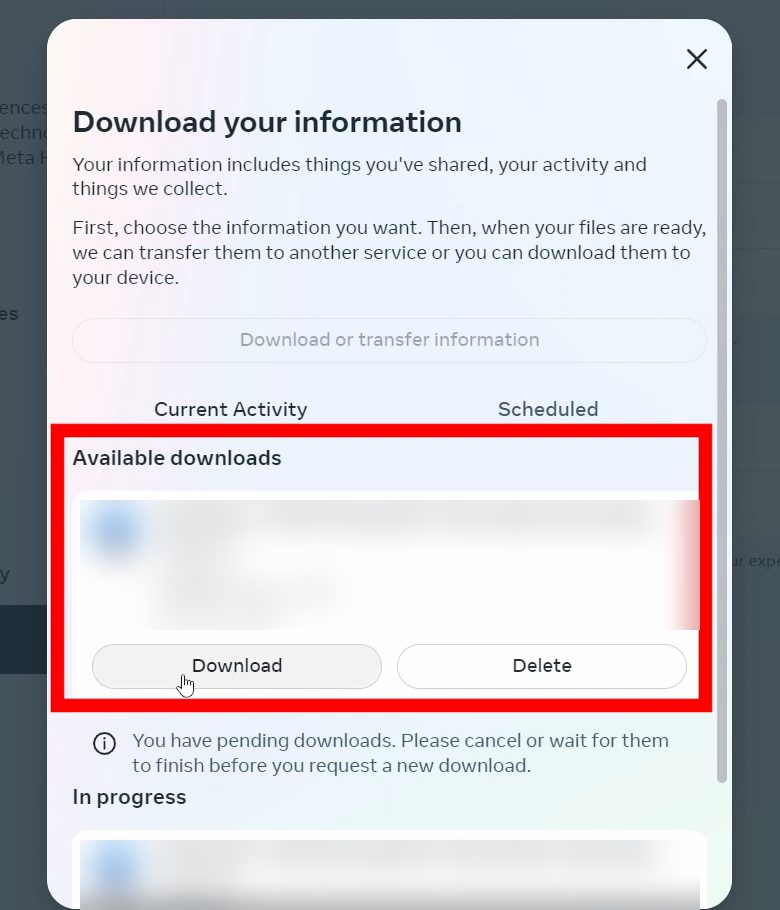
Instagram takes a few minutes to prepare the file. Once it's ready, it appears under Available downloads in the Download your information window. Click Download and enter your password when asked. A ZIP file is saved to your computer, usually in the Downloads folder.
7Open the followers and following files
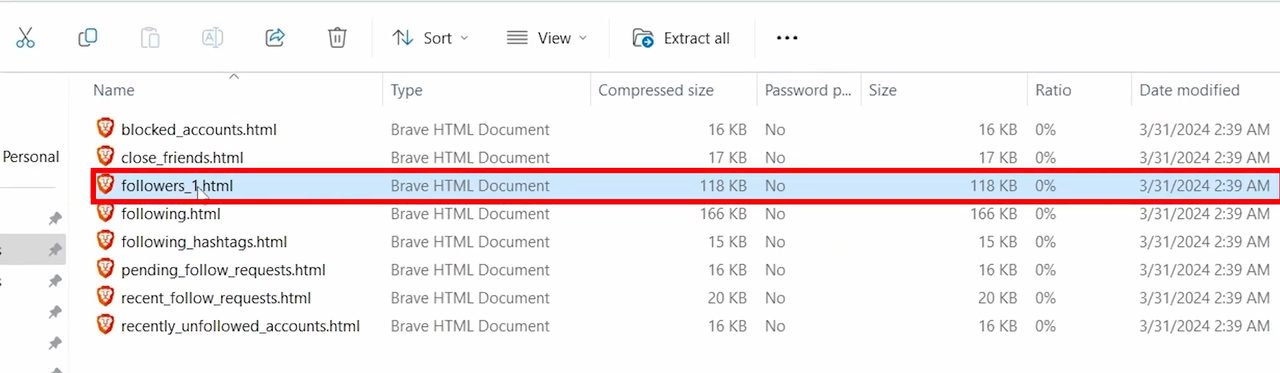
Open the ZIP file and go to connections > followers_and_following. Two files matter here: - followers_1.html: everyone who follows you - following.html: everyone you follow
Double-click each one. They open in your browser as two tabs, one with each list.
Method 2: Compare the two lists
8Paste both lists into a list compare tool
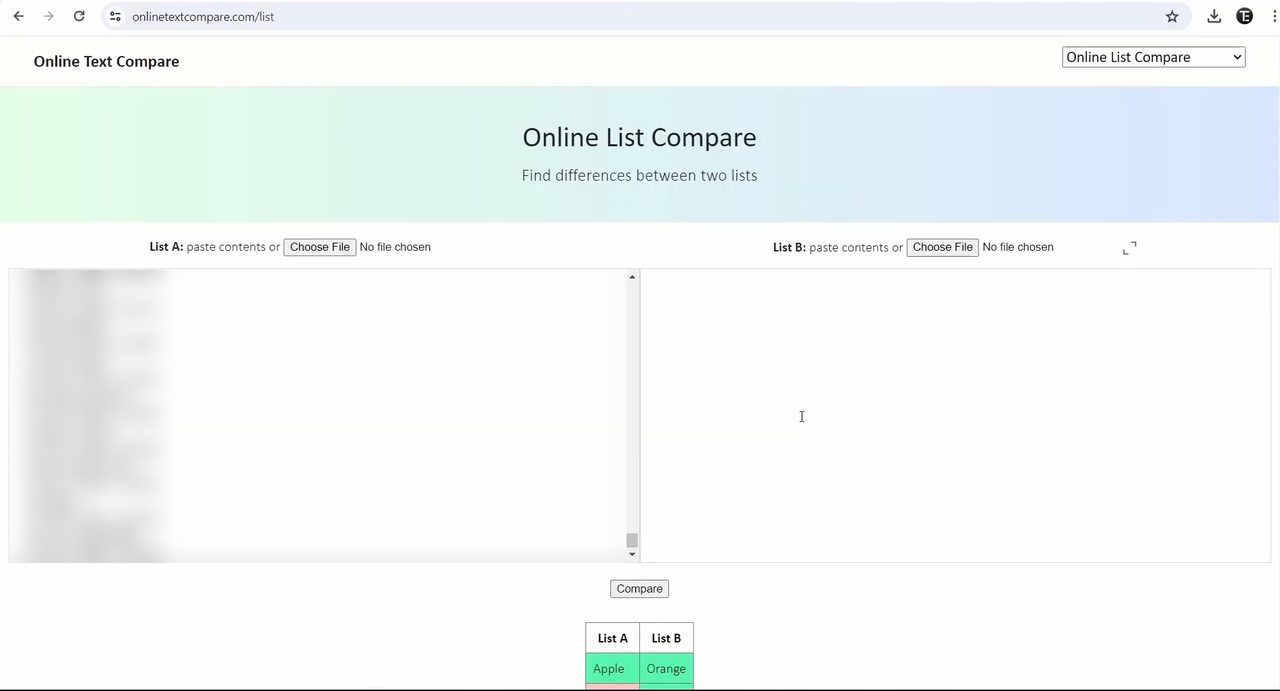
In a new tab, search for online text compare list and open a list-compare site. We used Online List Compare at onlinetextcompare.com/list, which has a List A box and a List B box. - Go to the followers tab, press Ctrl + A (Command + A on Mac) to select everything and Ctrl + C to copy. Paste it into List A with Ctrl + V. - Do the same with the following tab and paste it into List B, after deleting the sample text in the box.
9Click Compare and read the results
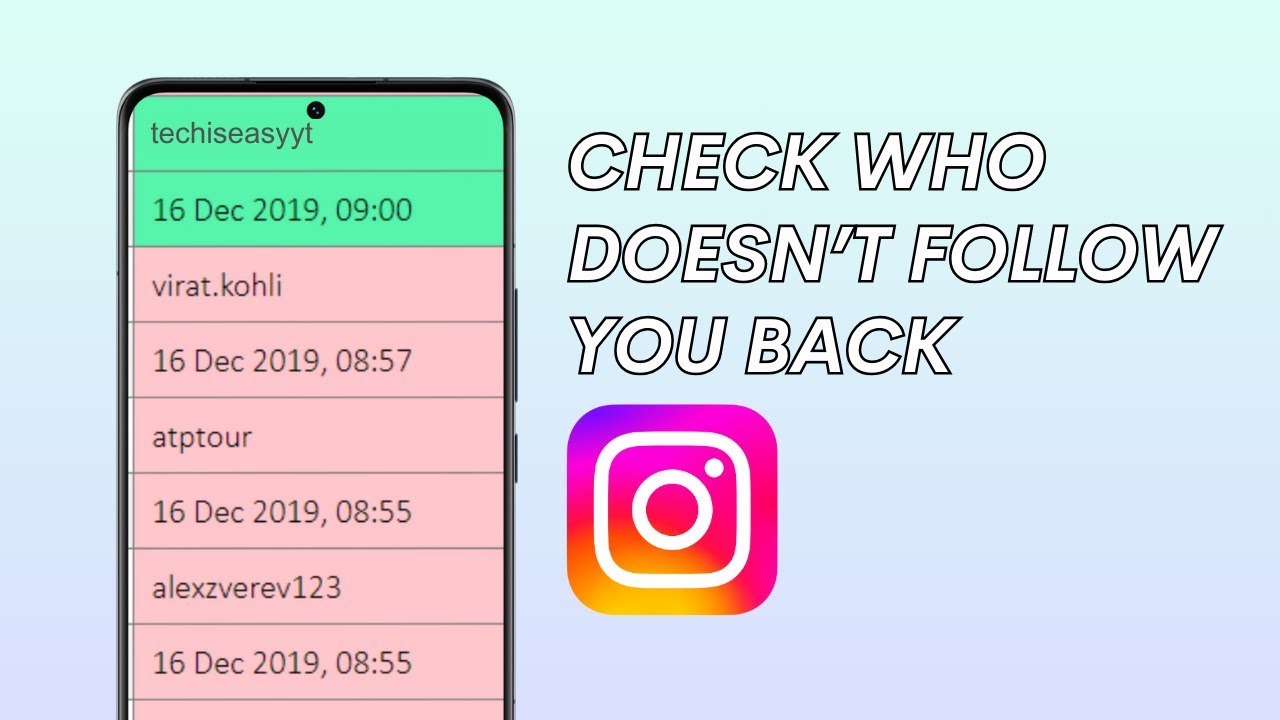
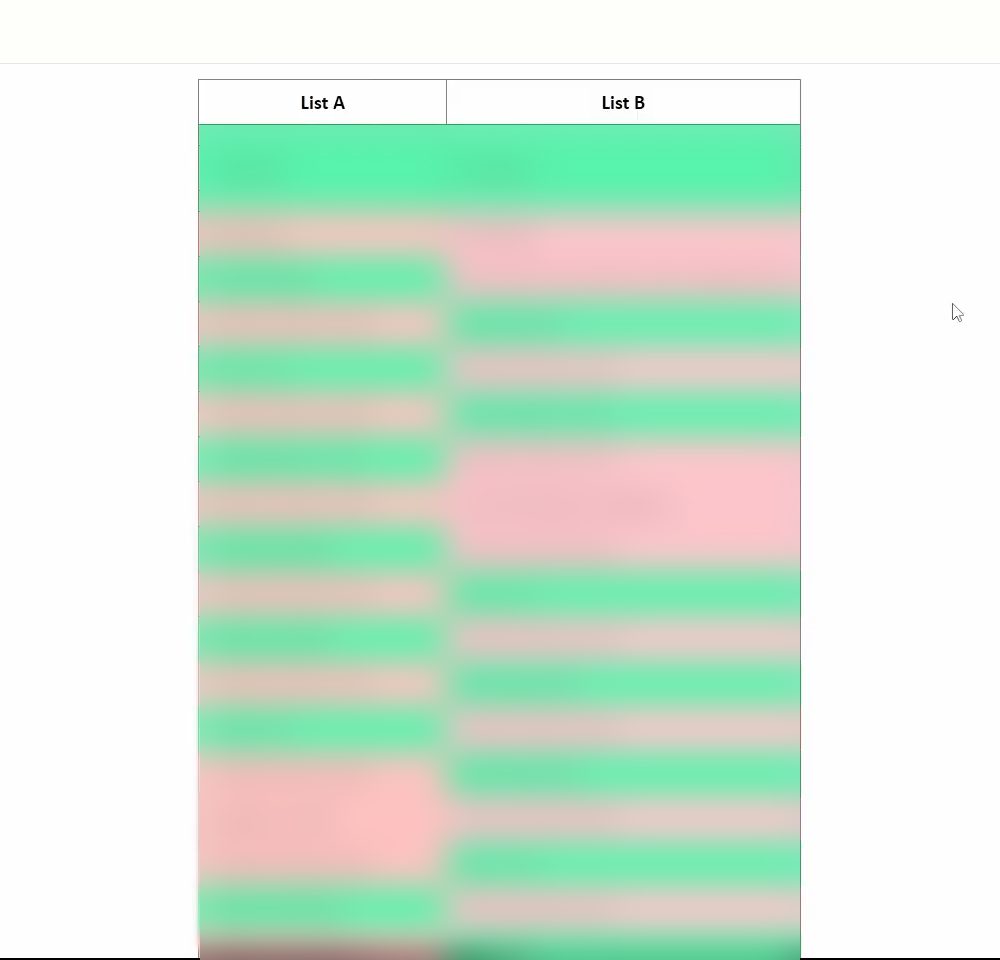
Click Compare. The site shows List A (followers) and List B (following) side by side. Names highlighted in green appear in both lists. In List B, any username that isn't green is someone you follow who isn't in your followers list, which means they don't follow you back. Scroll down List B and note every account that isn't highlighted.
Tips / troubleshooting
- Ignore the dates. The files list a date under each username (when the follow happened). Those lines rarely match, so only look at the usernames.
- More than one followers file? If your account is large, the folder may hold more than one followers file. Copy all of them into List A.
- Download button not showing yet? The file isn't ready. The video shows it taking a couple of minutes for a small request, but Instagram can take longer, and you'll get a notification when it's done.
- Download expired? Instagram gives you 4 days to download the file once it's ready. After that, request a new one.
- Pending download blocking a new one? If an earlier request is still in progress, Instagram asks you to wait or cancel it before starting another.
- Privacy note. The list-compare site sees the usernames you paste, though not your password. If that bothers you, compare the two lists in a spreadsheet instead.
- This is a snapshot. The list is only accurate for the moment you downloaded it. Repeat the steps later to check again.
Instagram's own help page, Review and export a copy of your Instagram information, explains the download tool and its options.
Related guides: How to Hide Activity Status on Instagram and How to Read Instagram Messages Without Being Seen.
FAQ
How do I see who doesn't follow me back on Instagram without an app?
Download Followers and following from Accounts Center > Your information and permissions > Download your information, open followers_1.html and following.html, and paste them into a list-compare site. Unmatched names in your following list are the accounts that don't follow you back.
Can I see who unfollowed me on Instagram?
Instagram doesn't send unfollow alerts. The list above shows who doesn't follow you back right now, which includes people who unfollowed you. To spot new unfollowers, download the data again later and compare it with your earlier followers list.
Does this method work on the Instagram phone app?
The video shows it on a computer, which is easier because you need to open the HTML files and copy the lists. The download option is also in Accounts Center on the app, but comparing the lists is much simpler on a PC or Mac.
Will the other person know I checked?
No. Downloading your own information is private, and nothing is sent to the accounts on your lists.
Related guides