Tech is Easy
How to Add Email to Instagram Profile (Email Contact Button)
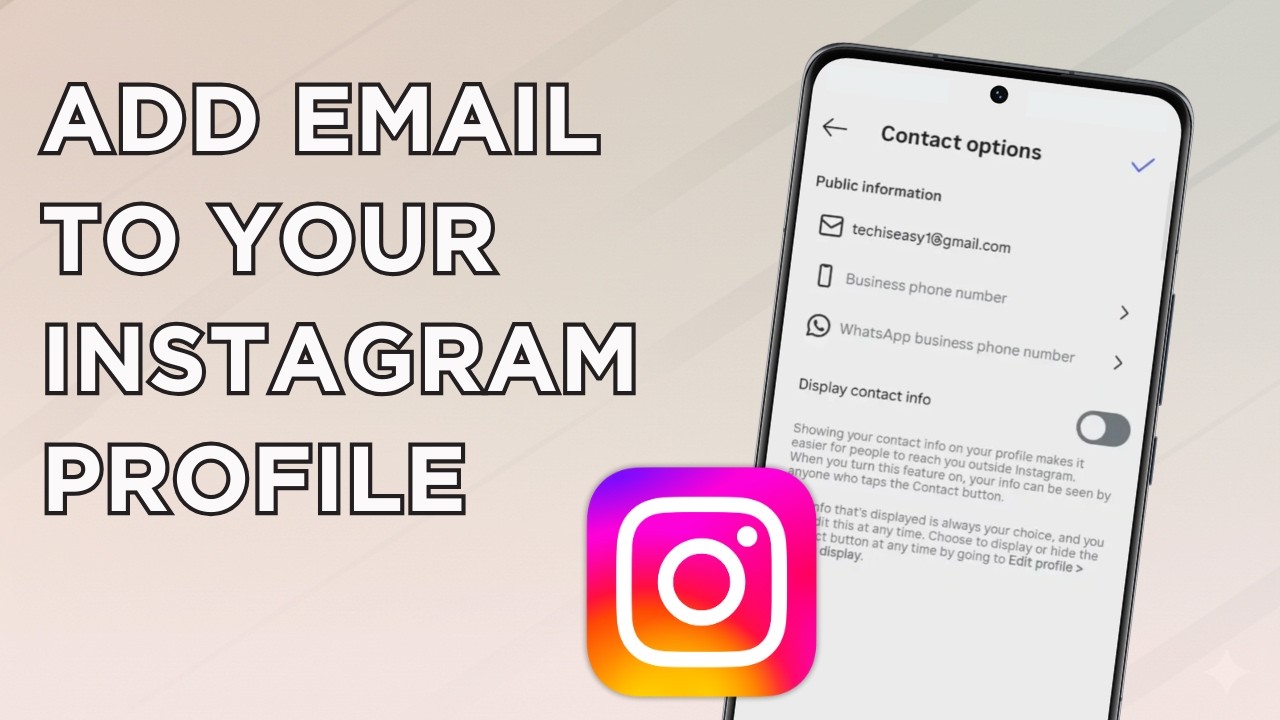
To add email to your Instagram profile, go to your profile, tap Edit profile > Contact options, type your email in Business email address, turn on Display contact info and tap the tick. An Email address button then appears on your profile so anyone can contact you. The only catch is that contact options need a business or creator account, so this guide first shows how to switch to one. It is for creators, small businesses and freelancers who want people to reach them without sending a DM.
What you need
- The Instagram app on your phone
- A professional account (business or creator). A personal account has no Contact options. If you already have a professional account, skip to Step 5.
- The email address you want to show publicly
Instagram's help page Set up a professional Instagram account explains the business and creator account types and the tools that come with them.
1Open your profile menu
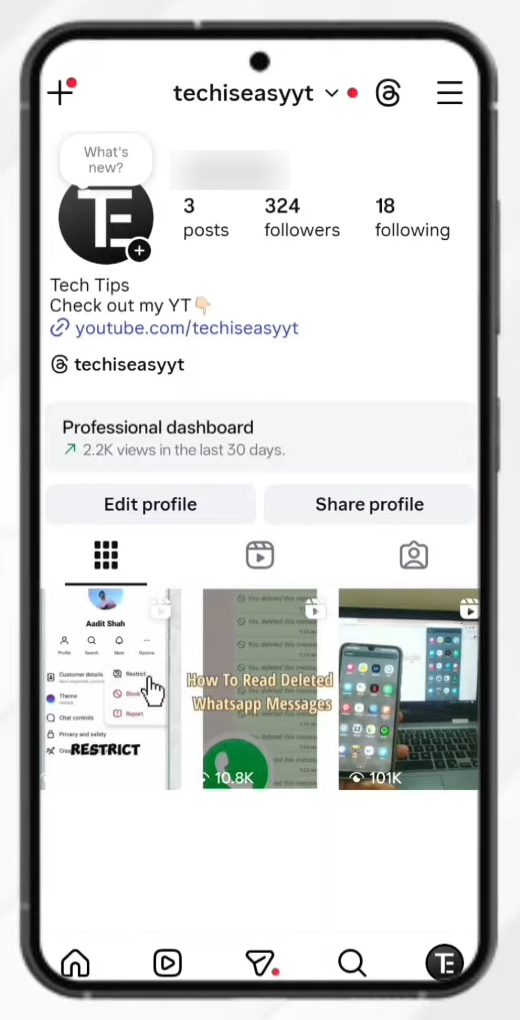
Tap your profile picture at the bottom right to open your profile page, then tap the three lines at the top right. This opens Settings and activity.
2Find Account type and tools
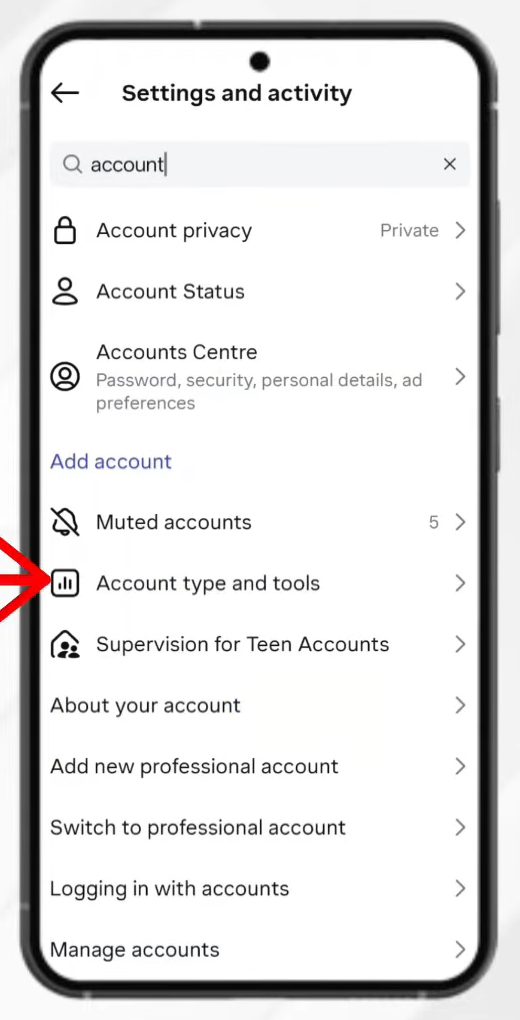
Tap the search bar at the top of Settings and activity and type account. In the results, tap Account type and tools.
3Switch to a professional account
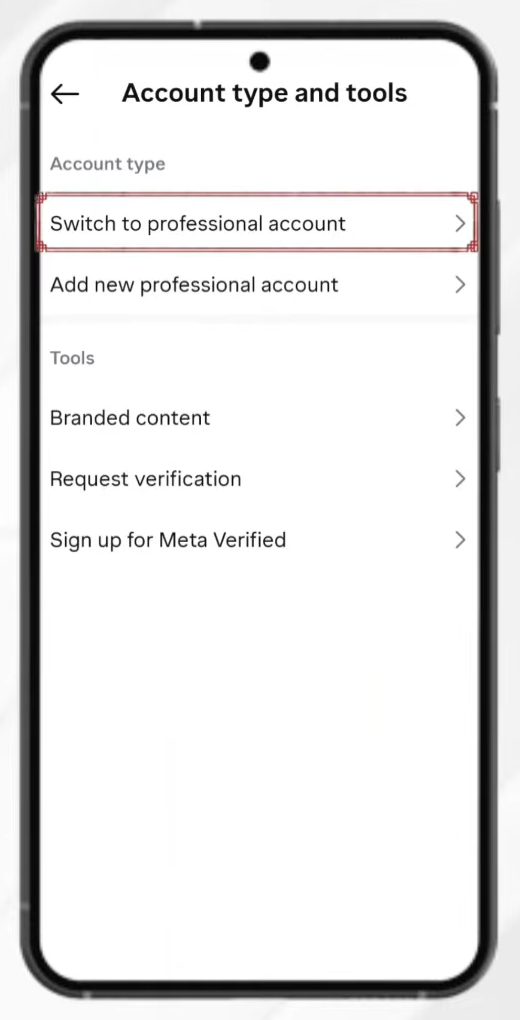
Under Account type, tap Switch to professional account. Instagram walks you through a few short screens; tap Next on each.
4Pick a category and confirm
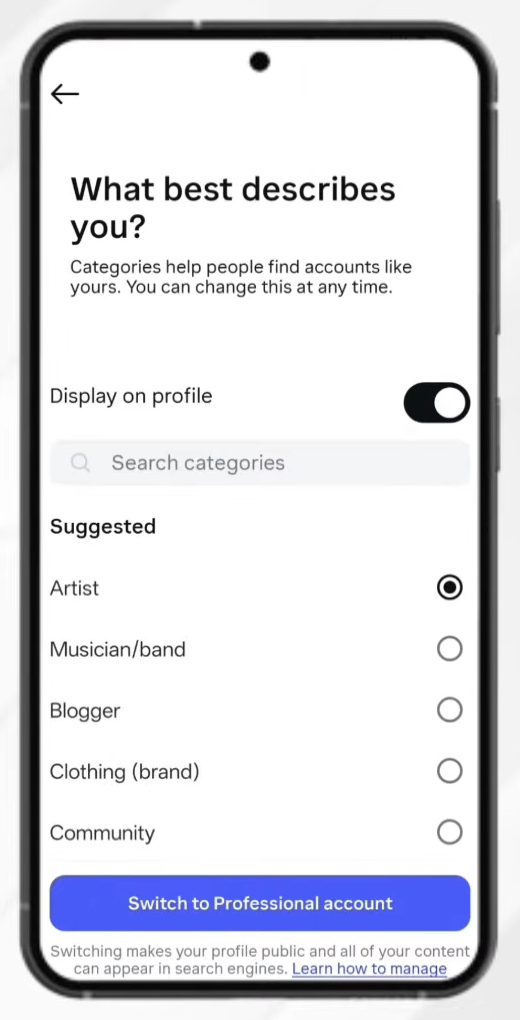
On What best describes you?, choose a category such as Artist, Blogger, Digital creator or Community. You can search for others. The Display on profile switch decides whether the category shows on your profile. Tap Switch to Professional account at the bottom to finish. The note on this screen says that switching makes your profile public and your content can appear in search engines.
5Tap Edit profile
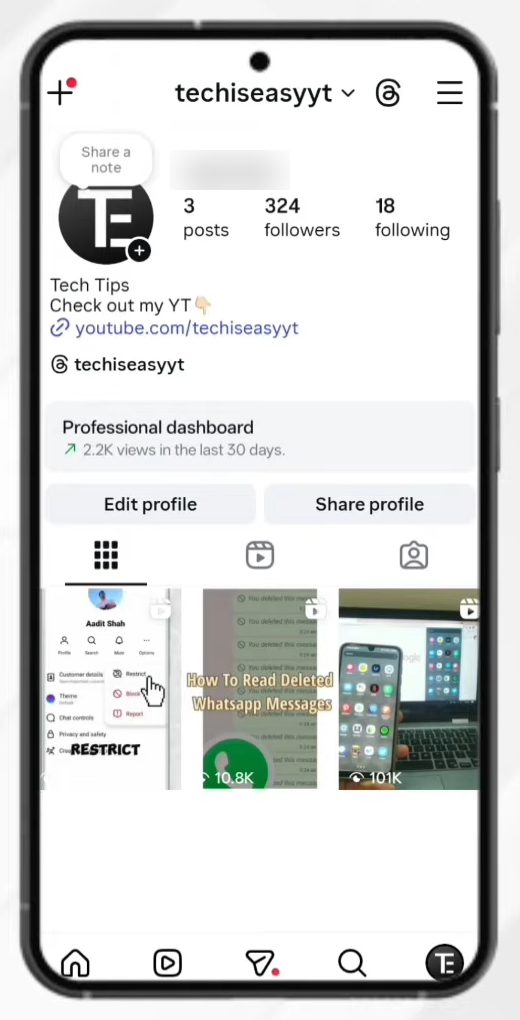
Go back to your profile page and tap Edit profile under your bio.
6Open Contact options
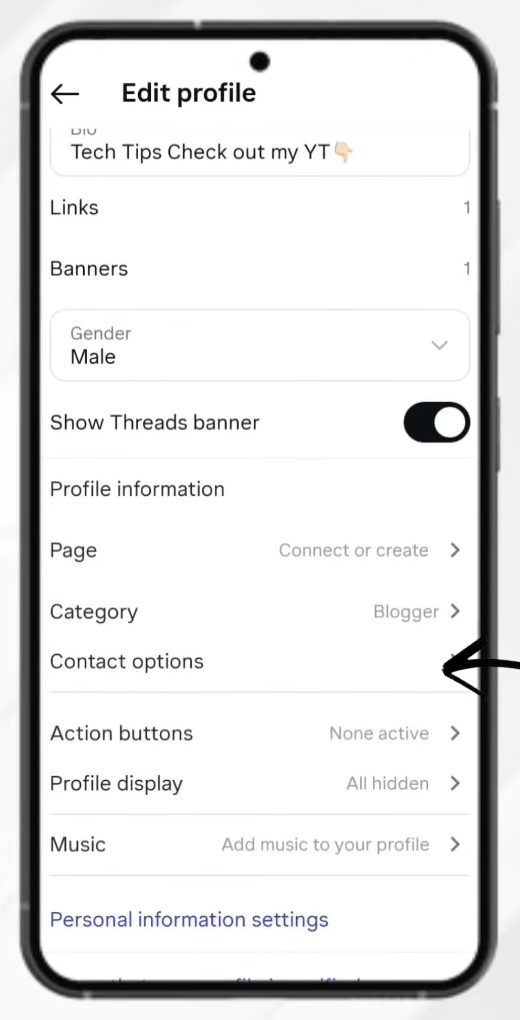
Scroll down to Profile information and tap Contact options. This section only shows on professional accounts, next to Page, Category, Action buttons and Profile display.
7Choose what contact details to add
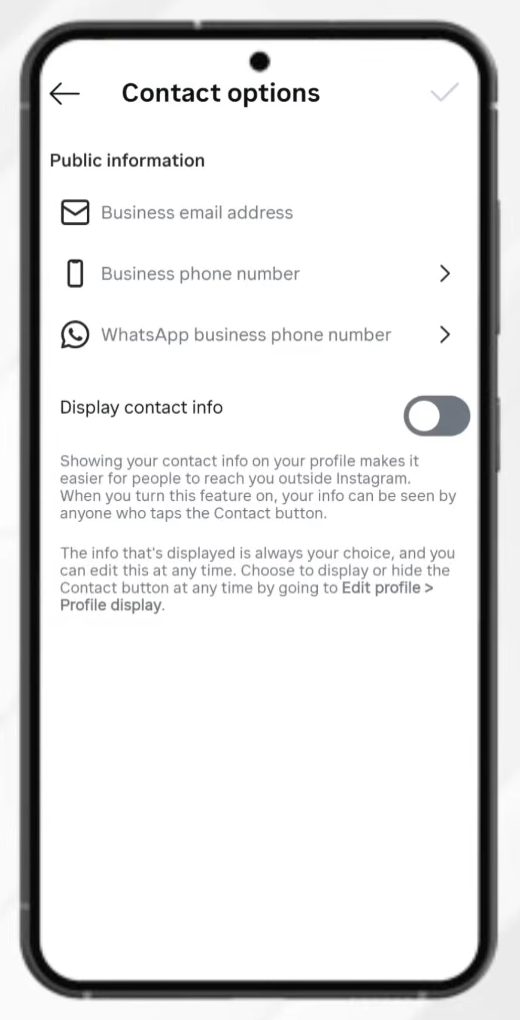
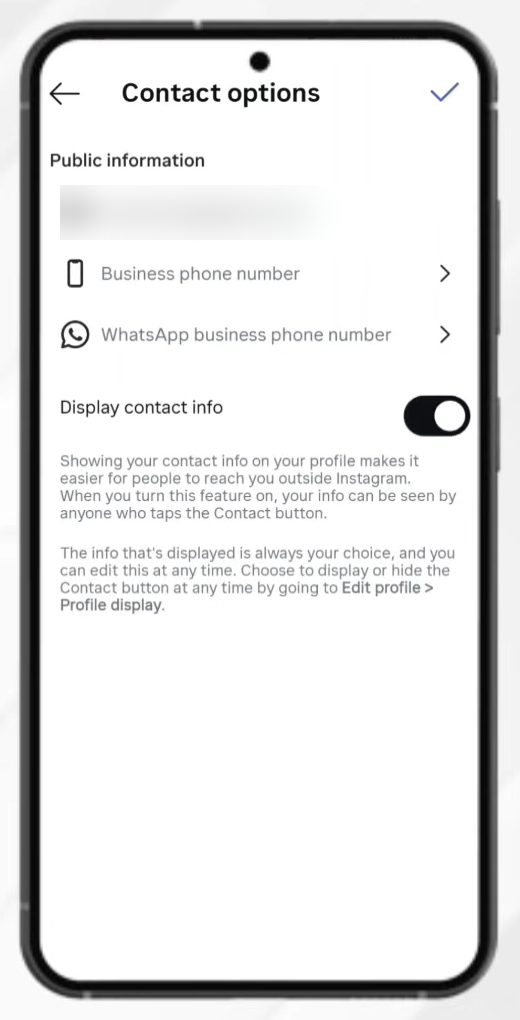
Under Public information there are three fields: - Business email address - Business phone number - WhatsApp business phone number
You can fill in all of them or just one. To show only an email button, type your email address in Business email address and leave the phone fields empty.
8Turn on Display contact info and save
Below the fields, turn on Display contact info. Instagram explains that when this is on, anyone who taps the contact button can see your info. Then tap the tick at the top right to save.
9Check the Email address button
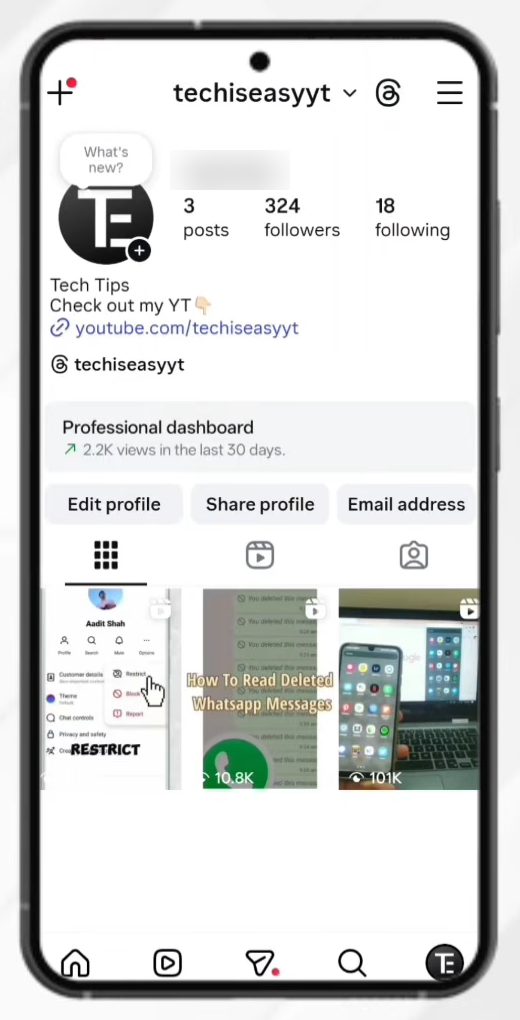
Go back to your profile. Next to Edit profile and Share profile there is now an Email address button. When someone taps it, they see your email address and can write to you straight away.
Before you add your email
- It is public. Anyone who visits your profile can see and use it, including people who don't follow you. Use a business or work address, not your personal inbox, if you get a lot of spam.
- A professional account changes a few things. Your profile becomes public and you get access to the Professional dashboard and insights. You can switch back to a personal account later from the same Account type and tools screen, but then contact options go away.
- Phone number shows too if you add it. Any field you fill in becomes part of the contact button, so leave the phone fields empty if you only want email.
Tips / troubleshooting
- No Contact options in Edit profile: your account is still personal. Go through Steps 1 to 4 to switch to a creator or business account first.
- Email button doesn't appear: check that Display contact info is on and that you tapped the tick to save.
- Want to hide it later: open Edit profile > Contact options again and turn off Display contact info. Your email stays saved but the button disappears.
- Can't find Account type and tools: update the Instagram app and search again. Menu names in Instagram's settings change from time to time.
Related guides: How to Set Parental Controls on Instagram and How to Hide Activity Status on Instagram.
FAQ
How do I add an email button to Instagram?
Switch to a professional account, then go to Edit profile > Contact options, enter your email in Business email address, turn on Display contact info and tap the tick. The Email address button shows up on your profile.
Can I add email to a personal Instagram account?
No. Contact options are only available on business and creator accounts. Switching is free and takes a minute from Settings and activity > Account type and tools.
How do I add a phone number or WhatsApp to my Instagram profile?
Use the same Contact options screen. Fill in Business phone number or WhatsApp business phone number instead of, or along with, the email, then turn on Display contact info.
Who can see my email on Instagram?
Anyone who opens your profile and taps the contact button, whether they follow you or not. If you don't want that, turn off Display contact info.
Related guides