Tech is Easy
How to Temporarily Deactivate Instagram Account (New Method)
To temporarily deactivate your Instagram account, go to your profile, tap the three lines, then Accounts Centre > Manage accounts > Manage (next to Instagram) > Deactivation or deletion > Deactivate account. Your profile is hidden until you log back in, and nothing is deleted. Instagram has moved this option a few times, so this guide follows the latest version of the app for anyone who wants a break without losing their account.
Before you start
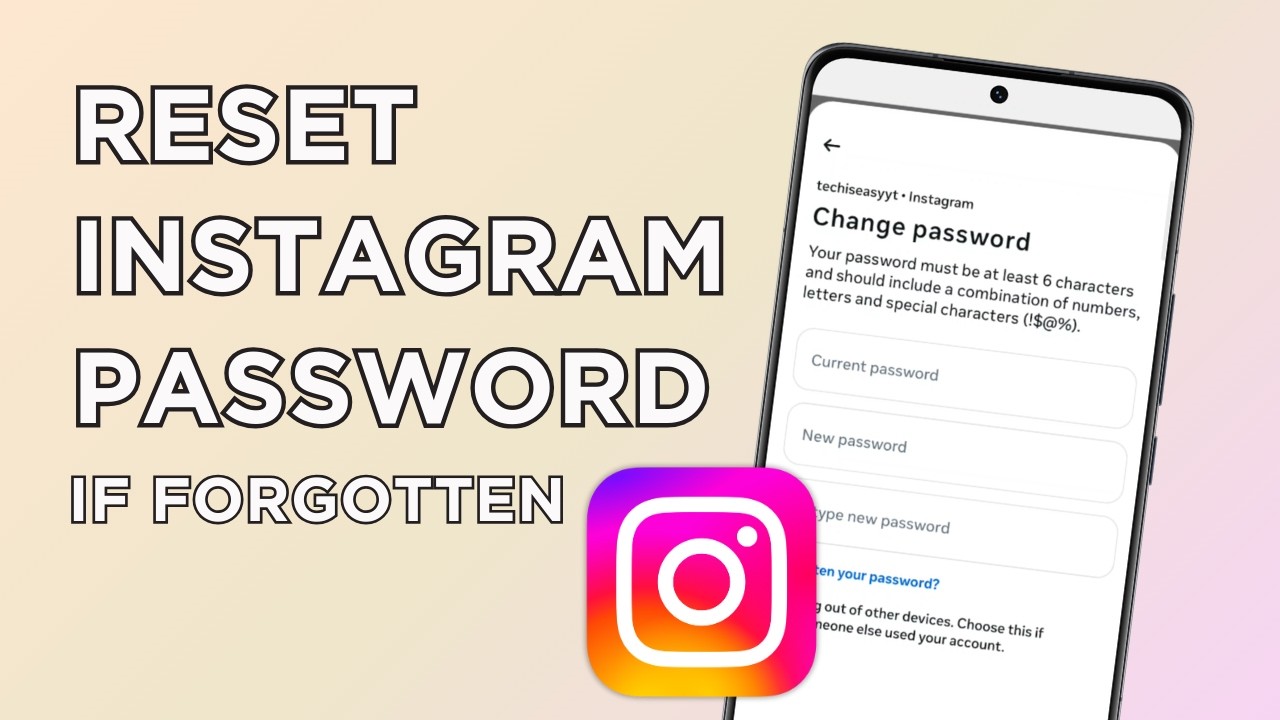
- Know your password. Instagram asks for it during deactivation. If you signed up through Facebook or have forgotten it, use Forgot password? on the login screen to set one first.
- Pick the right account. If you have several Instagram accounts, or Instagram and Facebook linked in Accounts Centre, each one is deactivated separately. Deactivating Instagram does not switch off your Facebook profile.
- Save anything you need. Deactivation keeps your data, but you won't be able to use the account until you log back in, so note any chats or details you need in the meantime.
- Deactivate is not delete. Deactivation hides the account and can be undone by logging in. Deletion is the permanent option on the same screen, so read the label before you tap.
1Open Accounts Centre
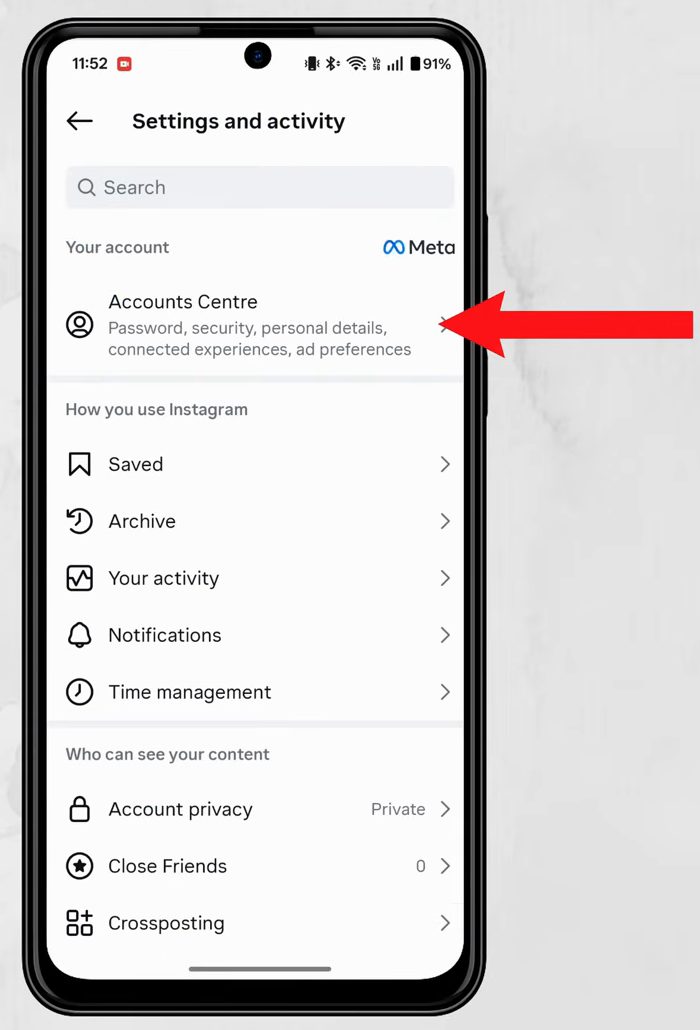
Open Instagram, go to your profile page (bottom right) and tap the three lines at the top right. On Settings and activity, tap Accounts Centre, the first option.
2Go to Manage accounts
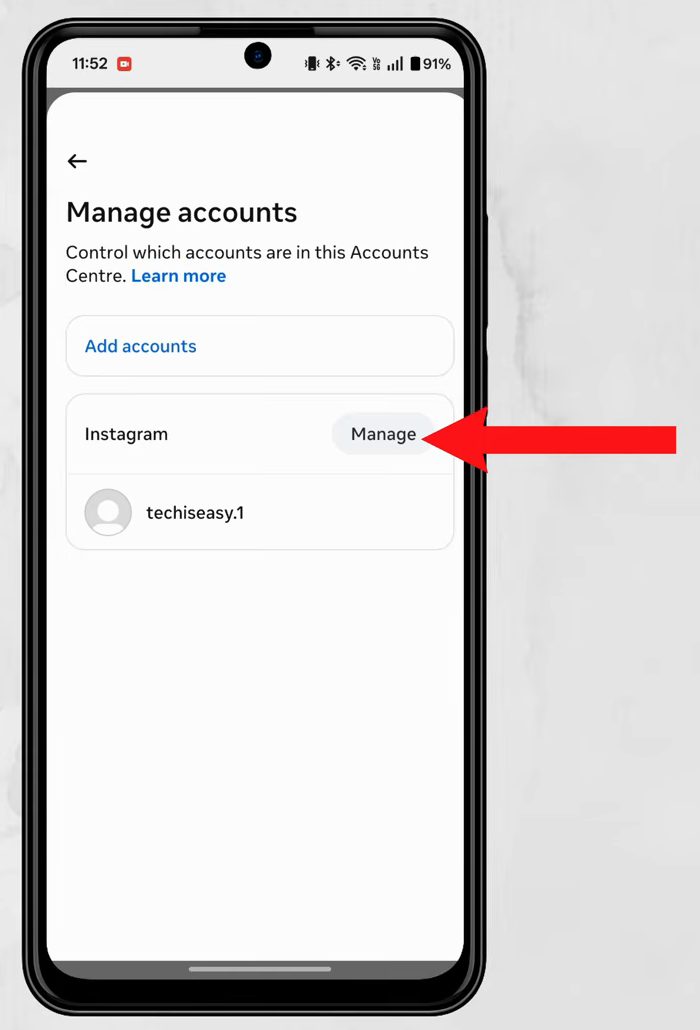
In Accounts Centre, scroll down and tap Manage accounts. Next to Instagram, tap Manage.
3Choose Deactivate account
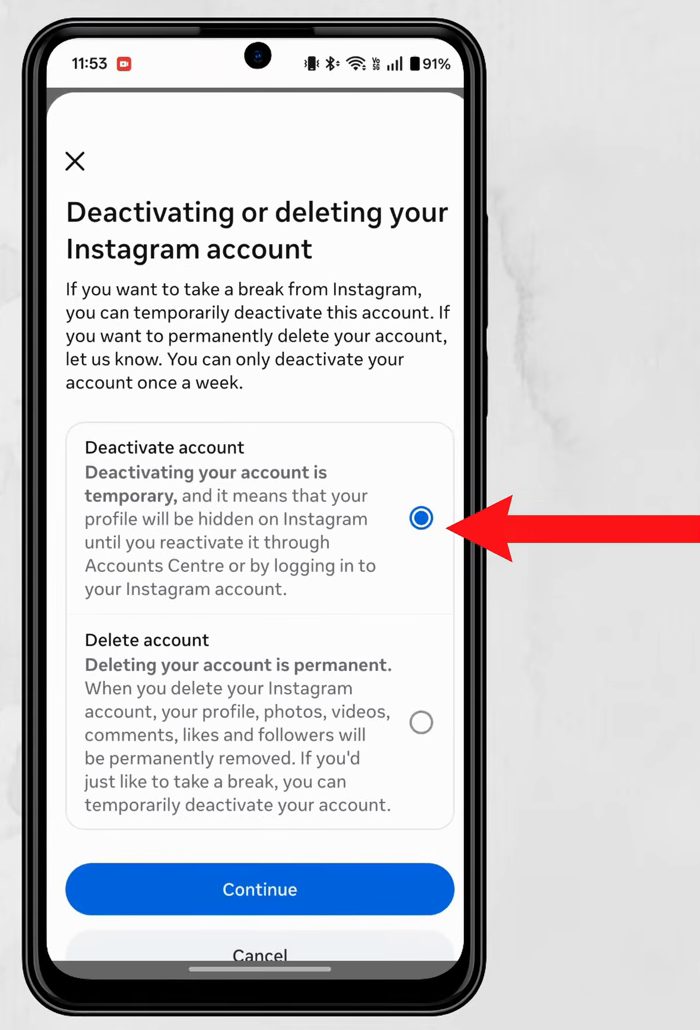
Tap Deactivation or deletion. The account name at the top shows which account this applies to. Select Deactivate account and tap Continue. Deactivating is temporary, and you can reactivate any time by logging in. Note that you can only deactivate an account once a week.
Instagram then lists what you'll lose access to while the account is off (followers, posts, stories). You get it all back when you reactivate, so tap Continue.
4Enter your password and pick a reason
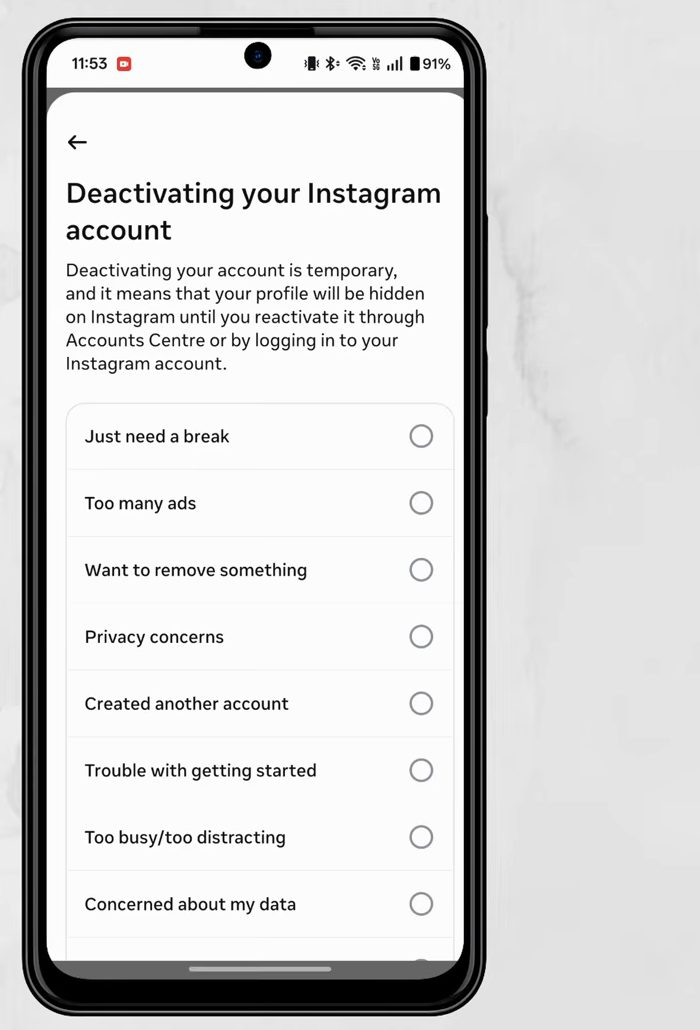
Type your password once to confirm it's you, then select any reason from the list, such as Just need a break.
5Decide on automatic reactivation
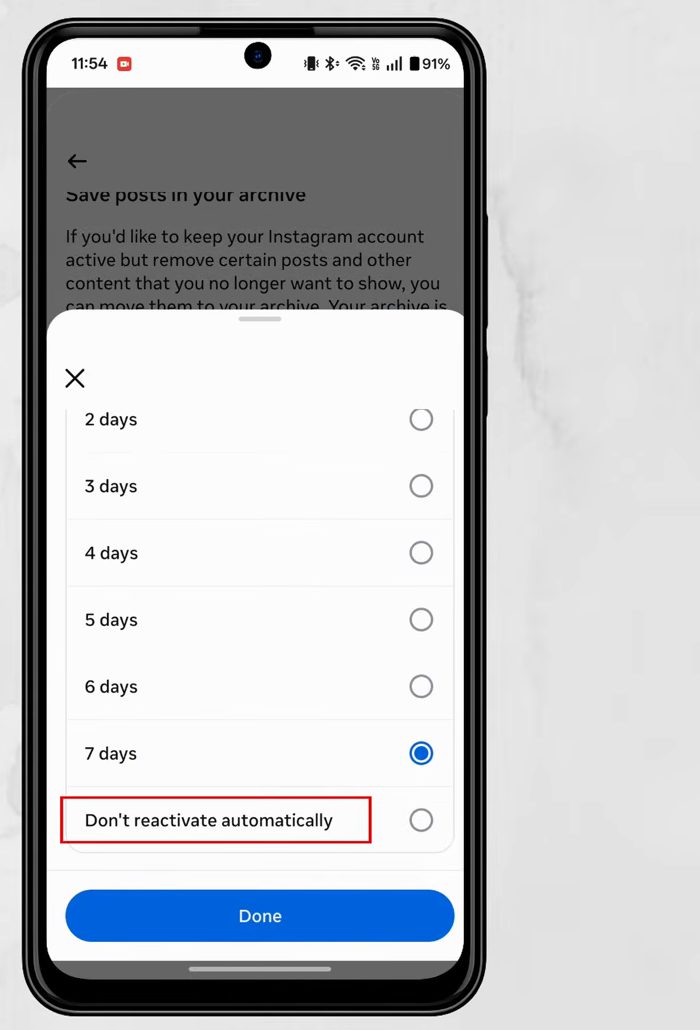
Scroll down. By default Instagram will automatically reactivate your account after 7 days. To change this, tap the 7 days box and pick a different number of days, or choose Don't reactivate automatically. Tap Done, then Continue.
6Tap Deactivate account
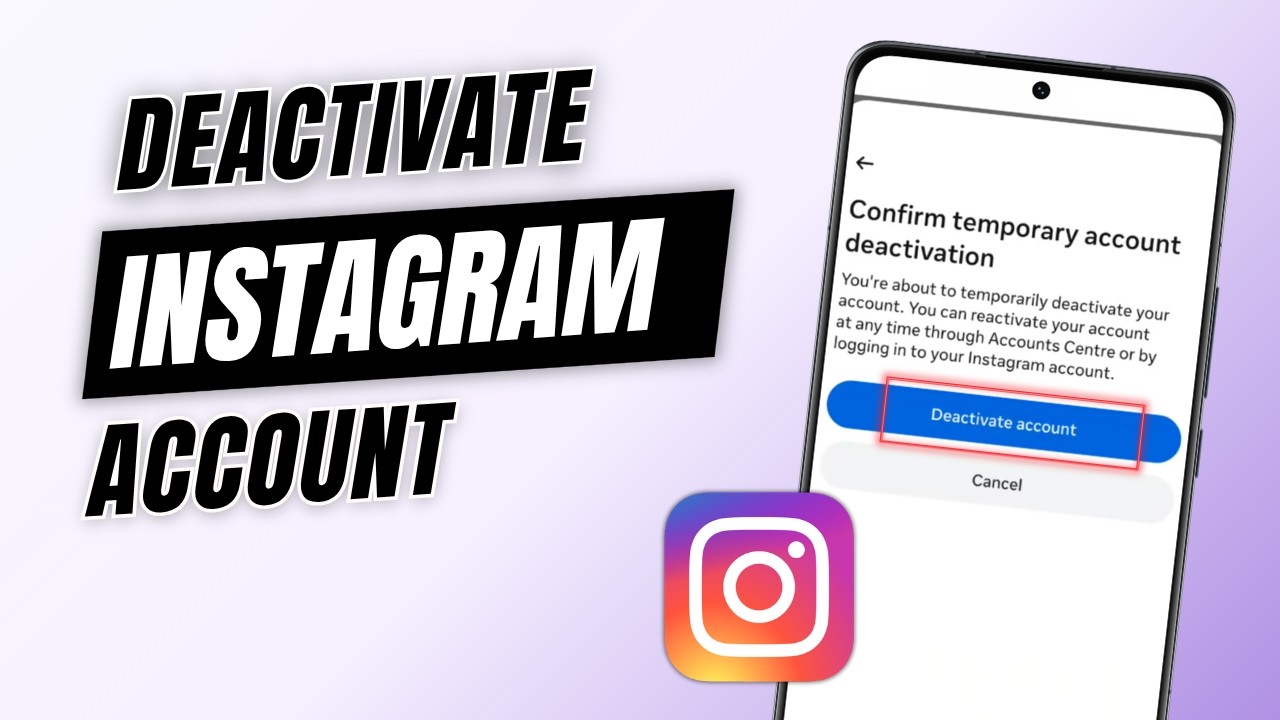
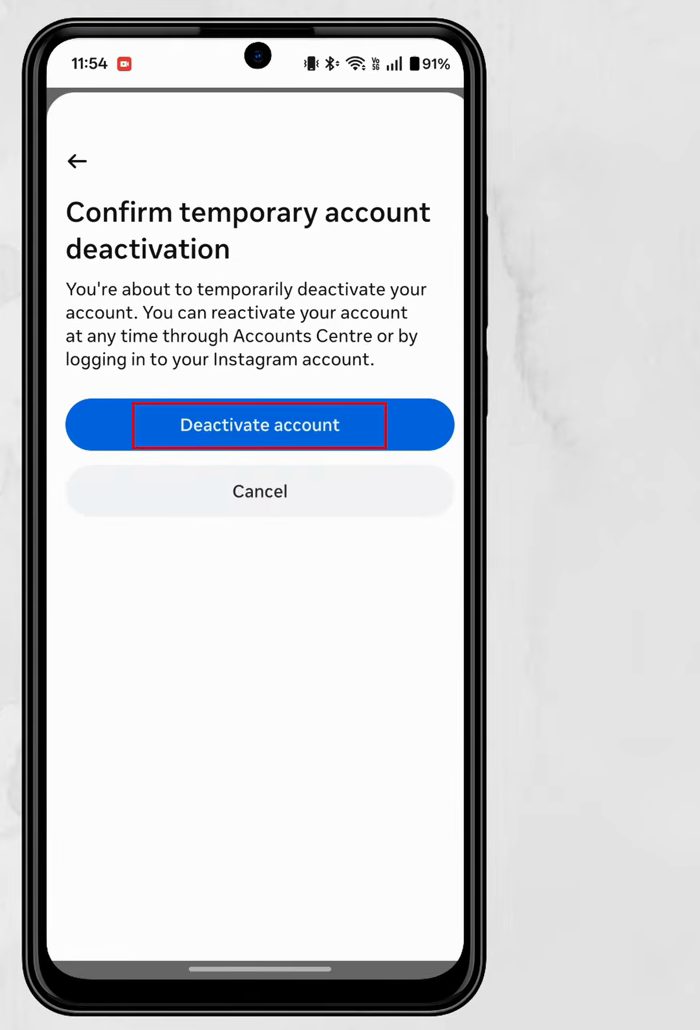
On Confirm temporary account deactivation, tap Deactivate account. Your account is now deactivated.
What happens while your account is deactivated
- Your profile, photos and videos are hidden from everyone. People who search for your username won't find it.
- Your comments and likes on other people's posts are hidden too.
- Nothing is deleted. Your posts, followers, following list and messages are all kept and come back when you reactivate.
- You stop getting Instagram notifications, since you are logged out of the account.
- If you chose a number of days for automatic reactivation, Instagram turns the account back on by itself after that time. If you chose Don't reactivate automatically, it stays hidden until you log in.
Instagram's help page on how to temporarily deactivate your Instagram profile confirms that deactivation is now done through Accounts Centre, and is worth checking if the menus look different on your phone.
Troubleshooting
- Can't find Deactivation or deletion. Update Instagram from the Play Store or App Store. Older versions put the option somewhere else, and the menus have moved more than once.
- Instagram says you can't deactivate right now. You can only deactivate an account once a week. If you reactivated recently, wait a few days and try again.
- Password not accepted. Make sure you are typing the password for the account shown at the top of the screen, not another account in Accounts Centre. If you don't know it, reset it first.
- The wrong account was deactivated. Just log in to it again. That reactivates it straight away, and you can repeat the steps for the account you meant.
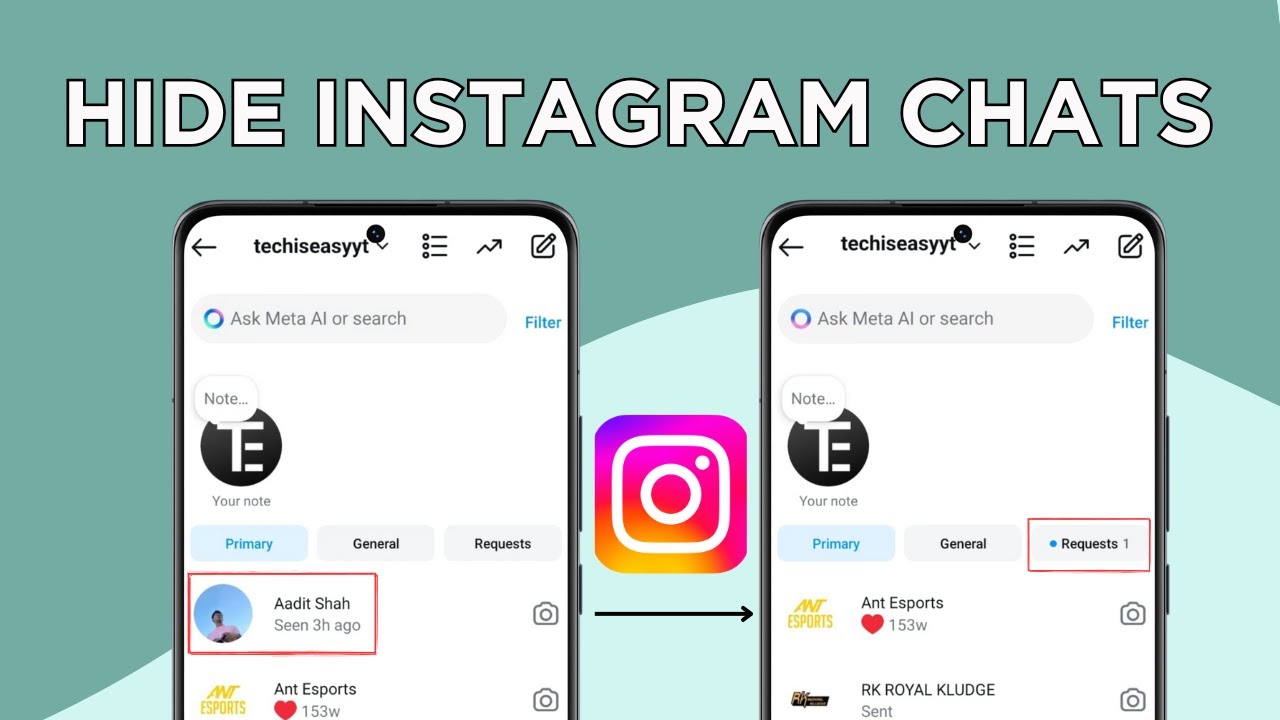
Related guides: How to Hide Instagram Chats Without Deleting Them and How to Set Parental Controls on Instagram (Family Centre).
FAQ
How do I reactivate my Instagram account?
Just log in to Instagram again with your username and password. If you left automatic reactivation on, it also comes back by itself after the number of days you chose.
Does deactivating delete my posts or followers?
No. Your profile, posts and followers are hidden while the account is deactivated and come back when you reactivate. Only Delete account removes them permanently.
How long can I keep Instagram deactivated?
With Don't reactivate automatically, it stays off until you log in again. Keep in mind you can only deactivate once a week.
What do my followers see when I deactivate Instagram?
Your profile disappears for them, as if the account doesn't exist. Your posts, comments and likes are hidden. When you reactivate, everything shows up again and your followers are still there.
What is the difference between deactivating and deleting Instagram?
Deactivating is temporary: the account is hidden and comes back when you log in. Deleting is permanent: Instagram gives you a short window (30 days at the time of writing) to cancel by logging back in, and after that your profile, posts and followers are removed for good. If you only want a break, choose deactivate.
Can I deactivate Instagram on iPhone the same way?
The video was recorded on Android. The Accounts Centre menus are generally similar in the iPhone app, but we haven't shown that version here.
Related guides