Tech is Easy
How to Export WhatsApp Chat as a .txt File (Android Guide)
To export a WhatsApp chat, open the chat, tap the three dots at the top right, then More > Export chat, and choose where to send or save the file. WhatsApp creates a ZIP file with the whole conversation as a .txt text file inside, showing the date, time, sender and message for every line. This guide is for anyone who wants a copy of a conversation to keep, print, search on a computer or send as a record, using an Android phone.
What you need
- WhatsApp on an Android phone (the video uses a Samsung phone)
- A file manager app that can extract ZIP files (Samsung's My Files does this, as do most built-in file apps)
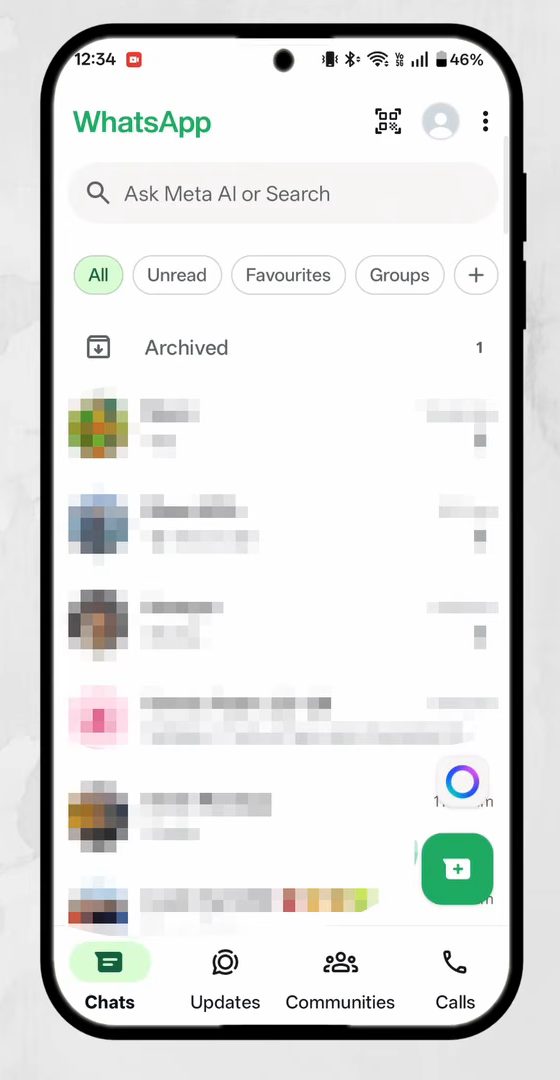
1Open the chat you want to export
Open WhatsApp. On the Chats tab, tap the conversation you want to export. It can be a personal chat, a group or a business chat. In the video we export a chat with a business account.
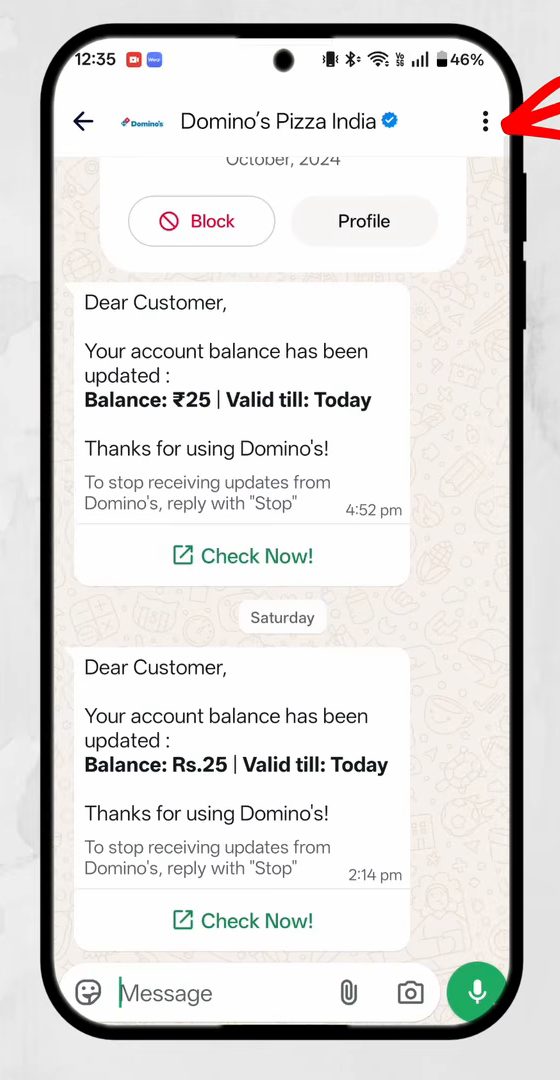
2Tap the three dots
Inside the chat, tap the three dots at the top right corner of the screen.
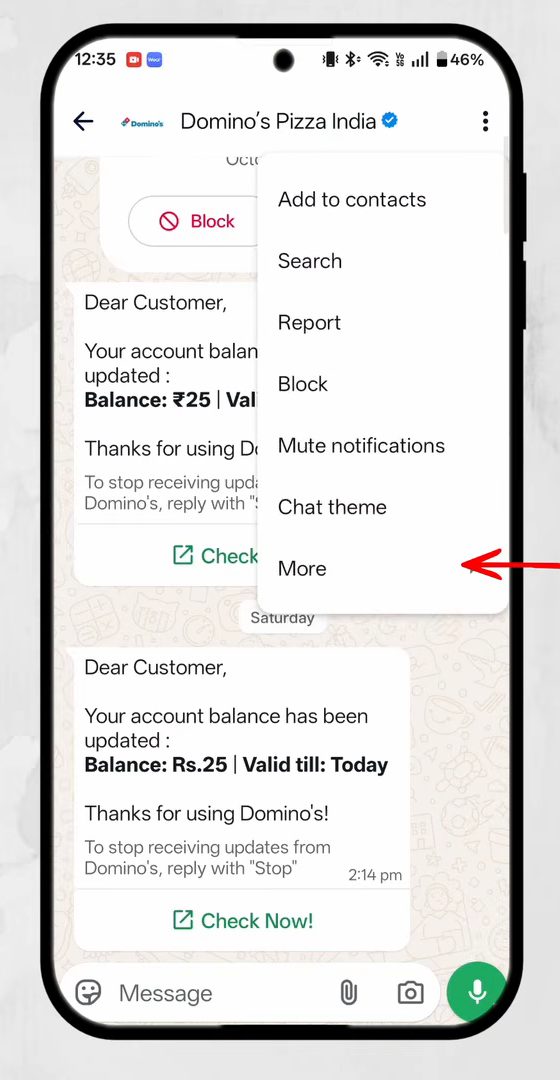
3Tap More
A menu opens with options such as Search, Mute notifications and Chat theme. Tap More at the bottom of the list.
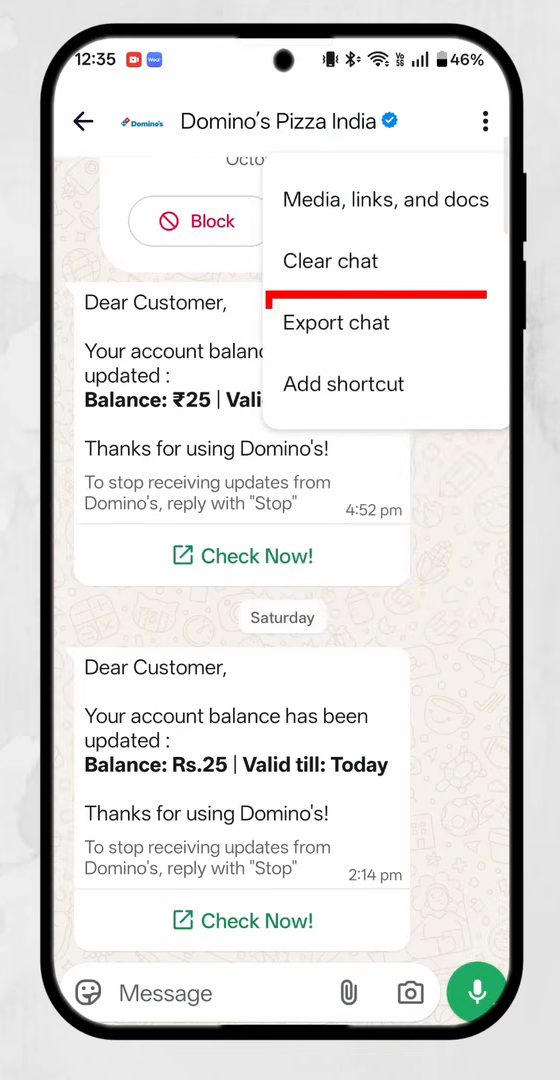
4Tap Export chat
In the next menu, tap Export chat. If the chat contains photos, videos or voice notes, WhatsApp asks whether to export Without media or Include media. Without media gives a small text-only file. Including media makes the file much larger.
5Choose where to send the file
Android's share sheet opens with the file named WhatsApp Chat with followed by the chat name. Pick what to do with it: send it on WhatsApp, attach it to a Gmail message, upload it to Drive, or tap My Files (Save to My Files) to keep it on the phone. We saved it to the phone.
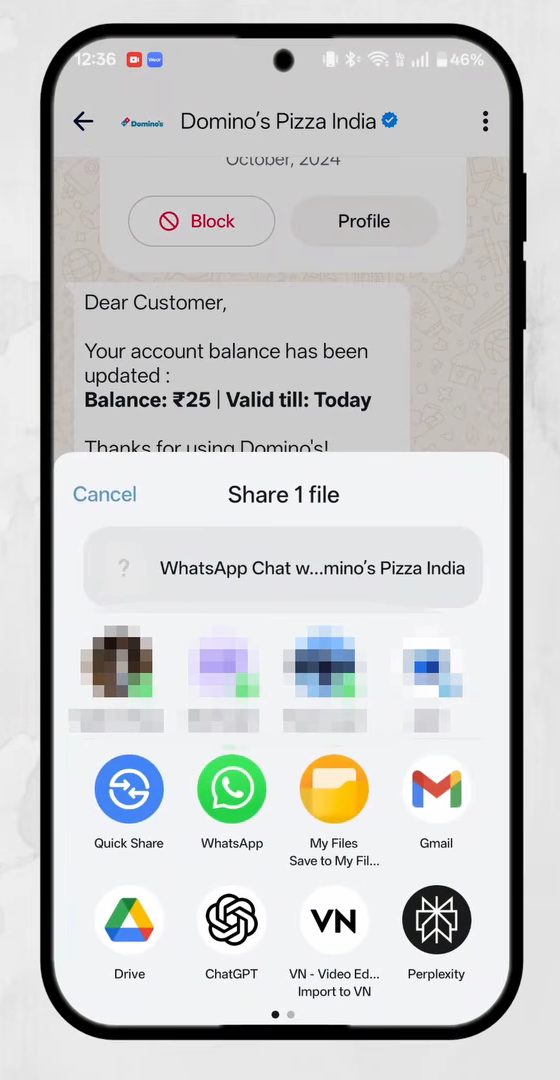
6Save it in a folder
If you chose to save it, pick a folder (here the Download folder) and tap Save.
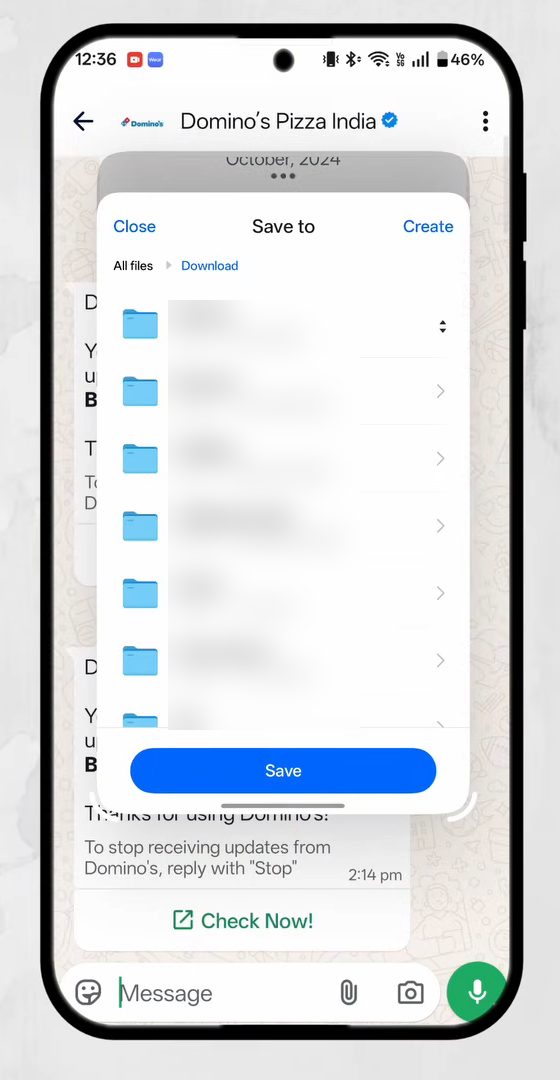
7Extract the ZIP file
Open your file manager and go to the folder you saved in. The chat is stored as a ZIP file, such as WhatsApp Chat ... .zip. Long-press it to select it, tap More at the bottom, then tap Extract files and confirm with OK. The menu names depend on your phone's file app, but every one has an extract or unzip option.
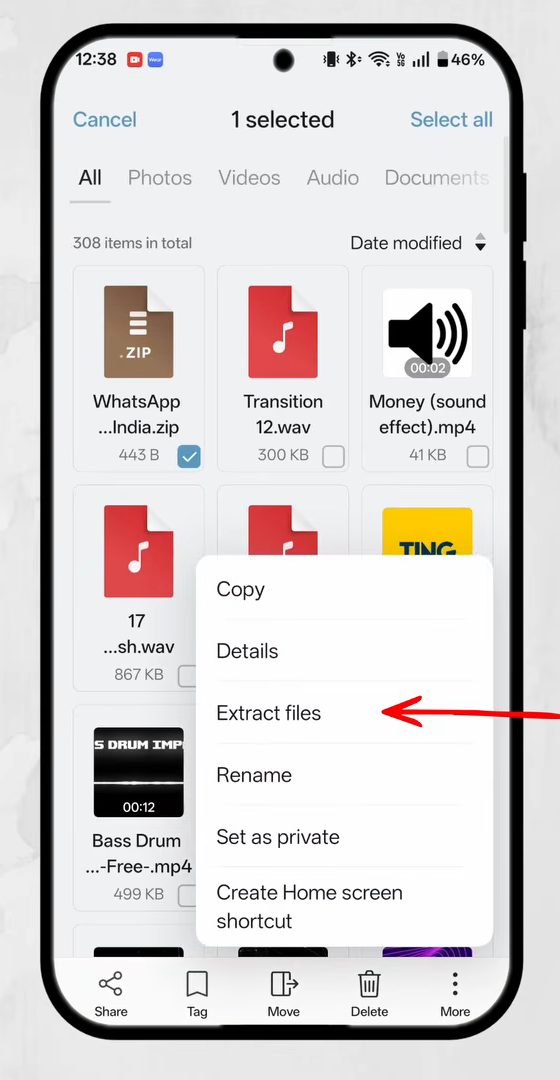
8Open the .txt file
A new file appears next to the ZIP with a .txt extension. Tap it and open it with any text viewer.
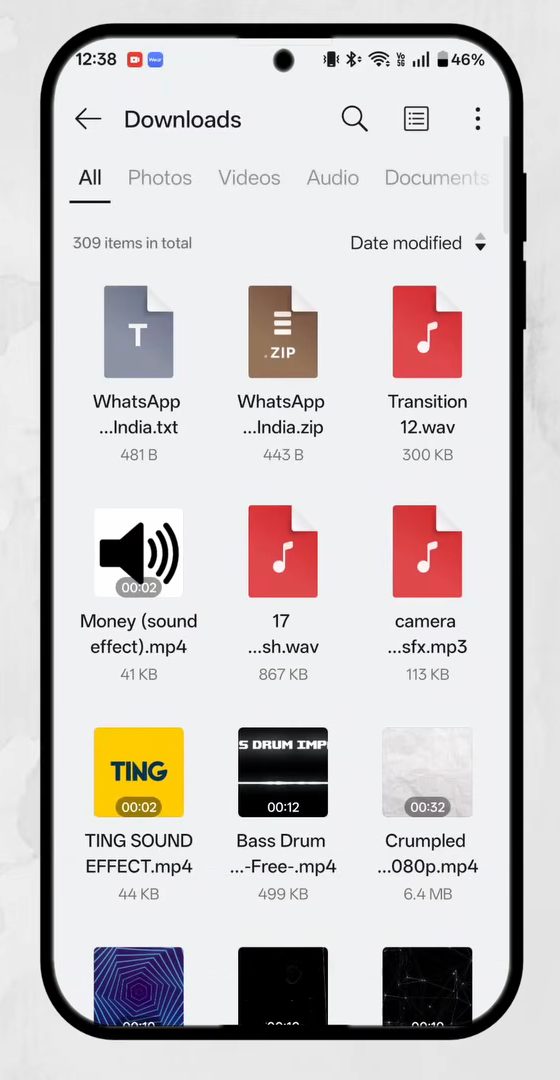
9Read the exported chat
The text file lists the entire conversation in order. Each message starts with the date and time, then the sender's name, then the message text.
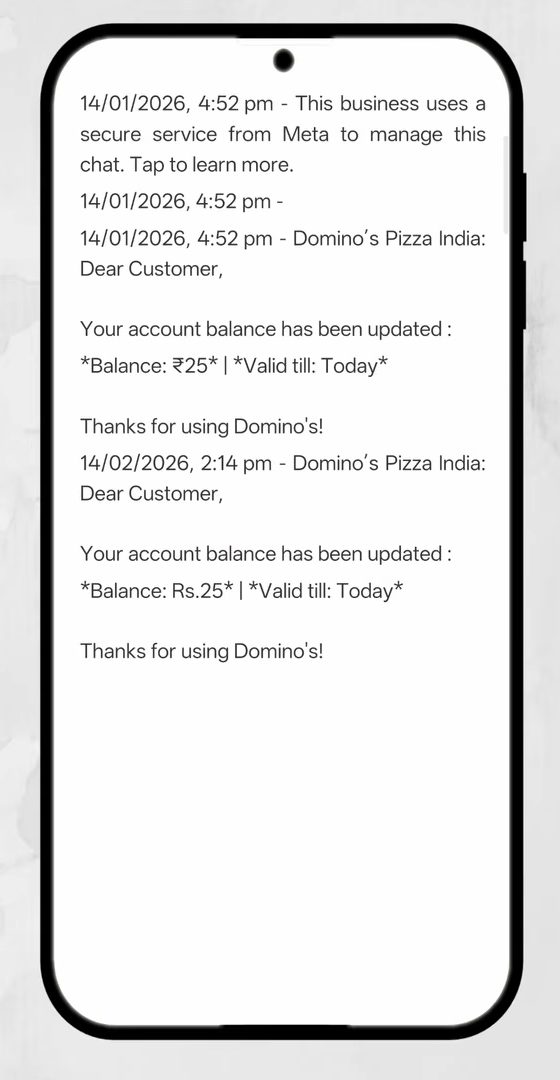
What's in the exported file
- Text only, unless you include media. The .txt holds every message as plain text. Photos, videos and voice notes are listed as "media omitted" if you exported without media. With media, the files are packed into the ZIP alongside the text.
- Formatting marks show as symbols. WhatsApp bold text appears with asterisks around it, like *Balance: ₹25*, because the file is plain text.
- Dates follow your phone's format. In the video they appear as day/month/year with the time in 12-hour format.
- It's a copy. Exporting doesn't delete or change anything in WhatsApp. The chat stays on your phone as before.
Troubleshooting
- No Export chat option? Make sure you tapped More in the chat menu. Export chat sits on the second menu, not the first. Updating WhatsApp from the Play Store also helps if the menu looks different.
- Export takes long or fails with media. Large chats with lots of videos make huge files. Try Without media first, or send the file to Drive rather than email, since email has attachment size limits.
- Can't open the ZIP. Some file apps need you to tap the ZIP and choose Extract or Unzip. If yours has no option, Google's Files app can extract ZIP files.
- The text looks jumbled. Open the .txt in a different app. Simple text viewers and Google Docs show emojis and line breaks correctly.
Export vs backup
Exporting is for keeping a readable copy of one chat. It's not a way to move chats to a new phone, because WhatsApp can't import a .txt file back into the app. To move or restore your full chat history, use WhatsApp's own chat backup under Settings > Chats > Chat backup instead.
WhatsApp's own guide is How to export your chat history. If you're exporting chats to free up space, see How to Clear WhatsApp Storage on Android.
FAQ
How do I export a WhatsApp chat with media?
Follow the same steps and, when WhatsApp asks, tap Include media. The photos, videos and voice notes are added to the ZIP file along with the .txt file. Expect a much bigger file.
Where is the exported WhatsApp chat saved?
Wherever you choose in the share sheet. If you save it to your files, it goes to the folder you pick, such as Download. If you email or WhatsApp it, the file is only in that message unless you save it.
Can I import an exported chat back into WhatsApp?
No. The exported .txt file is for reading and keeping. WhatsApp can't load it back as a chat. Use chat backup and restore to move conversations between phones.
Does the other person know I exported the chat?
WhatsApp doesn't send any notification when you export a chat. The export happens only on your phone.
Related guides