Tech is Easy
How to Get More Surveys in Google Opinion Rewards (6 Tips)
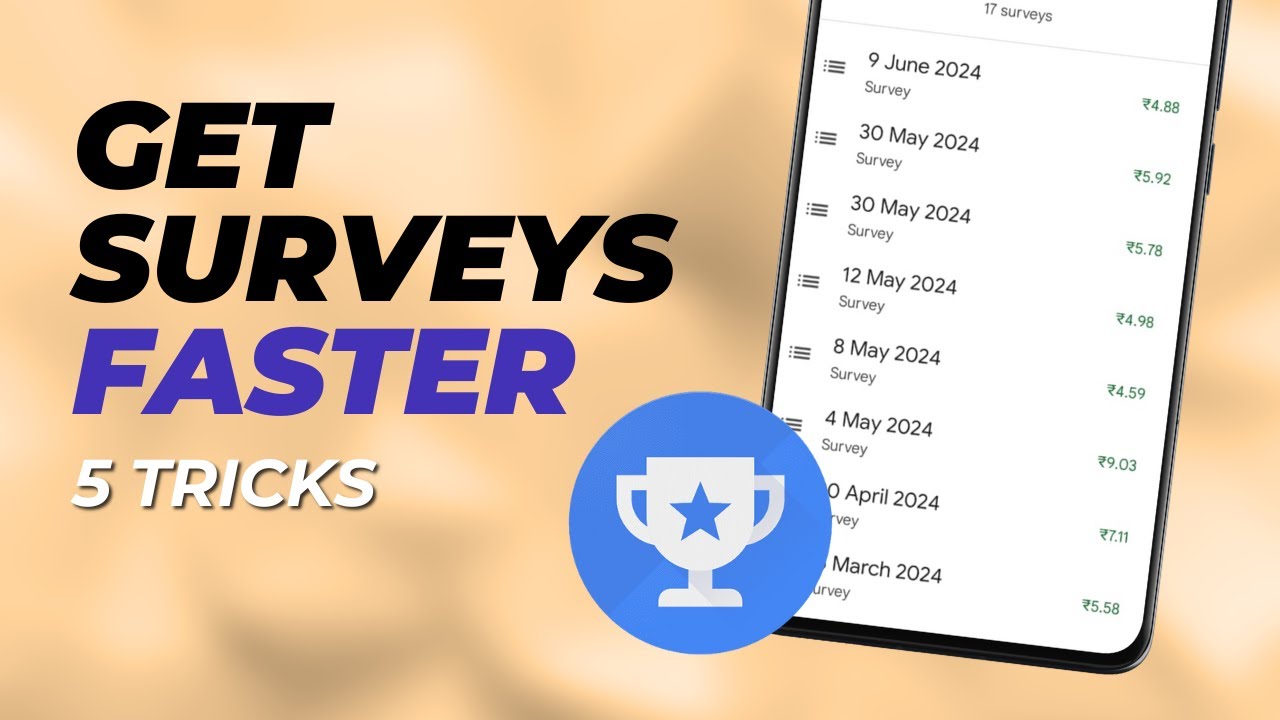
If you want to know how to get more surveys in Google Opinion Rewards, the honest answer is that there is no trick that works for everyone. Google decides who gets a survey. These are the habits that have worked for us after using the app for 3 to 4 years, with surveys coming in regularly over the past few months.
What you need
- The Google Opinion Rewards app installed and signed in
- A few minutes to check your settings
How Google picks who gets a survey
Google's help page, Answer surveys, says surveys are handed out mostly at random and depend on what surveys market researchers are running at the time. It also says Google uses several checks to spot people who answer carelessly or try to game the system, and those people get fewer surveys. So the tips below can't force a survey to appear. What they do is make sure you're eligible for as many as possible and don't get filtered out.
Two basics come first. Google's Opinion Rewards help pages say you must be over 18, and you must live in a country where the app is offered. Surveys and the reward currency follow the country set on your Google Account, not your Play Store country or where you happen to be. If you moved and your account still shows your old country, you may get few or no surveys.
1Open Survey eligibility
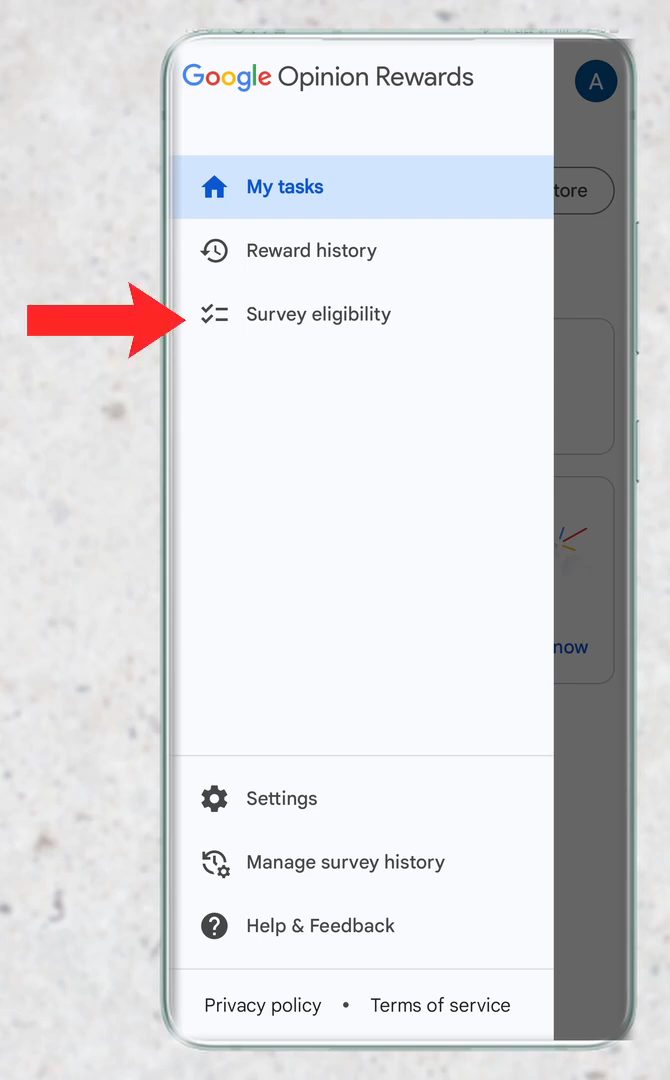
Open the app and tap the three lines at the top left. In the menu, tap Survey eligibility.
2Get a green tick on every item
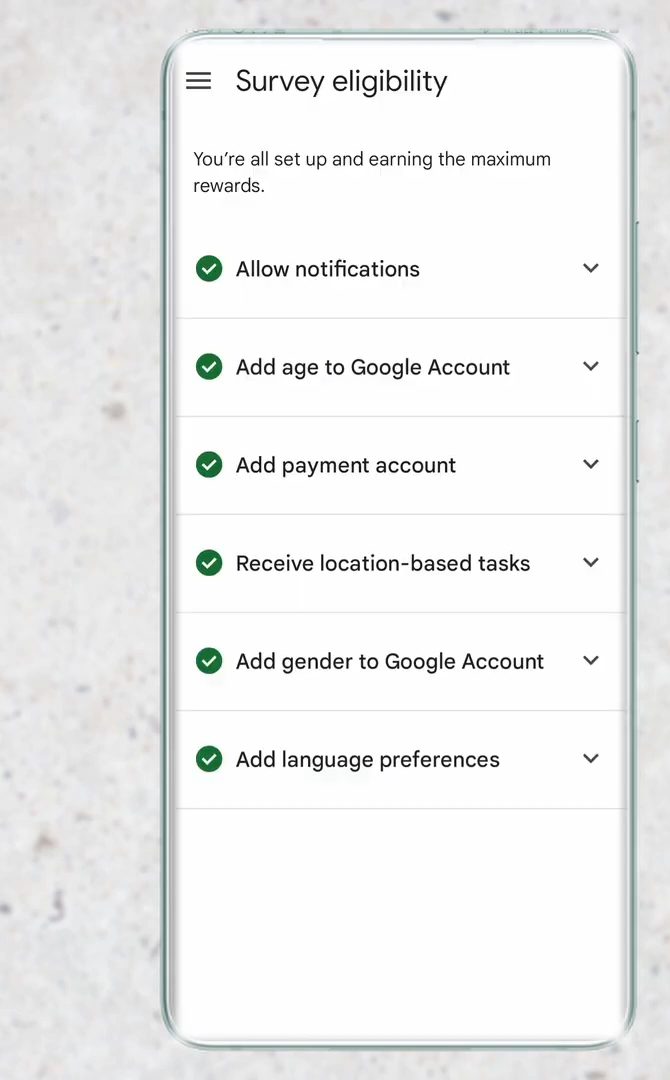
The list covers things like Allow notifications, Add age to Google Account, Add payment account, Receive location-based tasks, Add gender to Google Account and Add language preferences. Every item should have a green tick.
3Fix any item without a tick
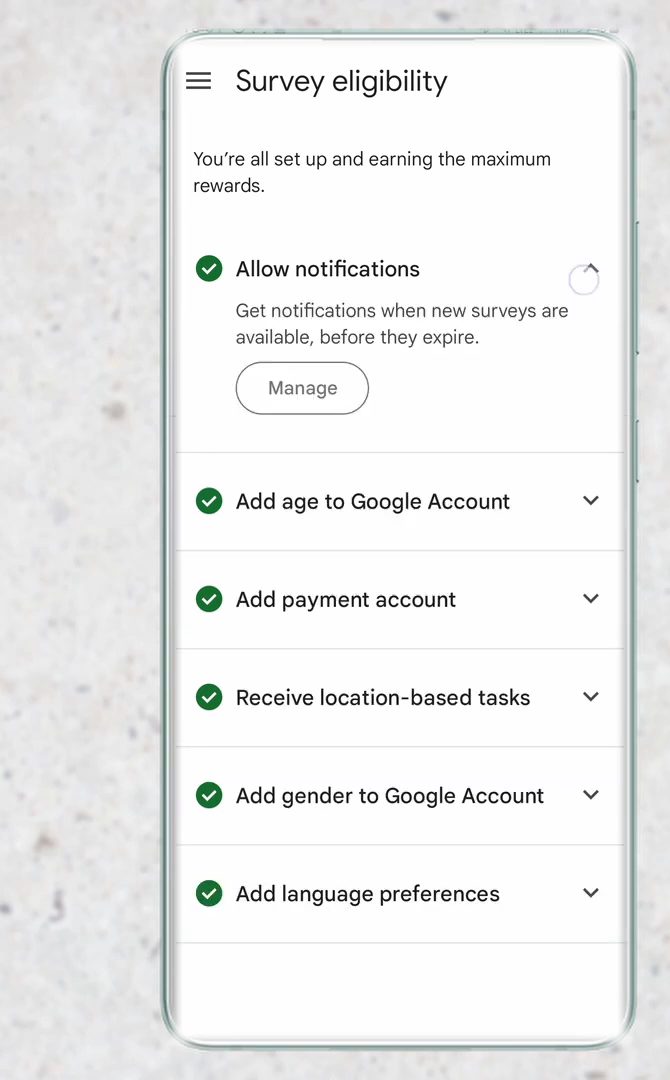
If an item has no tick, tap the arrow next to it, then tap Manage and change whatever setting it asks for. Repeat until every item is ticked.
4Turn on Google Location History
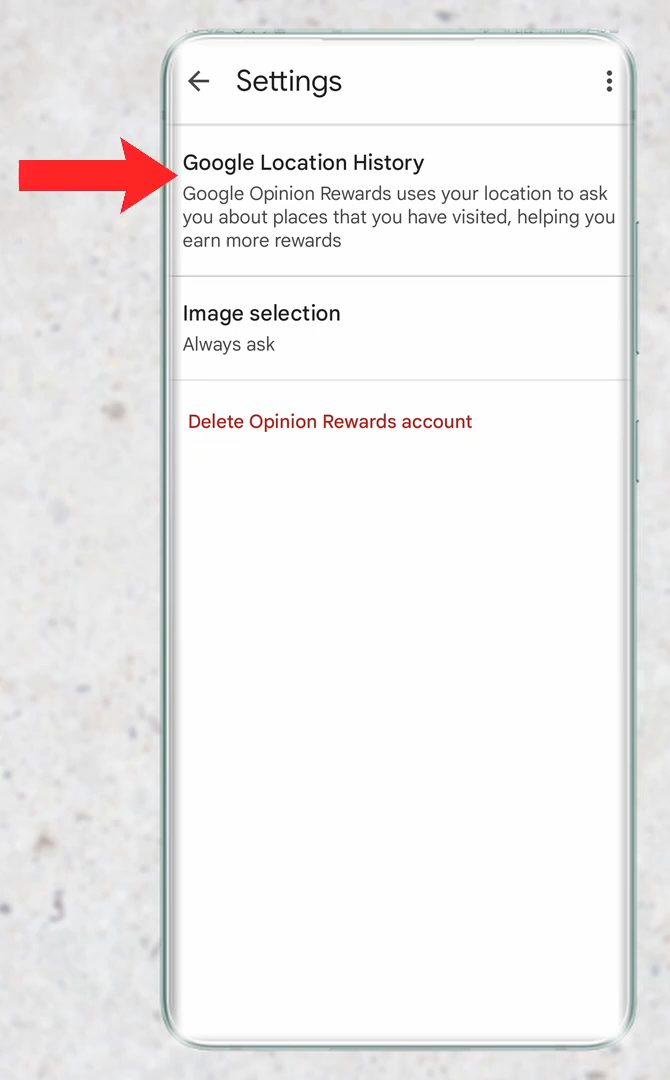
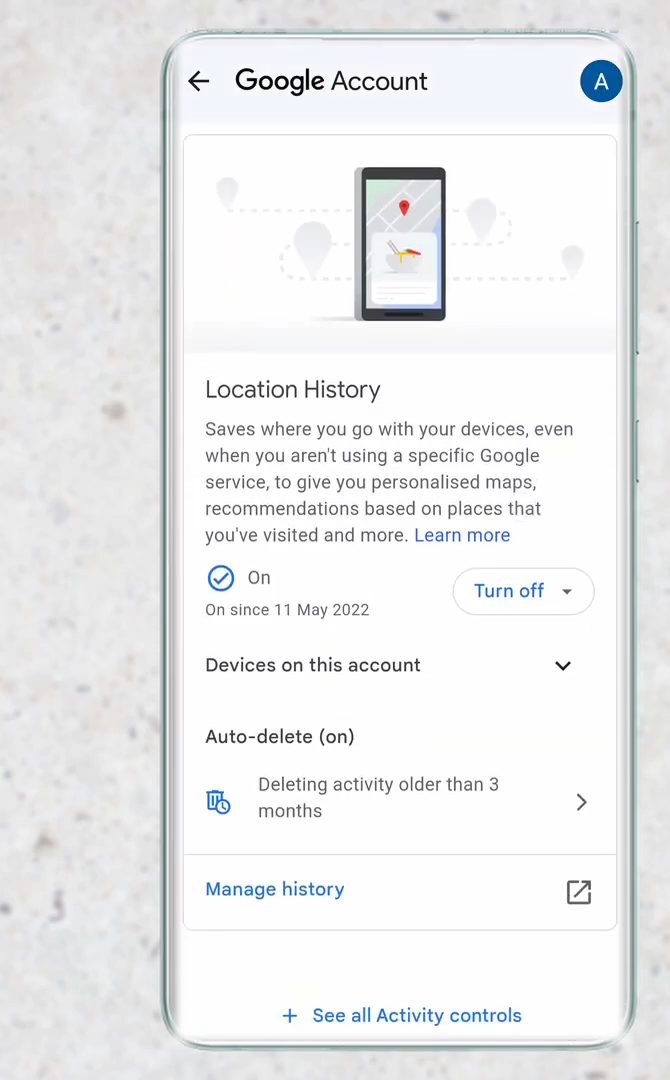
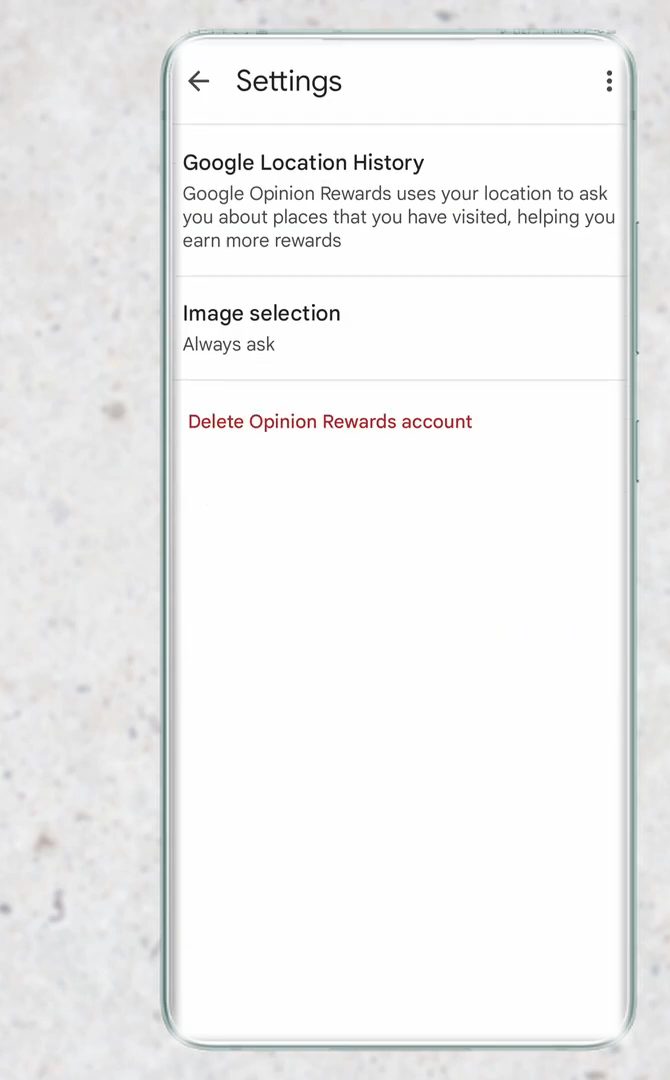
Many surveys ask about places you have visited, so Google needs your location history. Tap the three lines, then Settings. The first option is Google Location History. Tap it to open the setting in your Google Account.
5Check that it is On
On the Google Account page, make sure Location History shows On. If it is off, turn it on.
6Keep the app updated
Check the Play Store (or App Store) for updates to Google Opinion Rewards and install them when they appear. If Google has to choose who gets a survey, a phone with the latest version of the app is more likely to be picked than one running an old version.
7Answer every survey honestly
This matters most. Google sends surveys to collect real data, and it already knows a lot about you, so it can check your answers. If a survey asks whether you visited a place or searched for something and you tap a random answer, Google can see that it is wrong. Take your time and answer accurately, because false answers can stop new surveys from coming.
8Allow notifications
Surveys show up as notifications, and that is the only way to reach them. Open your phone's Settings, search for Google Opinion Rewards, and make sure notifications are on, with sound and banners, so you don't miss one.
9Last resort, delete and recreate your account
If you have done all of the above and still haven't had a survey in months (say six months), you can start fresh. Tap the three lines, then Settings, then Delete Opinion Rewards account, and sign up again. Only do this if nothing else has worked.
Tips / troubleshooting
- After making these changes, give it two to three weeks before judging whether they worked.
- Tap Reward history in the menu to see when your past surveys arrived and how much each one paid.
- Answer surveys quickly. Google says a survey usually expires after about 24 hours. If you miss it, it's gone and so is the reward. You can skip a survey you don't want to answer and simply wait for the next one.
- Location setting has a new name. On many accounts Google has replaced Location History with Timeline, which is stored on your phone. If you can't find Location History, look for Timeline in your Google Account and Google Maps settings and make sure it is on. Phone location services also need to stay on, because Google says turning them off opts you out of all location-based surveys.
- Local surveys can be public. Some location surveys ask you to review a place, and Google may post that review to Google Maps with your permission. Anyone can see those reviews, so only agree if you are happy with that.
- Don't ask Google for more surveys. The app's feedback form says requests for extra surveys aren't considered, so use it only to report bugs.
Related guides: How to Manage Google Account Privacy and Security Settings.
FAQ
Why am I not getting surveys in Google Opinion Rewards?
Surveys depend on whether Google needs answers from someone like you, so gaps are normal. Check that every item in Survey eligibility has a green tick, location history is on, notifications are allowed and the app is up to date.
Does location history affect Google Opinion Rewards surveys?
Yes. Many surveys ask about places you have been, such as a shop or restaurant. With location history turned off, Google can't send you those surveys.
Can wrong answers stop Google Opinion Rewards surveys?
They can. Google uses the surveys to collect accurate data and can often check answers against what it knows. Answering carelessly or untruthfully can lead to fewer surveys.
Should I delete my Google Opinion Rewards account?
Only as a last resort, for example if you haven't received a survey in around six months despite following the other tips. You can do it from Settings > Delete Opinion Rewards account and then sign up again.
How long do I have to answer a Google Opinion Rewards survey?
Usually about 24 hours. If you start a survey and go offline, the app reminds you when you're back online, but once it has expired you can't answer it or get paid.
Does my country affect how many surveys I get?
Yes. Surveys depend on the country on your Google Account, and the app is only offered in some countries. How many surveys exist at any time depends on what researchers are running for your country, so some gaps are normal no matter what settings you change.
Related guides