Tech is Easy
How to Make Chrome Your Default Browser on Windows 11
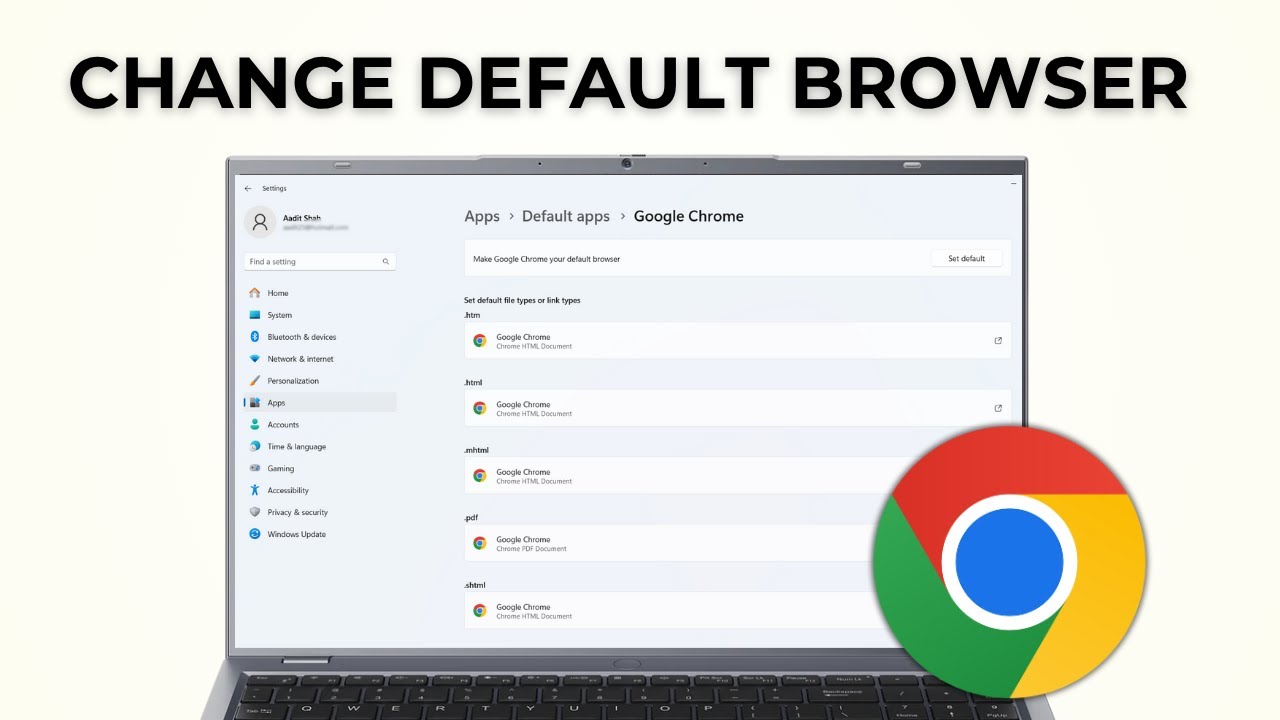
To make Chrome your default browser on Windows, open Settings > Apps > Default apps, search for Google Chrome, click it, then click Set default next to Make Google Chrome your default browser. This works for anyone who wants links from emails, documents and other apps to open in Chrome instead of Microsoft Edge or another browser.
What you need
- A Windows 11 PC or laptop with Google Chrome already installed
1Open Settings
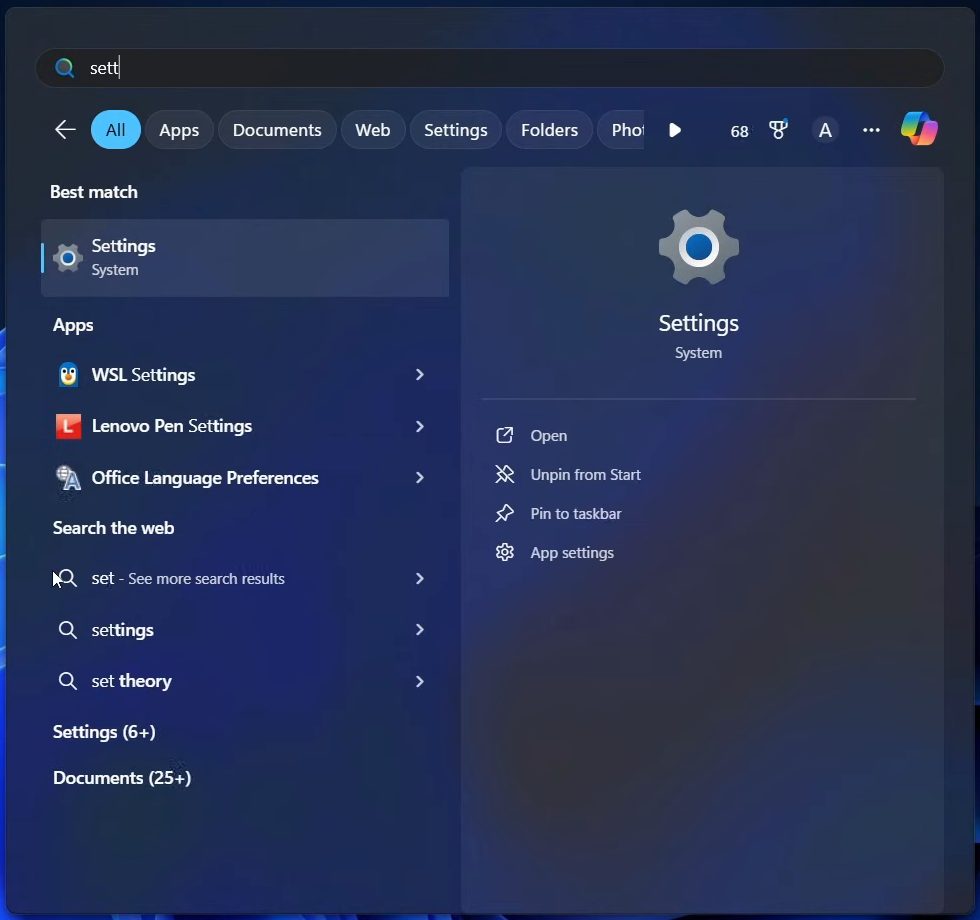
Click the Start button, type settings in the search bar, and open the Settings app from the results.
2Go to Apps
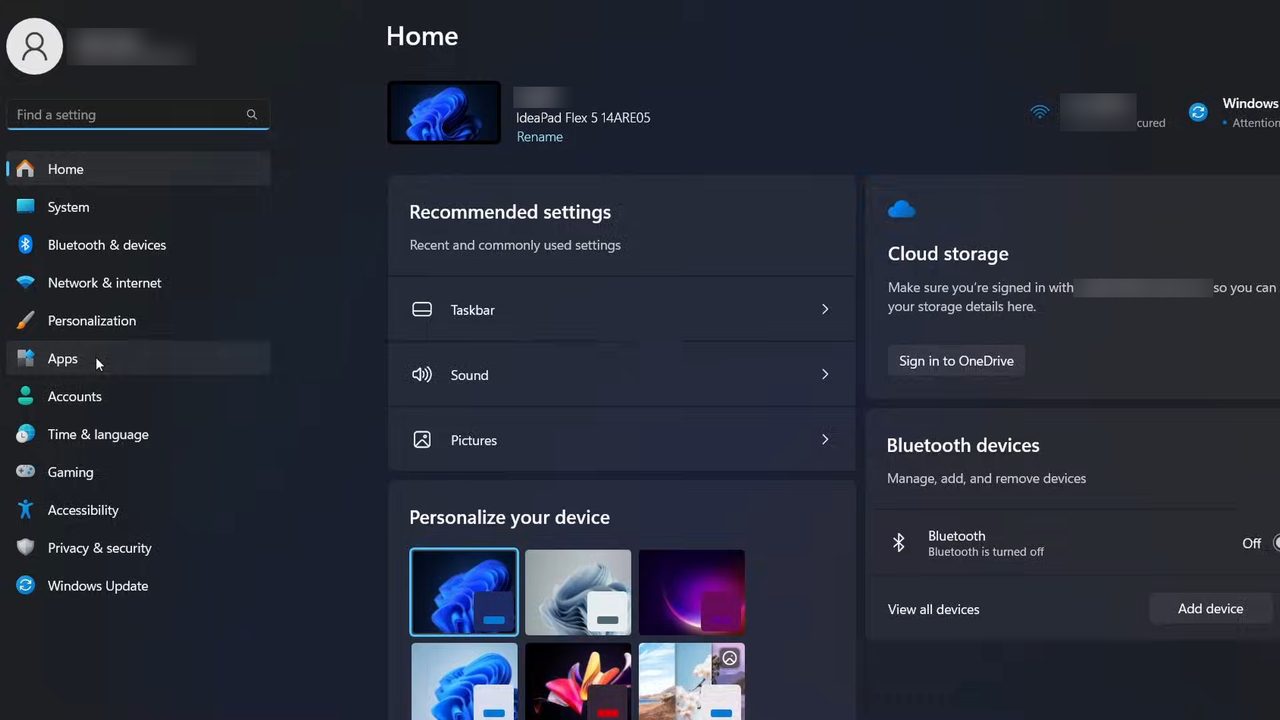
In the left sidebar of Settings, click Apps.
3Open Default apps
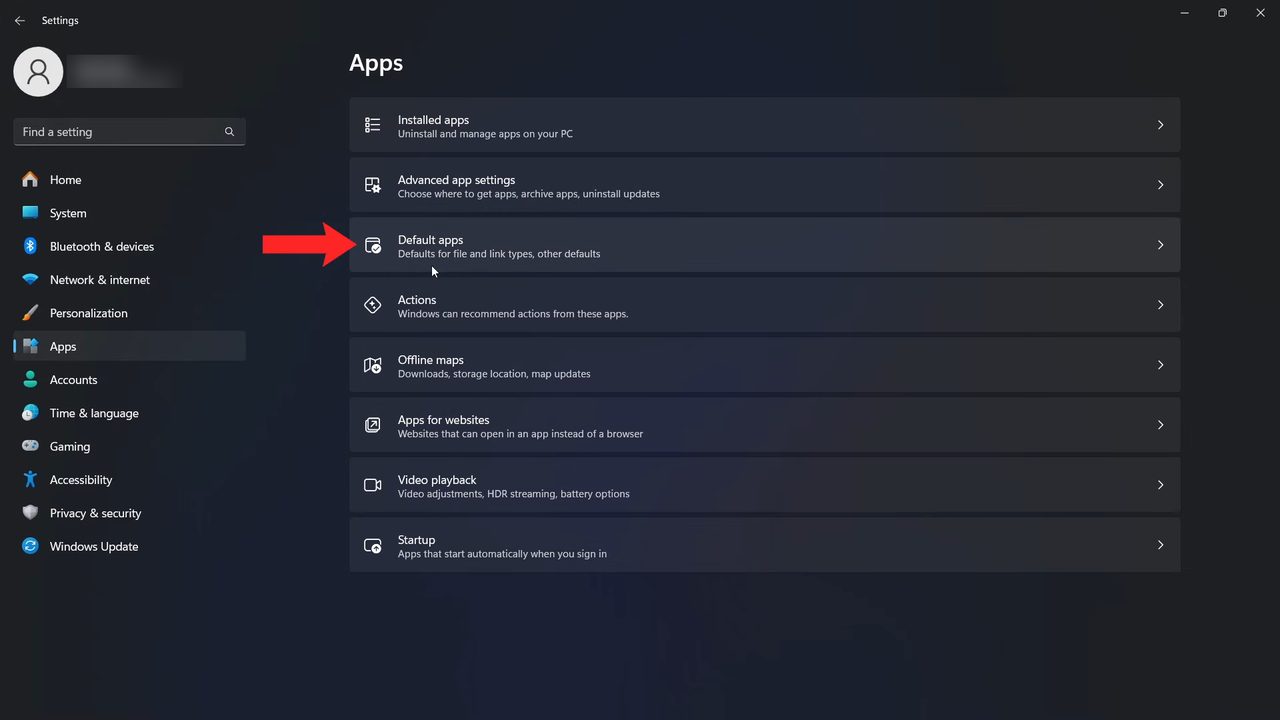
On the Apps page, click Default apps. It is the third option, described as defaults for file and link types.
4Search for Google Chrome
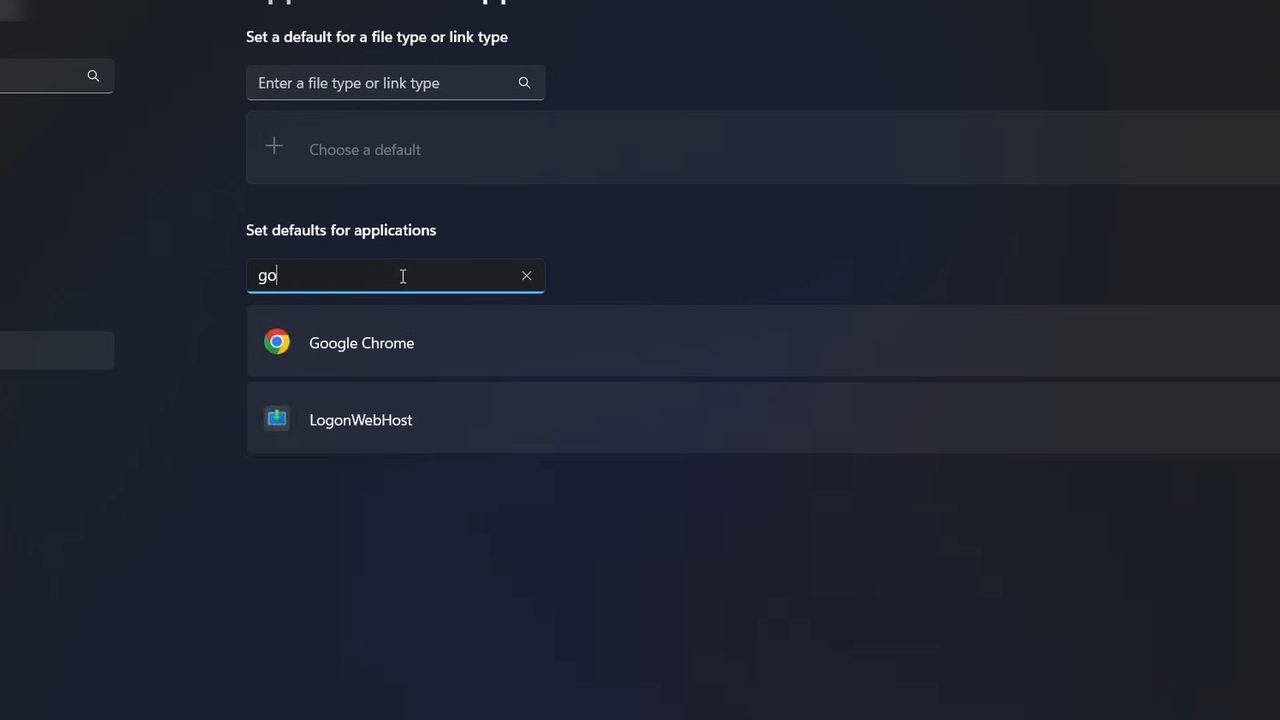
Under Set defaults for applications, click the Search apps box and type Google Chrome. Click Google Chrome in the results.
5Click Set default
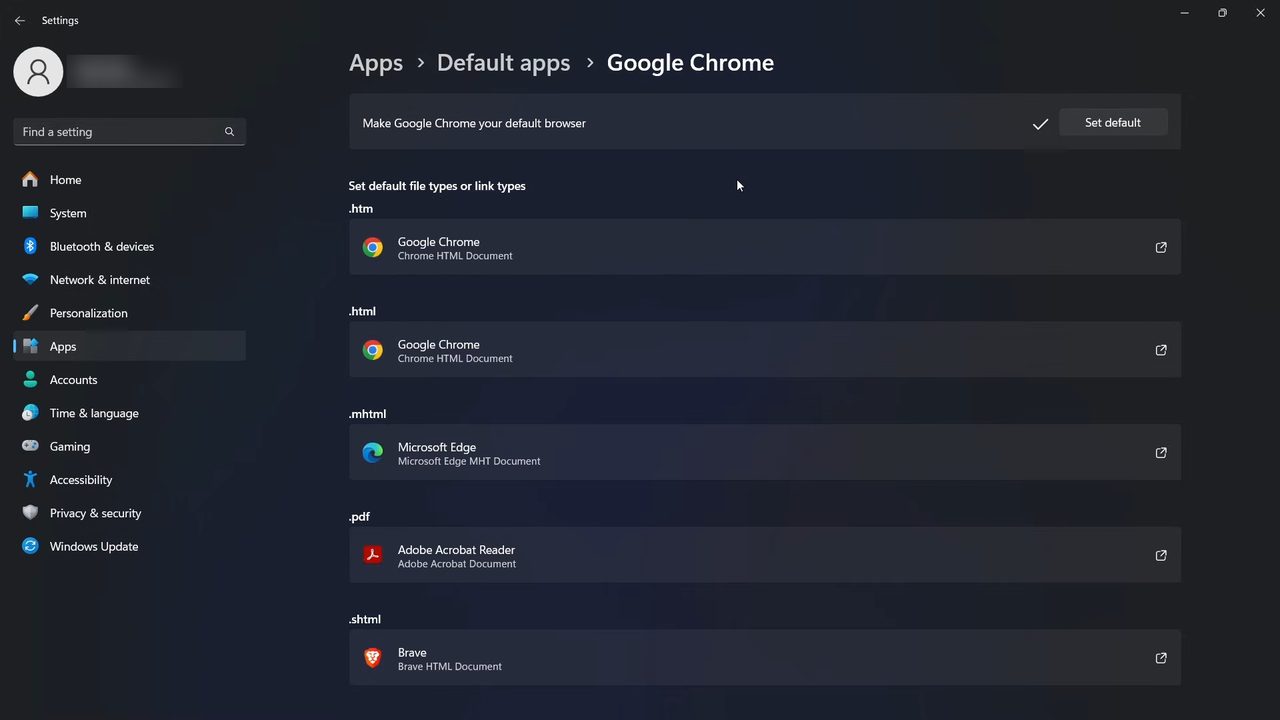
At the top of the Google Chrome page you will see Make Google Chrome your default browser. Click Set default. A checkmark appears next to the button, which means Chrome is now your default browser.
6Check which file and link types open in Chrome
Below that, under Set default file types or link types, Windows lists what now opens in Chrome. General web links like HTTP and HTTPS and web pages like .htm and .html are set to Google Chrome. If a type still shows another app, such as .mhtml with Microsoft Edge, click it and pick Chrome if you want that type to open in Chrome too.
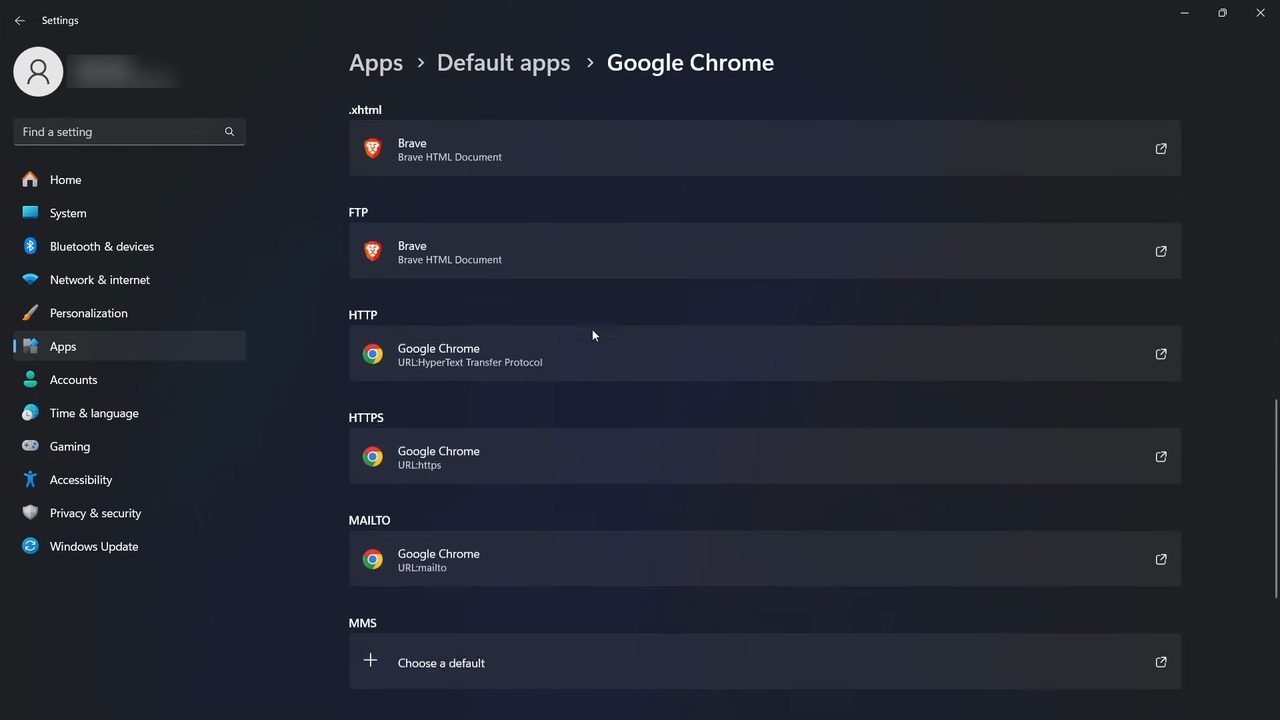
What changes once Chrome is the default
- Links you click in Outlook, Word, PDF readers, WhatsApp desktop and most other apps open in Chrome.
- Saved web pages (.htm and .html files) open in Chrome when you double-click them.
- Nothing is uninstalled. Microsoft Edge stays on your PC and you can still open it yourself.
- You can change it back at any time with the same steps, picking a different browser in Step 4.
Windows 10: the steps are slightly different
Windows 10 has no per-app Set default button. Google's help page, Make Chrome your default browser, gives this route: click Start, open Settings, then Apps > Default apps (on older versions of Windows 10 it is System > Default apps). Scroll to Web browser, click the browser that is listed there, and choose Google Chrome in the Choose an app window. The same page also has the Windows 11 steps shown above, plus the Mac and Linux versions.
On a Mac
The Mac version is set from Chrome itself. According to the same Google page, open Chrome, click the three dots (More) at the top right, choose Settings, and in the Default browser section click Make default. If you don't see the button, Chrome is already your default browser.
In some countries Windows or Chrome may show a choice screen asking you to pick a default browser or search engine. Picking Chrome there does the same job as the steps above, and you can still change it later in Settings.
Troubleshooting
- Google Chrome doesn't appear in the search. Chrome isn't installed for your Windows user, or it was installed only for another account. Download and install it from Google, then search again.
- Chrome keeps asking to be the default. Check Step 5 again. If the checkmark is there, open Chrome's own Settings and look at the Default browser section, which should say Chrome is your default.
- Edge opens for some things anyway. A few Windows features, such as web results from the Start menu search and the Widgets board, have opened in Microsoft Edge regardless of your default in many regions. That's Windows behaviour, not a failed setting. Normal links from apps still go to Chrome.
- The Set default button is greyed out or the change reverts. On a work or school laptop, IT may set the default browser through policy. You'll need to ask them.
- Edge asks you to switch back. Edge sometimes shows a banner offering to become the default again. Just close it. Clicking its button would undo your change.
Once Chrome is your default, you might also want to stop pop-ups and redirects in Chrome.
FAQ
How do I change my default browser on Windows 11?
Go to Settings > Apps > Default apps, search for the browser you want, open it and click Set default. The same steps work for Chrome, Edge, Brave or any other installed browser.
Why do some files still open in Edge after setting Chrome as default?
Set default covers general web links and the main web page types, but a few file types can keep their old app. In our example .mhtml stayed with Microsoft Edge. Click that file type in the list and choose Google Chrome to change it.
Does this work on Windows 10?
The video shows Windows 11. On Windows 10 go to Settings > Apps > Default apps, click the browser under Web browser and pick Google Chrome. This path comes from Google's help page and isn't shown in our video.
How do I switch back to Microsoft Edge?
Use the same steps, but search for Microsoft Edge in Step 4 and click Set default on its page. Chrome stays installed, it just stops opening links automatically.
How do I make Chrome my default browser on a laptop?
A Windows laptop uses the same steps as a desktop. Open Settings, go to Apps > Default apps, find Google Chrome and click Set default.
Related guides