Tech is Easy
How to Send WhatsApp Message Without Saving Number
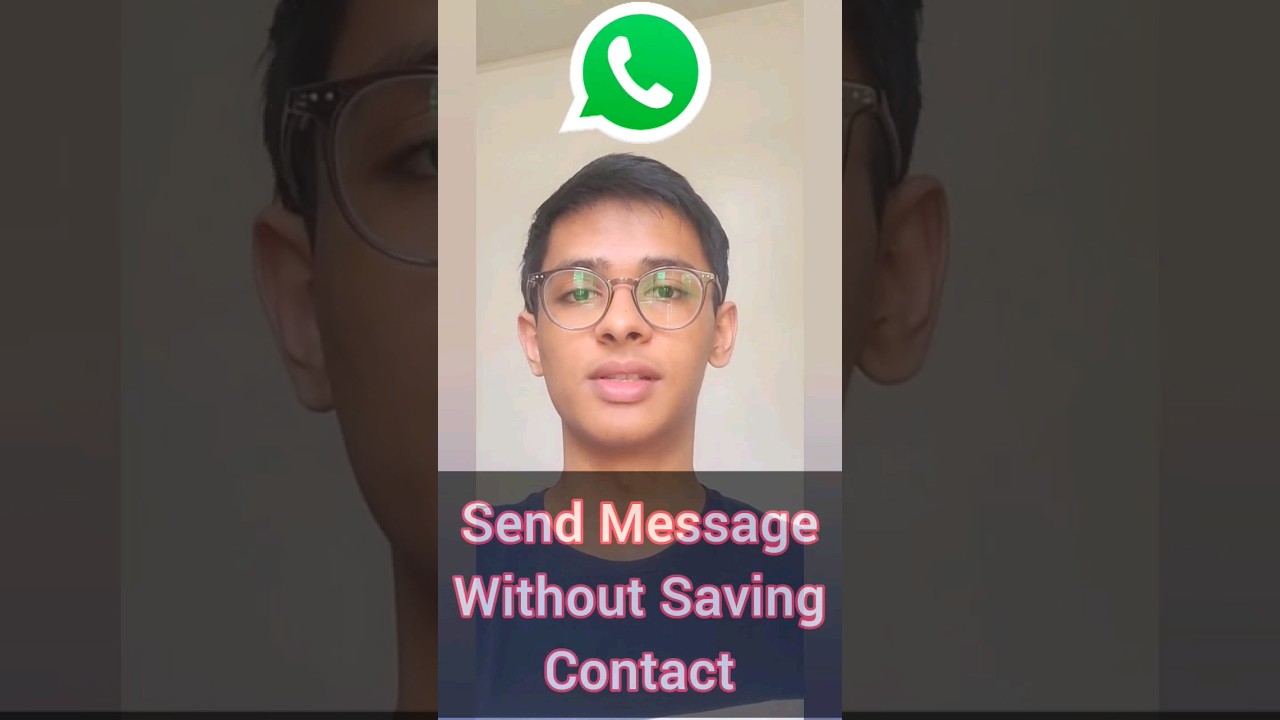
To send a WhatsApp message without saving the number, open your browser and go to wa.me/91 followed by the 10-digit mobile number, or send the number to yourself in WhatsApp and tap it. Both open a chat without adding a contact, which is handy for delivery drivers, shops or anyone you message once.
What you need
- WhatsApp installed on your phone
- The full mobile number of the person, including the country code (91 for India)
Method 1: Use a wa.me link in your browser
1Open your browser
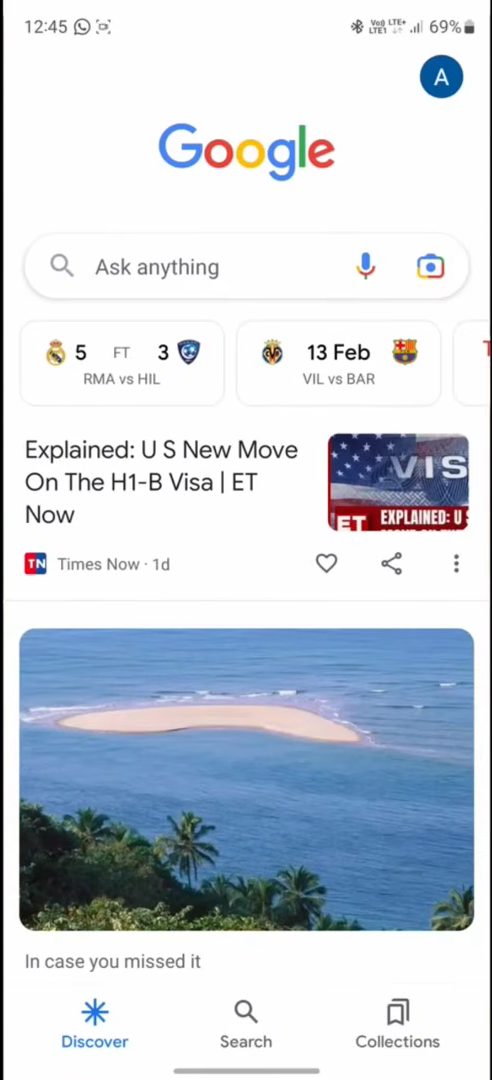
Open Chrome or the Google app on your phone and tap the search bar.
2Type wa.me/ with the country code and number
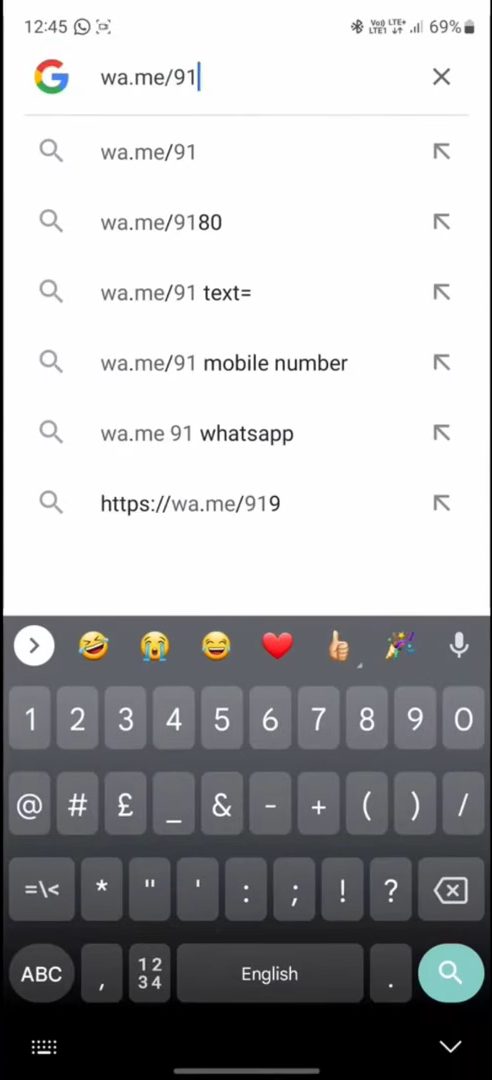
Type wa.me/91 and then the mobile number with no spaces. Replace 91 with the right country code for numbers from other countries. Tap Search.
3Chat in WhatsApp
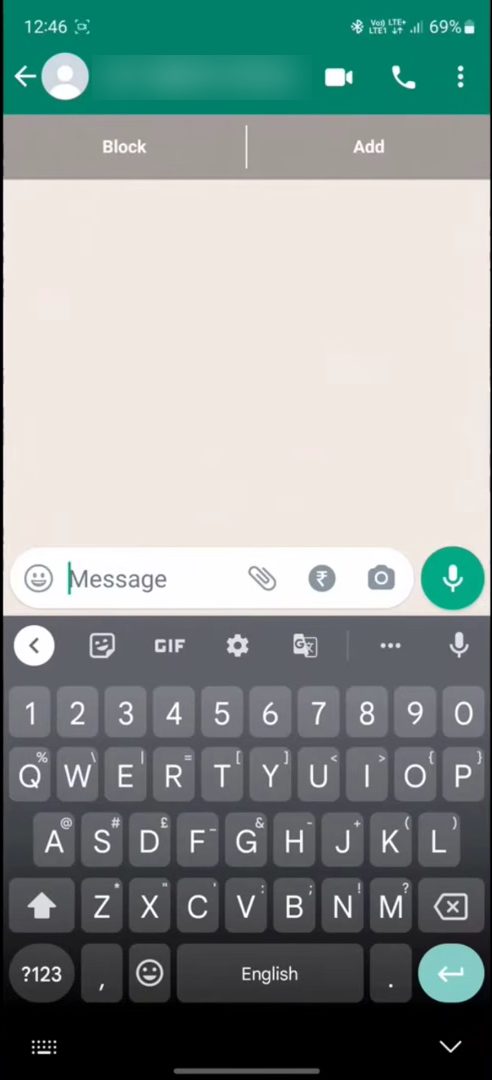
WhatsApp opens a chat with that number and you can message right away. The Block and Add buttons at the top show it is an unsaved contact.
Method 2: Message the number to yourself
4Start a chat with yourself
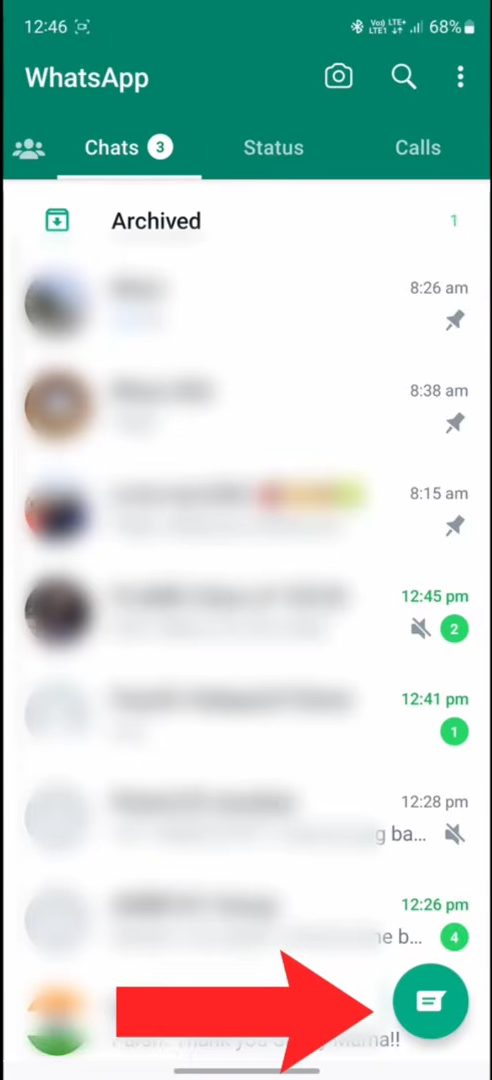
Open WhatsApp and tap the green chat icon at the bottom right. In Select contact, tap your own name at the top of the list (it is labelled "Message yourself").
5Send yourself the phone number
Send the number of the person you want to message in your own chat. WhatsApp turns it into a tappable link.
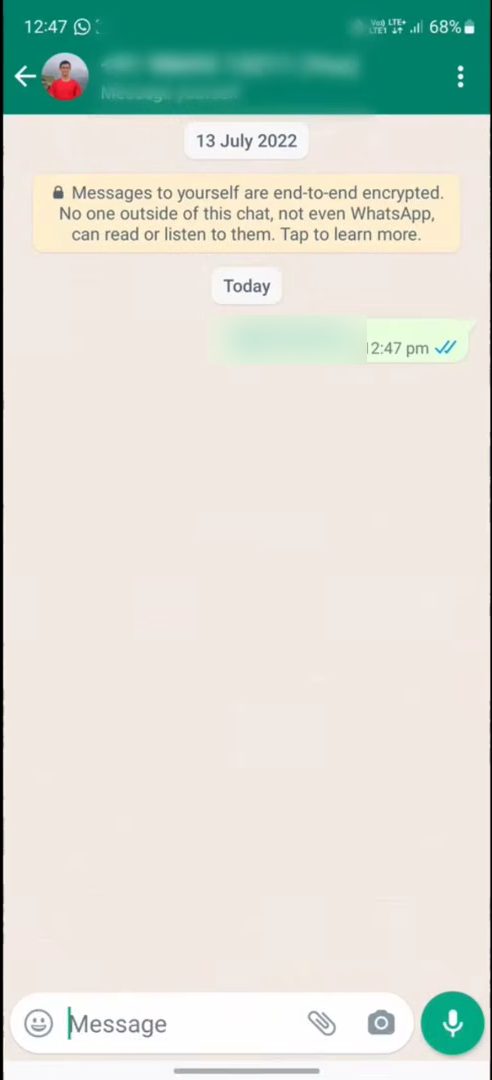
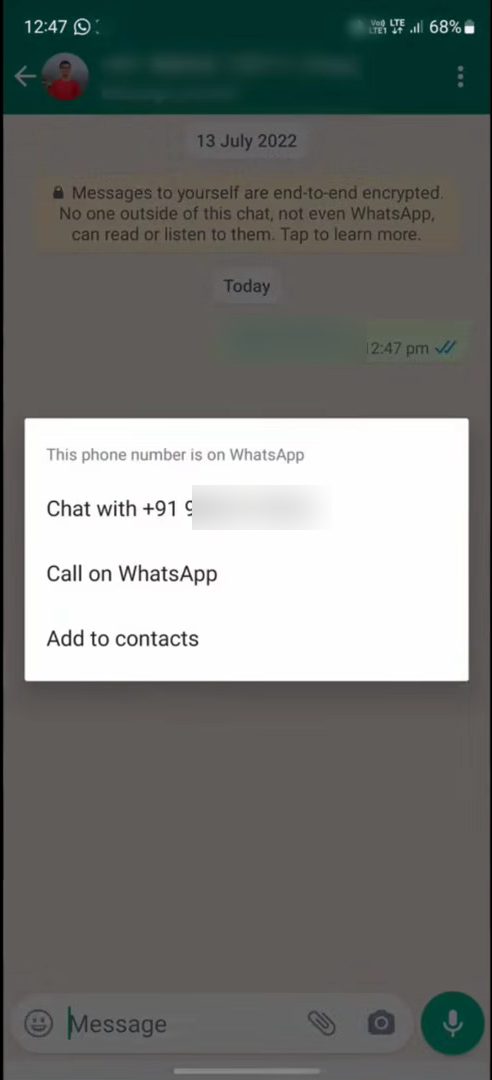
6Tap the number and choose Chat with
Tap the number you just sent. A menu appears saying the number is on WhatsApp. Tap Chat with +91 ... and the chat with that person opens.
How the wa.me link works
wa.me is WhatsApp's own click to chat feature, not a third-party trick. WhatsApp's help page, How to use click to chat, explains the format: wa.me/ followed by the full phone number in international format. That means the country code first, then the number, with no zeros, brackets, dashes or plus sign.
A few examples of how to write it: - Indian number 98765 43210: wa.me/919876543210 - A number written as 098765 43210: drop the leading 0, so it is still wa.me/919876543210 - A UK number +44 7700 900123: wa.me/447700900123
You can also add a ready-made message. Put ?text= after the number and then your message, with %20 in place of each space, for example wa.me/919876543210?text=Hi%20is%20this%20available. When the chat opens, the message is already typed in the box and you only need to tap send. This is handy if you send the same first message to many shop or delivery numbers.
Using it on a computer
The wa.me link also works on a laptop. Open it in any browser and WhatsApp shows a page with a button to continue to the chat. It then opens in the WhatsApp desktop app if you have it, or in WhatsApp Web, as long as your phone's WhatsApp is linked to that computer.
Tips / troubleshooting
- If the link says the number is not valid, check the country code and leave out any leading 0, spaces or + sign.
- If the number is correct but still doesn't open a chat, that person probably doesn't use WhatsApp on that number. Many people use WhatsApp on a different number from the one they call from.
- If the browser opens a web page instead of the app, tap the Continue to chat or Open app button on that page. Some browsers ask once for permission to open WhatsApp.
- In Method 2, the number only turns into a link if it is written as digits. Spaces are fine, but letters or extra symbols in the middle stop WhatsApp from recognising it.
- The chats you start this way stay in your chat list like any other chat. Delete the chat later if you don't want it there.
Privacy: what the other person sees
Messaging someone you haven't saved does not hide anything. They see your phone number, and your profile photo, name and about text according to your own WhatsApp privacy settings. Since they probably haven't saved your number either, WhatsApp may show them an option to block or report you, so it helps to say who you are in your first message.
FAQ
How do I send a WhatsApp message without saving the contact?
Open wa.me/ plus the country code and number in your browser, or send the number to yourself in WhatsApp, tap it and choose Chat with.
Will the person know I did not save their number?
Your message arrives like any normal WhatsApp message. On your side, the chat just shows their number instead of a name.
Does this work on iPhone?
The video shows Android. wa.me is WhatsApp's own link format, so it also opens from Safari on an iPhone.
Can I save the contact later?
Yes. In the chat, tap Add at the top, or tap the number and choose Add to contacts.
Can I message a number that is not on WhatsApp?
No. Both methods only work for numbers that have a WhatsApp account. In Method 2, WhatsApp shows the Chat with option only when the number is on WhatsApp; otherwise you only get options like calling or adding the contact.
Can I send a message with the link already typed in?
Yes. Add ?text= and your message after the number, using %20 for spaces, for example wa.me/919876543210?text=Hello. The chat opens with that text in the message box.
For more WhatsApp tricks, see how to create stickers in WhatsApp.
Related guides